28
Chapter 5
Setup Your Network via TP-Link Aginet App
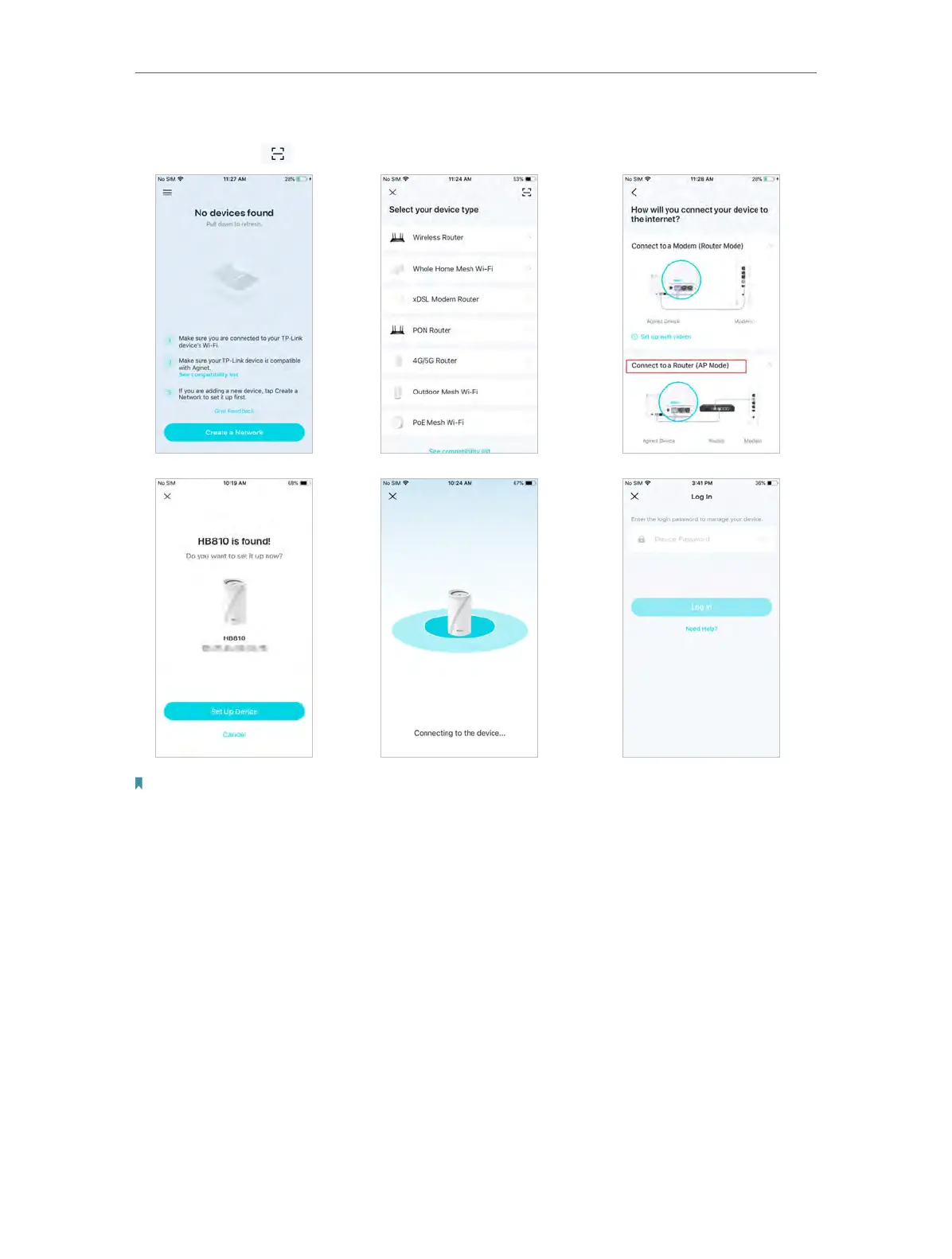
2 ) Select your device type and choose to Connect to a Router (AP Mode). You also
can tap
and scan the QR code on the product label to set up faster.
Note:
1. The login password is the GUI Password on the product label at the bottom of the product.
2. The Mesh device defaults to Access Point mode. You also can choose to After changing the operation mode to
Connect to a Modem (Router Mode) or change to Wireless Router mode when your device set up. The device will work
as a router and add functions such as Internet Connection, Parental Control, and Block List.
5. Check your Internet Connection
When connect your mesh device to the internet, please check your internet connection
information. If you are not sure, contact your internet service provider (It is recommended
to keep the default settings).














 To Next Page