64
Chapter 6
Customize Your Network Settings
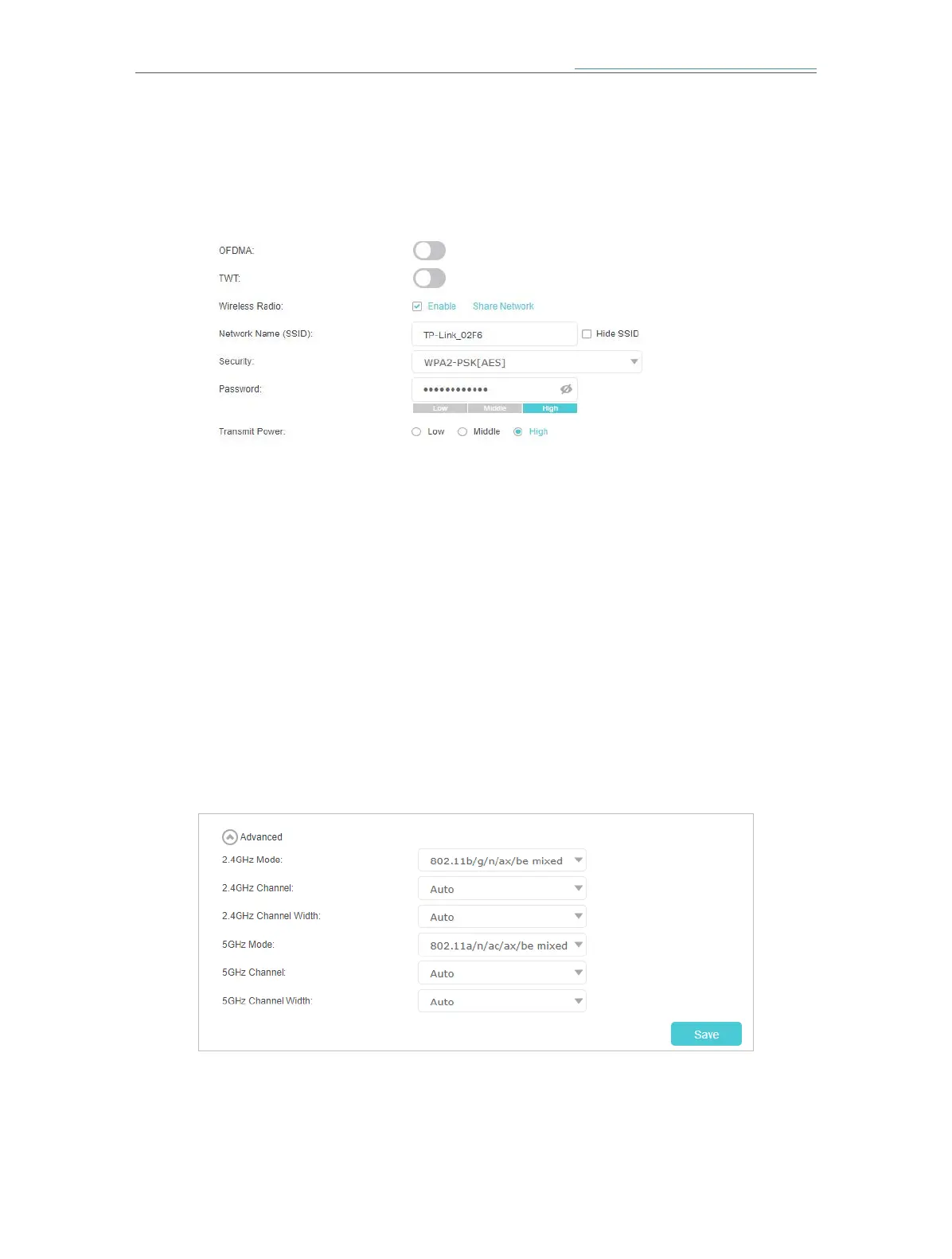
¾ To change the security option:
1. Go to Setting > Wireless > Wireless Settings (AP Mode) or Advanced > Wireless >
Wireless Settings (Router Mode).
2. Select an option from the Security drop-down list and configure the related
parameters. The mesh device provides four options, No Security, WPA-
PSK[TKIP]+WPA2-PSK[AES], WPA2-PSK[AES], WPA2-PSK[AES]+WPA3-Personal.
WPA3 uses the newest standard and the security level is the highest. We recommend
you don’t change the default settings unless necessary.
3. Click Save to make the settings effective.
¾ Transmit Power: Select Low, Middle, or High to specify the data transmit power. The
default and recommended setting is High.
¾ To change the 2.4GHz/5GHz mode or channel:
1. Go to Setting > Wireless > Wireless Settings(AP Mode) or Advanced > Wireless >
Wireless Settings (Router Mode), and locate the Advanced section.
2. Select the wireless network mode or channel and click Save to make the settings
effective.
2.4GHz Mode: Select the desired transmission mode.














 To Next Page