EasyManua.ls Logo

Tuttnauer 5050 - User Manual

Tuttnauer 5050
98 pages
Print Icon
To Next Page IconTo Next Page
Loading...
Operation and Maintenance
Manual
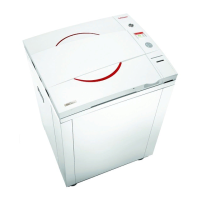
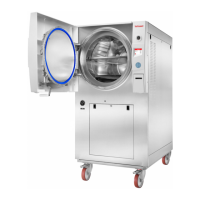
Electronic Laboratory Autoclaves
Models 5050, 5075 EL-MD/EL-D
EL-MD: standard autoclave (manual door)
EL-D: standard autoclave (automatic door)
C: optional system for fast cooling
PV: optional vacuum pump
BH: optional bio hazard filtration
F: optional fan for super-fast cooling
Cat. No. MAN205-0469000EN Rev. L
Tuttnauer Europe B.V.,
Hoeksteen 11 4815 PR P.O. Box 7191 4800 GD Breda,
The Netherlands Tel: 31 (0) 765423510, Fax: 31 (0) 765423540
DOMINIQUE DUTSCHER SAS

Table of Contents

Other manuals for Tuttnauer 5050

Questions and Answers

  • B
    Brian EvansSep 16, 2025
    Why is my Tuttnauer Steriliser printer not working?
    • C
      Christopher Peck IVSep 16, 2025
      If the Tuttnauer Steriliser printer isn't printing, it could be due to a couple of reasons. First, check if there is paper inserted in the printer. If there's no obvious reason, switch the machine off and then back on to restart it.
  • E
    emcintoshAug 26, 2025
    What does 'Cycle counter exceeded' mean on Tuttnauer Laboratory Equipment?
    • K
      Kimberly HendricksAug 26, 2025
      If your Tuttnauer Laboratory Equipment displays 'Cycle counter exceeded - Please call for service', call for service.
  • M
    Michael KirbyAug 26, 2025
    What does 'Periodical check time exceeded' mean on Tuttnauer 5050 Laboratory Equipment?
    • Y
      Yolanda RodgersAug 26, 2025
      If your Tuttnauer Laboratory Equipment displays 'Periodical check time exceeded - Please call for service', call for service.
  • J
    johnloweAug 30, 2025
    What does 'Compressed air supply error (digital input option)' mean on my Tuttnauer 5050 Laboratory Equipment and how to resolve it?
    • S
      Sandra CastanedaAug 30, 2025
      If your Tuttnauer Laboratory Equipment displays a 'Compressed air supply error (digital input option)' message, it indicates a malfunction in the compressed air supply. Check and fix the air supply.
  • T
    Tara FullerAug 31, 2025
    What to do if Tuttnauer Laboratory Equipment has a Vacuum Time Error?
    • C
      Caitlin PattersonAug 31, 2025
      If your Tuttnauer Laboratory Equipment displays a Vacuum Time Error, try the following: * Perform a new cycle. * If the problem persists, perform a vacuum test to find any leakage in the autoclave door or pipes.
  • R
    ramirezkimberlySep 1, 2025
    What does High Temp error mean on Tuttnauer Laboratory Equipment and how to solve it?
    • R
      Russell CobbSep 2, 2025
      The 'High Temp' message on your Tuttnauer Laboratory Equipment is displayed if the temperature rises 7°F (4°C) above the sterilization temperature during the sterilization stage for 2 seconds during sterilization cycle. To solve this, perform a new cycle.
  • T
    Travis WoodsSep 23, 2025
    Why Tuttnauer Laboratory Equipment printer feeds paper continuously?
    • V
      Valerie MortonSep 23, 2025
      If the printer feeds paper continuously when the Tuttnauer Laboratory Equipment is switched on, make sure the ‘feed button’ on the printer is not stuck.
  • M
    Mark LopezSep 7, 2025
    What to do if the chamber temperature is not in range in Tuttnauer 5050?
    • J
      jlawrenceSep 7, 2025
      If the chamber temperature of your Tuttnauer Laboratory Equipment is not within the expected range, wait until the chamber reaches the normal range temperature.
  • D
    Danny RobertsSep 14, 2025
    What does 'High Pressure (Ending)' mean on my Tuttnauer Steriliser, and how do I resolve it?
    • O
      oellisSep 14, 2025
      If the Tuttnauer Steriliser displays 'High Pressure (Ending)', it means the system cannot reach atmospheric pressure ± 5kPa during the ending stage. Perform a new cycle.
  • M
    Michael McfarlandAug 25, 2025
    What to do if Tuttnauer 5050 Laboratory Equipment says 'I/O card is not connected'?
    • I
      ibaileyAug 25, 2025
      If your Tuttnauer Laboratory Equipment indicates that the 'I/O card is not connected,' turn the autoclave off and on again. If the problem continues, call for service.

Summary

General Autoclave Information

Introduction to Autoclave Models

Overview of the laboratory sterilizer, its models, and features.

Incoming Inspection Procedures

Procedures for unpacking and inspecting the autoclave upon receipt.

Product Warranty Details

Details of the product warranty, coverage, and exclusions.

Warranty Registration and Service

Information on warranty registration and technical service contact.

Safety Instructions for Autoclave Operation

Technical Data and Specifications

Standards and Compliance

Lists relevant directives and standards the autoclave complies with.

Water and Utilities Specifications

Details water quality requirements and system utilities.

Electrical and Performance Data

Covers electrical configurations, operating conditions, and performance.

Physical and Environmental Data

Includes construction materials, emissions, and dimensions.

Model Specifications and Stickers

Provides detailed model specifications and sticker descriptions.

Autoclave Component Views

Diagrams showing the front and rear views of the autoclave.

Control Panel Interface

Control Panel Overview and Components

Diagram of the control panel and its numbered components.

Keypad Functions and Navigation

Explains the functions of the UP, DOWN, and START/STOP keys.

Displayed Messages and Symbols

Lists and explains operational and error messages and symbols.

Printer Integration Details

Describes the optional printer and its role in the system.

Sterilization Programs Overview

Program 1: Glass Sterilization

Details the Glass sterilization program parameters and sequence.

Program 2: Plastic Sterilization

Details the Plastic sterilization program parameters and sequence.

Program 3: Liquid A Sterilization

Details the Liquid A sterilization program, cautions, and sequence.

Program 4: Liquid B - Waste Sterilization

Details the Liquid B – Waste sterilization program, cautions, and sequence.

Program 5: Liquid A - Cooling

Details the Liquid A – Cooling program parameters and sequence.

Program 6: Liquid B - Waste Cooling

Details the Liquid B – Waste Cooling program parameters and sequence.

Program 7: Bio Hazard 1

Details the Bio Hazard 1 program for bio-hazard models.

Program 8: Bio Hazard 2

Details the Bio Hazard 2 program for bio-hazard models.

Program 9: Bio Hazard Liquids

Details the Bio Hazard Liquids program for bio-hazard models.

Program 10: Vacuum Test

Details the Vacuum Test program for PV models.

Program 11: Warm-Up

Details the Warm-Up program for pre-warming the chamber.

Program 12: Isothermal

Details the Isothermal program for liquids, agar, pasteurization.

Program 13: Air Mixture

Details the Air Mixture program for liquids in soft packages.

Program 14: Glass Test

Details the Glass Test program for checking bottle durability.

Program 15: Durham

Details the Durham program for liquids.

Autoclave Screen Displays

Successful Cycle Screens

Illustrates screens shown after a successful sterilization cycle.

Aborted Cycle Screens

Shows screens for cycles aborted after sterilization.

General Cycle Failure Screens

Illustrates screens indicating a general cycle failure.

Parameter and System Management

Menu Navigation and Parameter Adjustment

Instructions for browsing menus and changing parameters.

Quick Options and System Settings

Accessing quick options, setting date/time, and system parameters.

Cycle Parameter Configuration

Details on managing cycle parameters like Dry Time.

Printer Operations

Printer Output and Handling

Information on printer output content and paper handling.

Paper Treatment and Powering Off

Guidelines for treating thermal papers and powering off the printer.

Sterilization Preparation Guide

Instrument and Liquid Preparation

Guidelines for preparing instruments, tubing, and liquids.

Water Reservoir Filling Instructions

Instructions for filling the autoclave's water reservoir.

Operating the Autoclave

Powering On and Door Operations

Steps for turning on the autoclave and opening/closing doors.

Cycle Execution and Unloading

How to start, run, and unload the autoclave cycle.

Scheduled Cycle Start Function

Instructions for setting a future start time for the sterilization cycle.

Service and Maintenance Procedures

Preventive and Scheduled Tasks

Covers daily, weekly, periodic maintenance and tests.

Reservoir and Strainer Maintenance

Instructions for draining the reservoir and cleaning the strainer.

Safety Valve and Moving Procedures

Guidance on checking safety valves and moving the autoclave.

Troubleshooting Common Issues

Display, Printer, and Sensor Errors

Addresses issues with display, printer, sensors, and range errors.

Cycle, Pressure, and Time Errors

Covers system, cycle, pressure, and time-related errors.

Operational and Maintenance Faults

Addresses errors related to jacket temp, maintenance, water, vacuum, and cycle counts.

Baskets and Containers

Spare Parts List

Accessories List

Tuttnauer 5050 Specifications

General IconGeneral
BrandTuttnauer
Model5050
CategoryLaboratory Equipment
LanguageEnglish

Related product manuals