ROBOT HP7E / HP10E / HP12E / HP15E / HP20E 6. Graphical control
6-65© VEMAG 2010
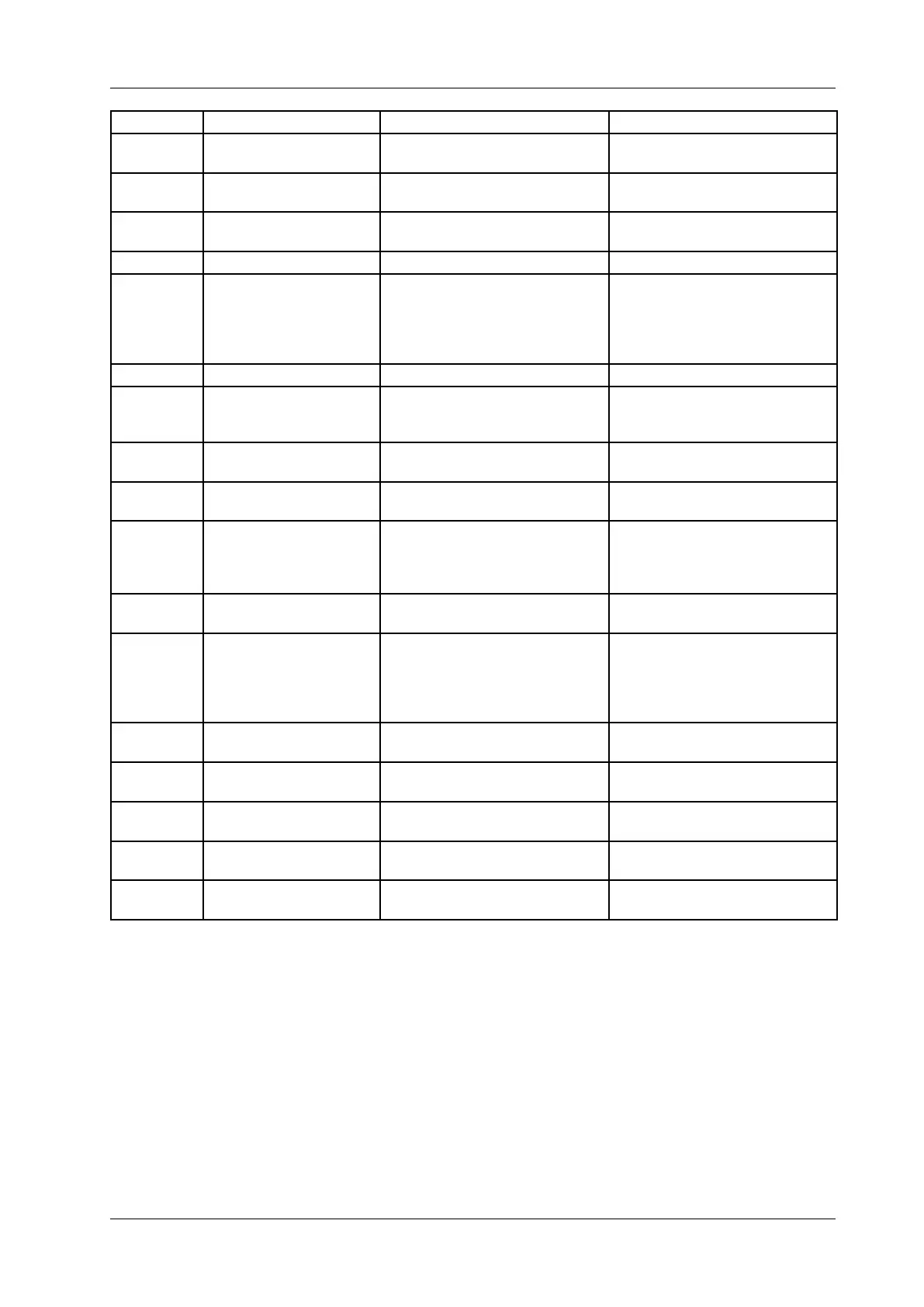
Number Message Cause Remedy
931 Communication belt drive CAN bus communication with belt
drive interrupted.
Check that CAN bus line is wired
correctly.
932 Unexpected belt drive Uncongured belt drive found on
CAN bus.
Activate the belt drive in the PC
if necessary.
933 Belt drive inhibit Controller for belt drive not
released.
Check controller release at FU4,
terminal 31.
935 Belt drive manual Belt drive operated manually. Release manual drive button.
937 Blade drive timeout The machine‘s internal blade drive
took too long to reach its starting
position.
Check the reference sensor and
the blade drive‘s application
module. Make a note of the error
number and inform the VEMAG
Customer Service team.
950 External drives ready The external drive(s) are ready. --
952 External drive 1 not found External drive 1 could not be found
on the CAN bus.
Check power supply at drive con-
troller FU1 and that the CAN bus
lines are correctly wired.
953 External drive 1 commu-
nication
CAN bus communication to exter-
nal drive 1 was interrupted.
Check that CAN bus line is wired
correctly.
954 No release for external
drive 1
There is no controller release for
external drive 1.
Check controller release to FU1,
terminal 31.
955 External drive 1 applica-
tion error
Fault in the application module.
This fault occurs in combination
with other fault numbers.
Make a note of the numbers of all
errors displayed before this error
and inform the VEMAG Customer
Service team.
956 External drive 1 manual External drive 1 is operated by
hand.
Release manual drive button S10.
957 External drive 1 timeout The reference movement of the
machine‘s external drive 1 took too
long.
Check the reference sensor and
the blade drive‘s application
module. Make a note of the error
number and inform the VEMAG
Customer Service team.
1000 - 2999 Main drive The main drive controller is report-
ing a fault.
Note the fault number and contact
VEMAG Customer Service.
3000 - 4999 Twist drive The linking drive controller is
reporting a fault.
Note the fault number and contact
VEMAG Customer Service.
5000 - 6999 Infeed drive The feed unit drive controller is
reporting a fault.
Note the fault number and contact
VEMAG Customer Service.
7000 - 8999 Belt drive The belt drive controller is report-
ing a fault.
Note the fault number and contact
VEMAG Service.
21000 -
22999
External drive 1 There is a fault in the primary
external drive controller.
Note the fault number and contact
VEMAG Customer Service.


 To Next Page