BASIC SYSTEM PROGRAMMING TASKS DX-120 Programming Manual
- 106 -
Customizing the Numbering Plan (continued)
CUSTOMIZING THE NUMBERING PLAN VIA PC-DBA
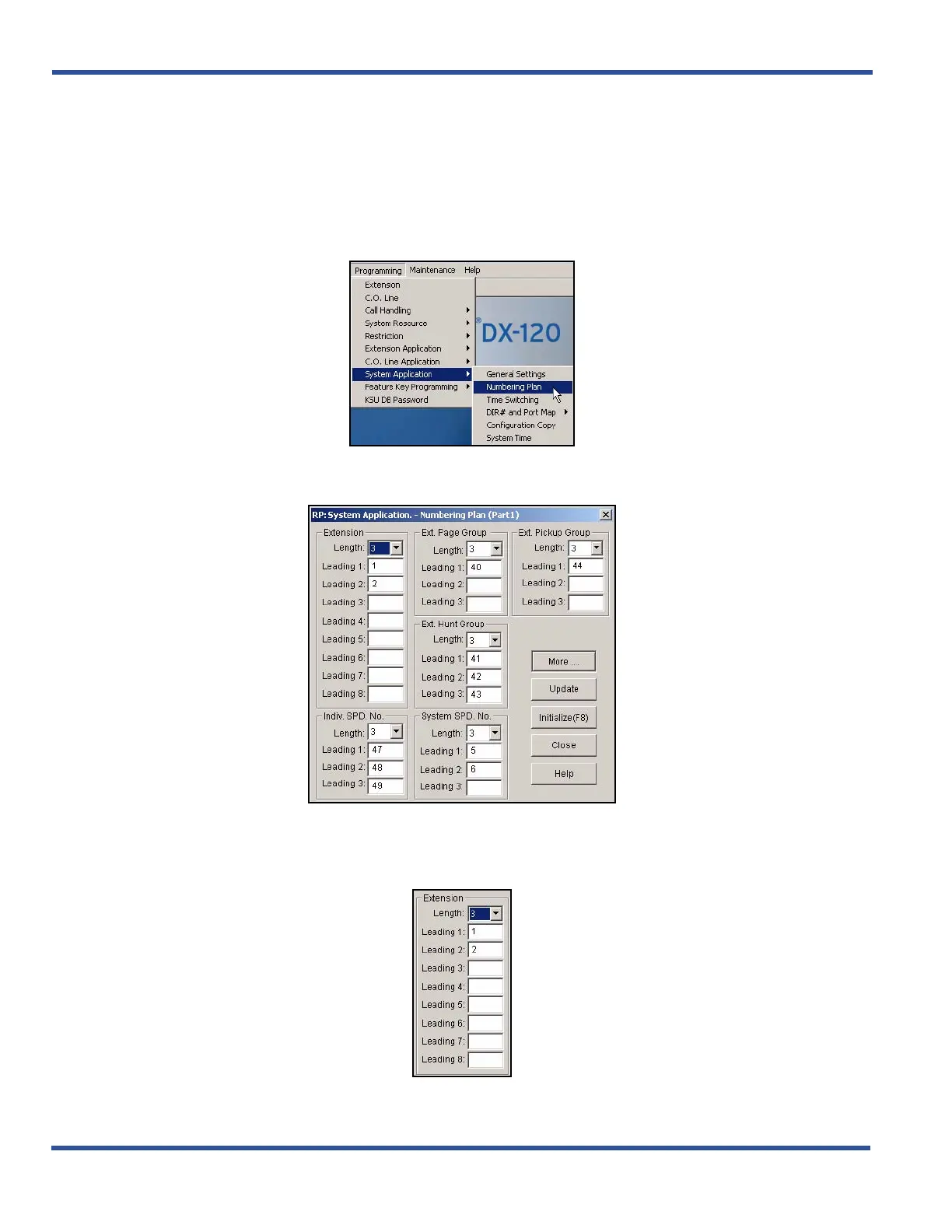
NUMBERING PLAN (PART 1): EXTENSION SETTINGS
From the PC-DBA main screen:
1) Go to ProgrammingXSystem ApplicationXNumbering Plan to display the Numbering Plan (Part 1)
screen.
2) Enter the settings in the fields as described below for each section of this screen:
In the Extension fields:
Customizing the Numbering Plan via PC-DBA (continued on next page)



 To Next Page