BASIC CO LINE PROGRAMMING TASKS DX-120 Programming Manual
- 124 -
Setting the Dial Type
You can designate CO lines as pulse dial or DTMF (Touch Tone®) dial types. This setting determines how the system
delivers telephone number dialing to the telephone company.
You can temporarily force a CO line that is marked as dialing type “pulse” to tone mode for use with automated
answering devices etc. using the Pulse to DTMF Conversion feature.
SETTING THE DIAL TYPE VIA PC-DBA
From the PC-DBA main screen:
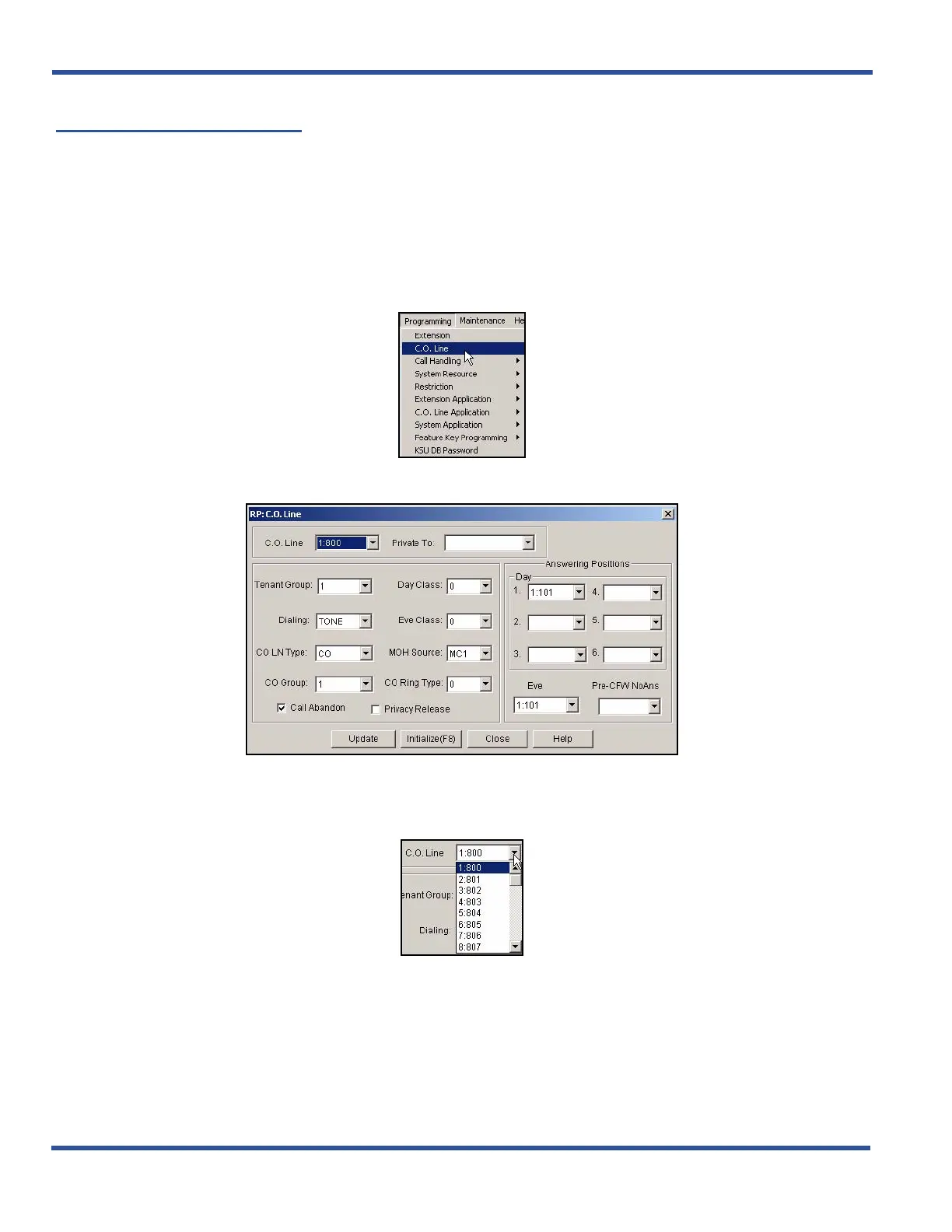
1) Go to ProgrammingXC. O. Line to display the C. O. Line screen.
2) Select the central office line you wish to assign.
• Available entries are 800 through 839.
• Entries 840 to 843 are for future use only.
Setting the Dial Type via PC-DBA (continued on next page)



 To Next Page