BASIC CALL HANDLING PROGRAMMING TASKS DX-120 Programming Manual
- 280 -
Setting Fax Ring Time
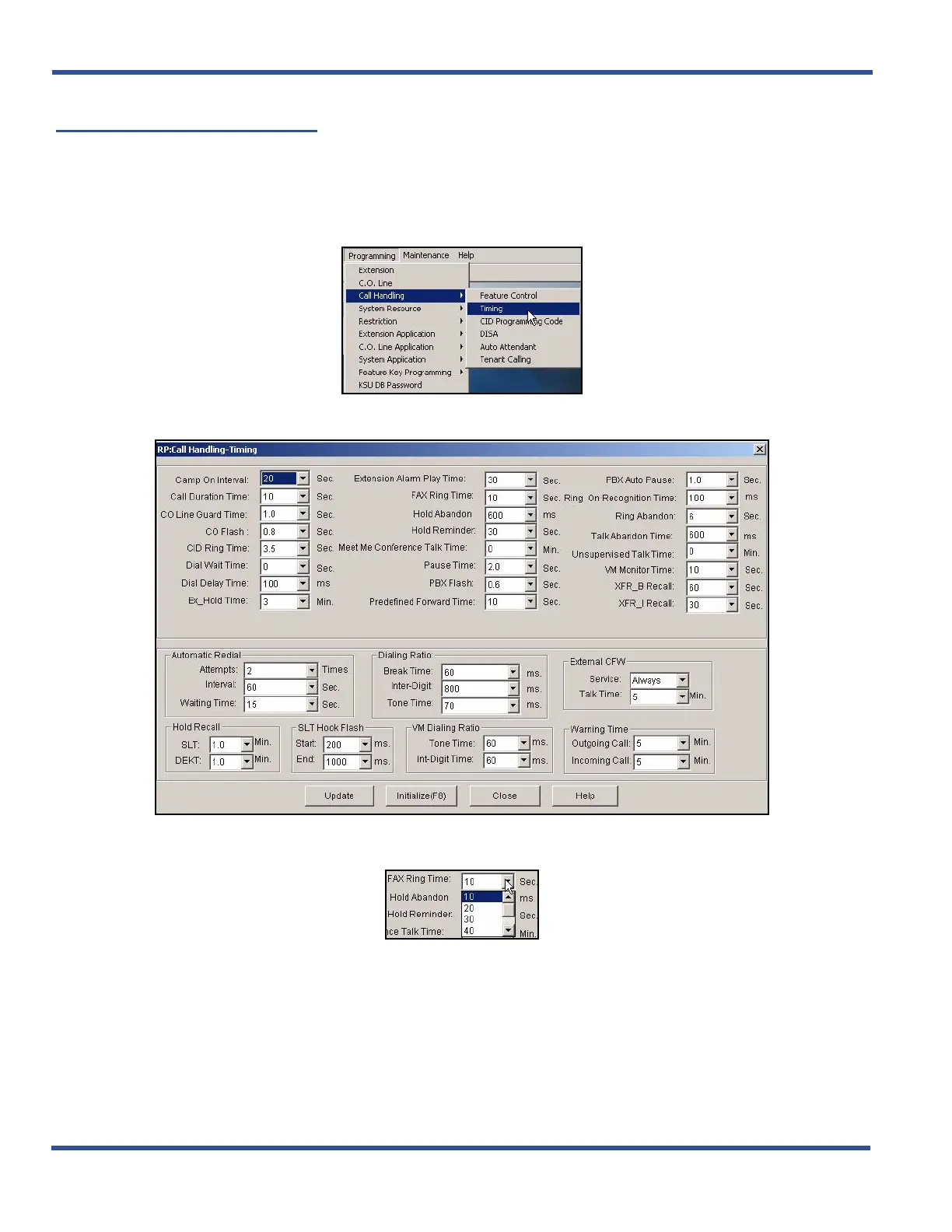
The DX-120 allows you to specify how many seconds you want it to ring a fax line before dropping the call.
SETTING FAX RING TIME VIA PC-DBA
From the PC-DBA main screen:
1) Go to ProgrammingXCall HandlingXTiming to display the Call Handling—Timing screen.
In the Fax Ring Time field in the center of the screen:
2) Select the length of time (in seconds) that you want the system to ring a fax line before dropping the call.
• Valid options are 10, 20, 30, 40, 50, and 60.
• The default is 10 seconds.
Setting Fax Ring Time via PC-DBA (continued on next page)



 To Next Page