- 223 -
DX-120 Programming Manual BASIC CALL HANDLING PROGRAMMING TASKS
Establishing the Dialing Ratio
You can modify the settings for manually dialed or system automatically dialed digits, depending on the outside plant
environment, type of Central Office, and customers’ specialized dialing requirements.
• The system provides two features that control dialing options:
- DTMF “on” time (tone) and
- Pulse dialing – pulse time/Pulse dialing – inter-digit time.
NOTE
Usually it is not necessary to modify the settings of these features. However, in some
installation environments the outside plant equipment may be antiquated, or line
conditions may be poor.
In these instances you can increase tone duration and/or
inter-digit duration timing to offset these poor conditions.
• The following conditions apply to setting the dialing ratio:
- You can use a longer DTMF “on” time and/or inter-digit tone time to ensure more reliable interaction with
remote voice mail and similar remote DTMF dial-pad-actuated devices.
- At default the DTMF duration is set to 70 milliseconds.
- Longer tone duration or inter-digit duration times cause a slower output of manual or automatic system-dialed
numbers.
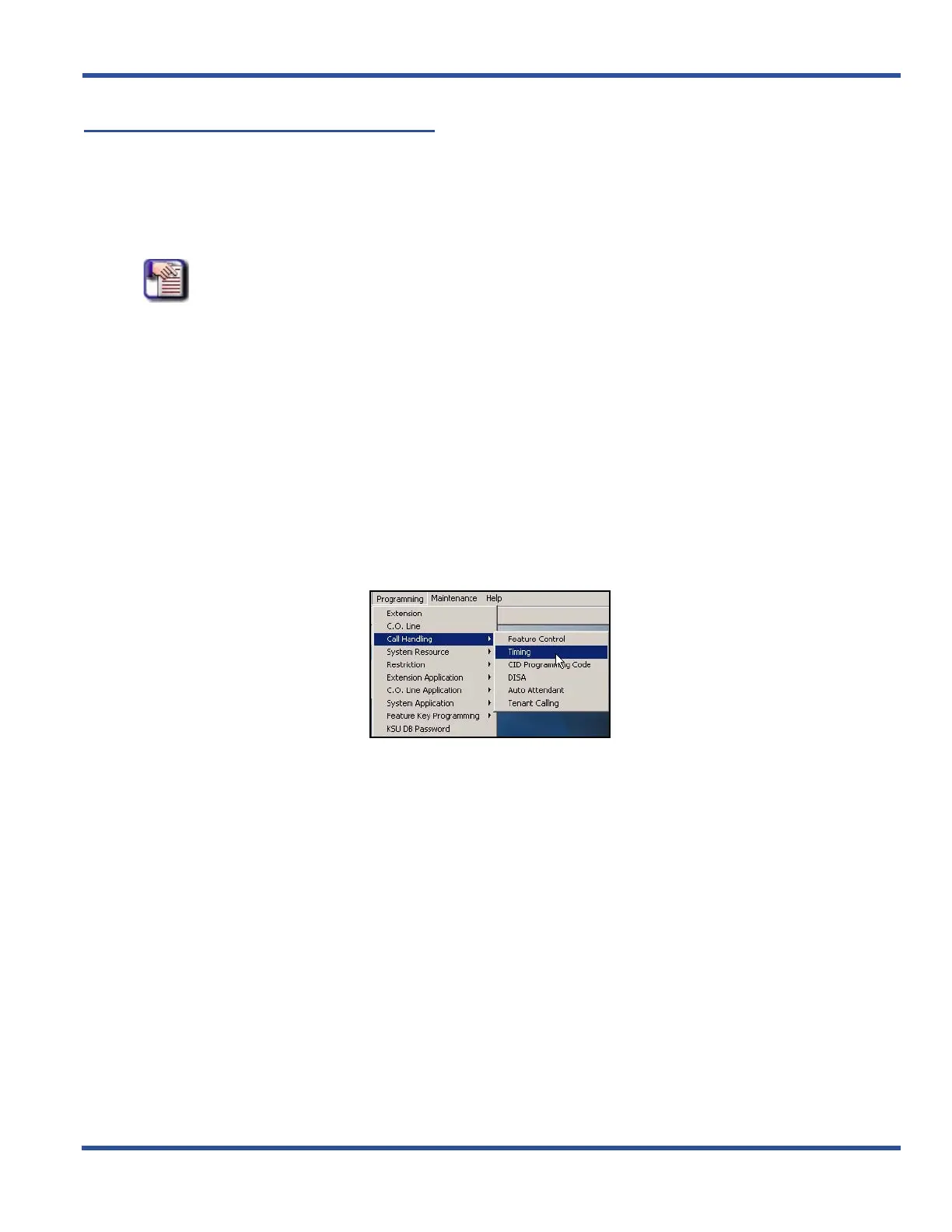
ESTABLISHING THE DIALING RATIO VIA PC-DBA
From the PC-DBA main screen:
Establishing Dialing Ratio via PC-DBA (continued on next page)



 To Next Page