APPENDIX E - SETTING UP LETTER TYPE FOR USING SPECIAL CHARACTERS
- 476 -
APPENDIX E - SETTING UP LETTER TYPE
FOR USING SPECIAL CHARACTERS
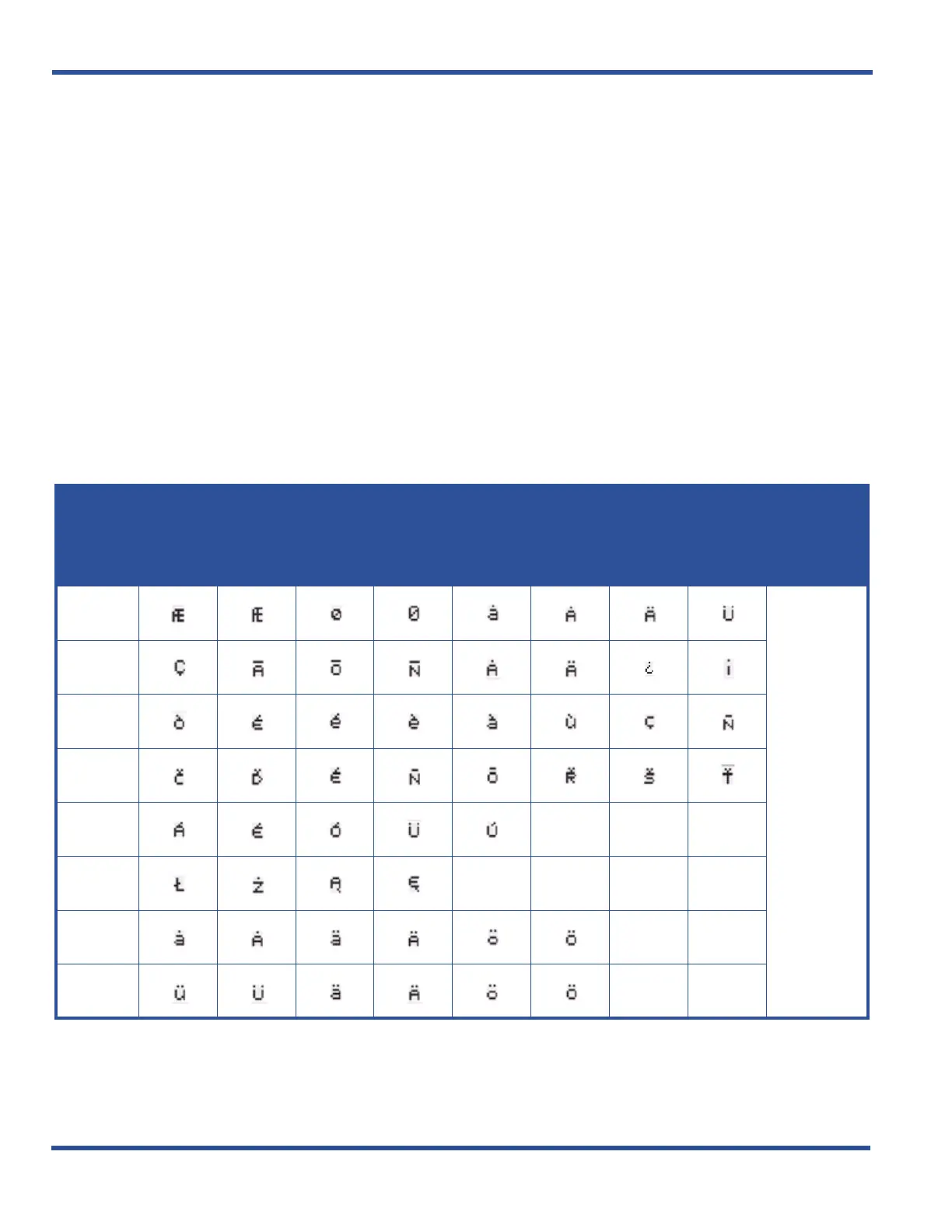
You can use special characters (e.g., those used in languages other than English such as ä, Ç, and é) when
programming text for the telephone display (i.e., extension names, CO line names, pre-programmed messages, and
UCD names for special requirements.
Each set of characters is assigned to a letter type. In order to use a specific set
of these special characters you must change the Letter type to the appropriate number.
SETTING UP LETTER TYPE FOR USING SPECIAL CHARACTERS - VIA PC-DBA
From the PC-DBA main screen:
1) Go to ProgrammingXSystem ApplicationXGeneral Settings to display the Application—General Settings
screen.
In the Letter Type field:
2) Select the letter type that corresponds to the special character set you want to use.
• Valid entries are 0 through 7.
• The default is 0.
When you are finished:
3) Click the Update button to store the settings into the database on the local disk.
4) Click the Close button to exit the current screen and return to the PC-DBA main screen.
CHOOSE
THIS
LETTER
TYPE...
for this character set...
Press 1
one
time
Press 1
2times
Press 1
3 times
Press 1
4 times
Press 1
5 times
Press 1
6 times
Press 1
7 times
Press 1
8 times
then...
PRESS
0
#
1
2
3
4
5
6
7



 To Next Page