- 365 -
DX-120 Programming Manual PROGRAMMING THIRD PARTY VOICE MAIL
B - Program the UCD Group Members for Third Party VM
You must also program the UCD group members - see “Programming UCDs” on page 345 for additional details. If
you have not assigned the VM port type, go back to page 363 and do so now.
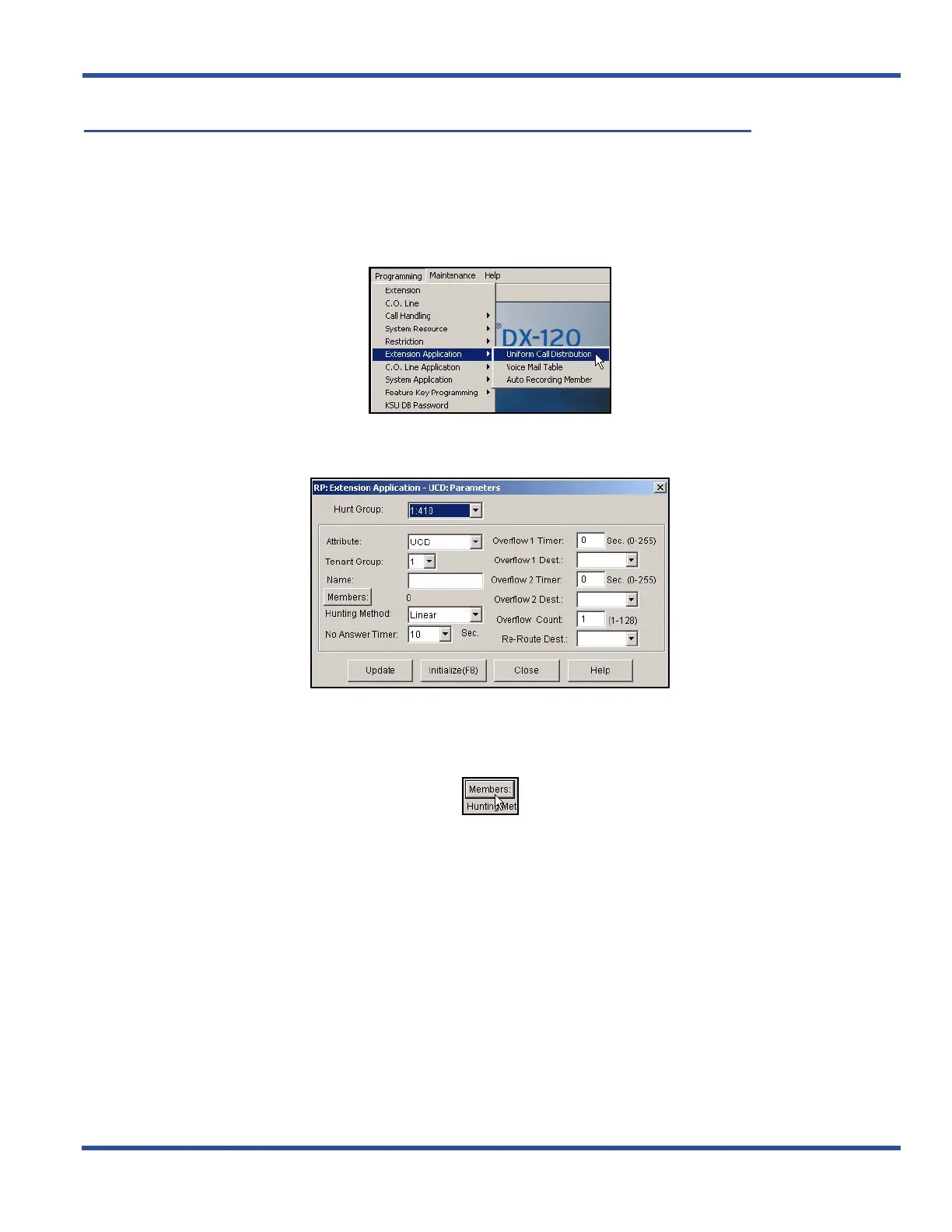
PROGRAM THE UCD GROUP MEMBERS VIA PC-DBA
From the PC-DBA main screen:
1) Go to ProgrammingXExtension ApplicationXUniform Call Distribution to display the UCD: Parameters
screen.
2) Select the UCD Group you want to program as the VM hunt group (e.g., usually 24) from the Hunt Group
field.
3) Click the Members button to display the member list for the selected hunt group (e.g., 24).
Program the UCD Group Members via PC-DBA (continued on next page)



 To Next Page