- 435 -
DX-120 Programming Manual BASIC EXTENSION PROGRAMMING TASKS
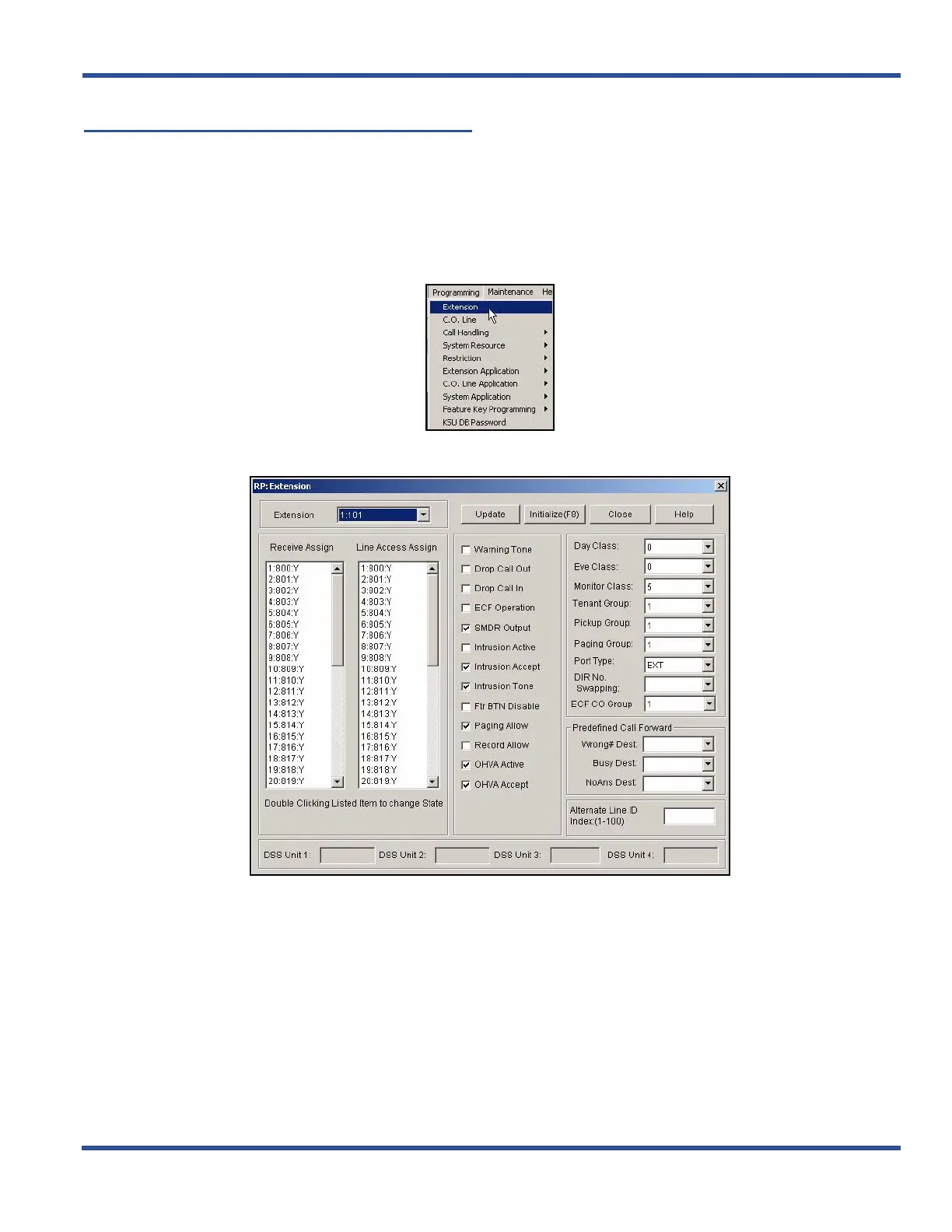
Setting Up Receive Assignments
For each extension, you can assign receive privileges from each of the CO line numbers. As a default each CO lines
have the receive privileges setting enabled.
So you will need to remove these privileges for any C.O. lines that should
not have this setting enabled.
SETTING UP RECEIVE ASSIGNMENTS VIA PC-DBA
From the PC-DBA main screen:
1) Go to ProgrammingXExtension to display the Extensions screen.
2) Select the extension number you want to program.
Setting Up Receive Assignments via PC-DBA (continued on next page)



 To Next Page