- 367 -
DX-120 Programming Manual PROGRAMMING THIRD PARTY VOICE MAIL
C - Set Up the Voice Mail Table
(Call Handling Digits) for Third Party VM
Once the VM port type is assigned and the UCD members are programmed (see previous pages), you need to set the
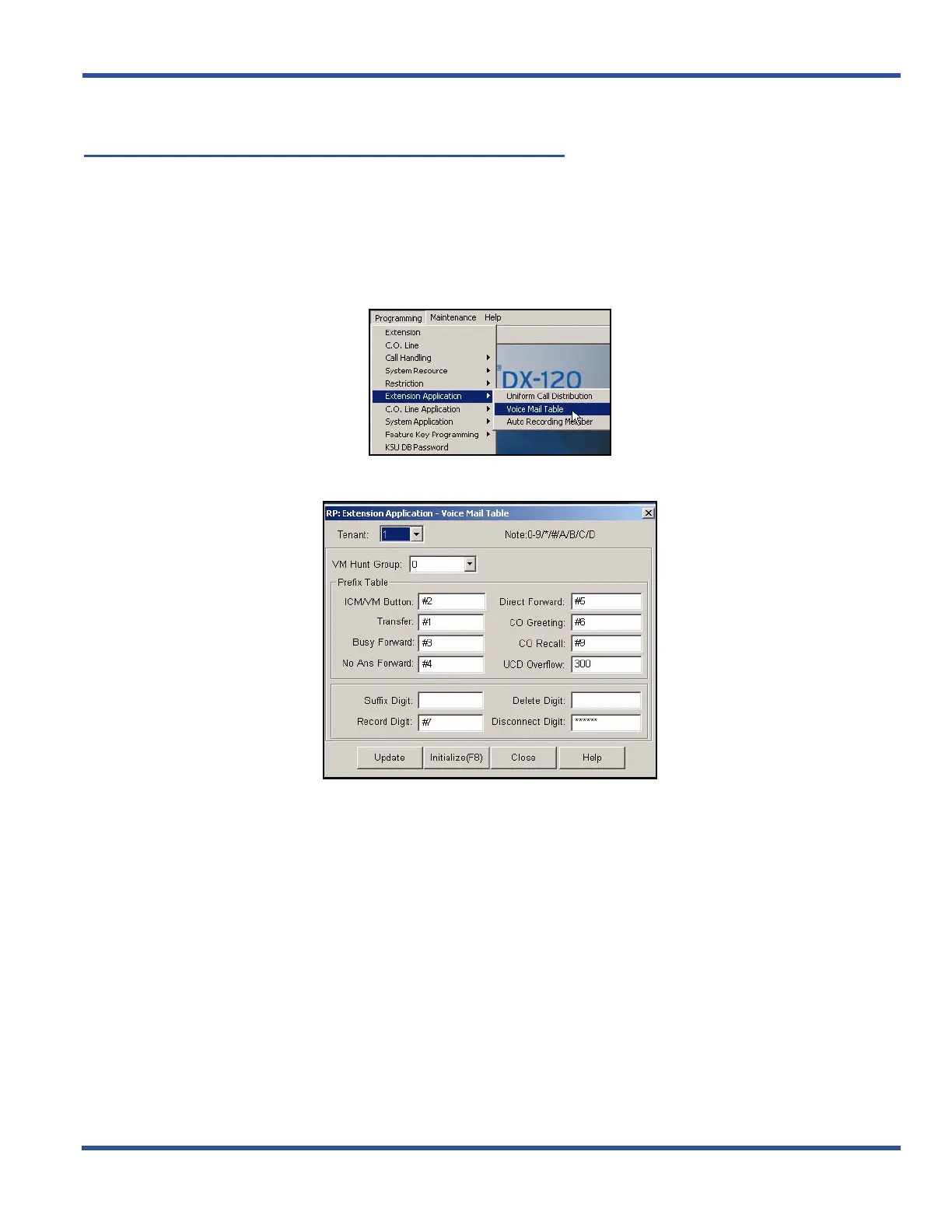
Call Handling digits in the Voice Mail Table. These settings will tell the system how to handle incoming calls with regard
to the voice mail system.
SET THE CALL HANDLING DIGITS VIA PC-DBA
From the PC-DBA main screen:
1) Go to ProgrammingXExtension ApplicationXVoice Mail Table to display the Voice Mail Table screen.
2) Select the tenant group for which you want to program voice mail.
Set the Call Handling Digits via PC-DBA (continued on next page)



 To Next Page