BASIC CALL HANDLING PROGRAMMING TASKS DX-120 Programming Manual
- 294 -
Setting Unsupervised Talk Time
The DX-120 allows you to specify how long you want to allow unsupervised talk time to continue before the system
drops the call.
This setting applies to conference calls.
HINT
Also see...
• “Programming Conference Calls” on page 189.
• “Setting Talk Abandon Time Interval” on page 289.
SETTING UNSUPERVISED TALK TIME VIA PC-DBA
From the PC-DBA main screen:
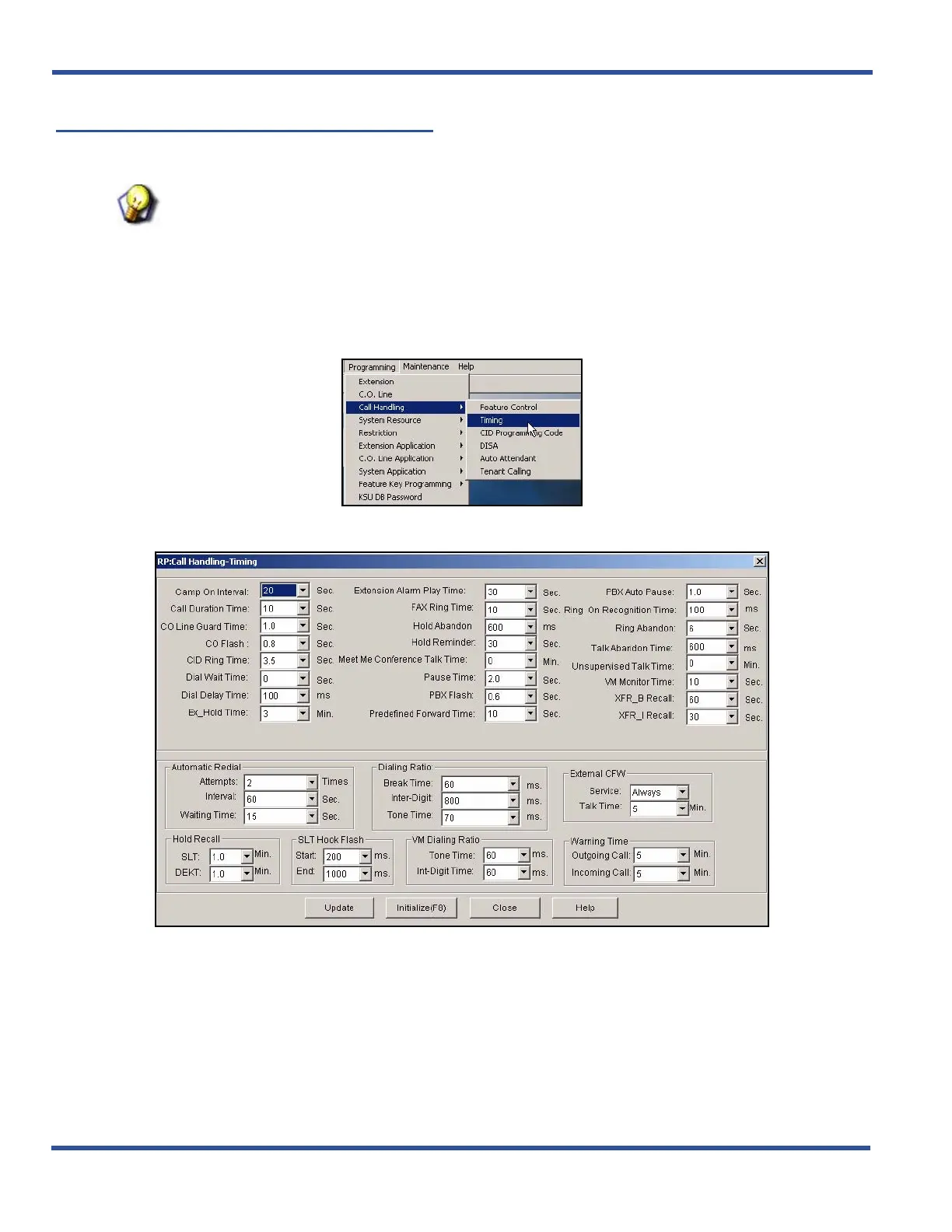
1) Go to ProgrammingXCall HandlingXTiming to display the Call Handling—Timing screen.
Setting Unsupervised Talk Time via PC-DBA (continued on next page)



 To Next Page