- 377 -
DX-120 Programming Manual PROGRAMMING THIRD PARTY VOICE MAIL
D - Set the Voice Mail Dialing Ratio for Third Party VM
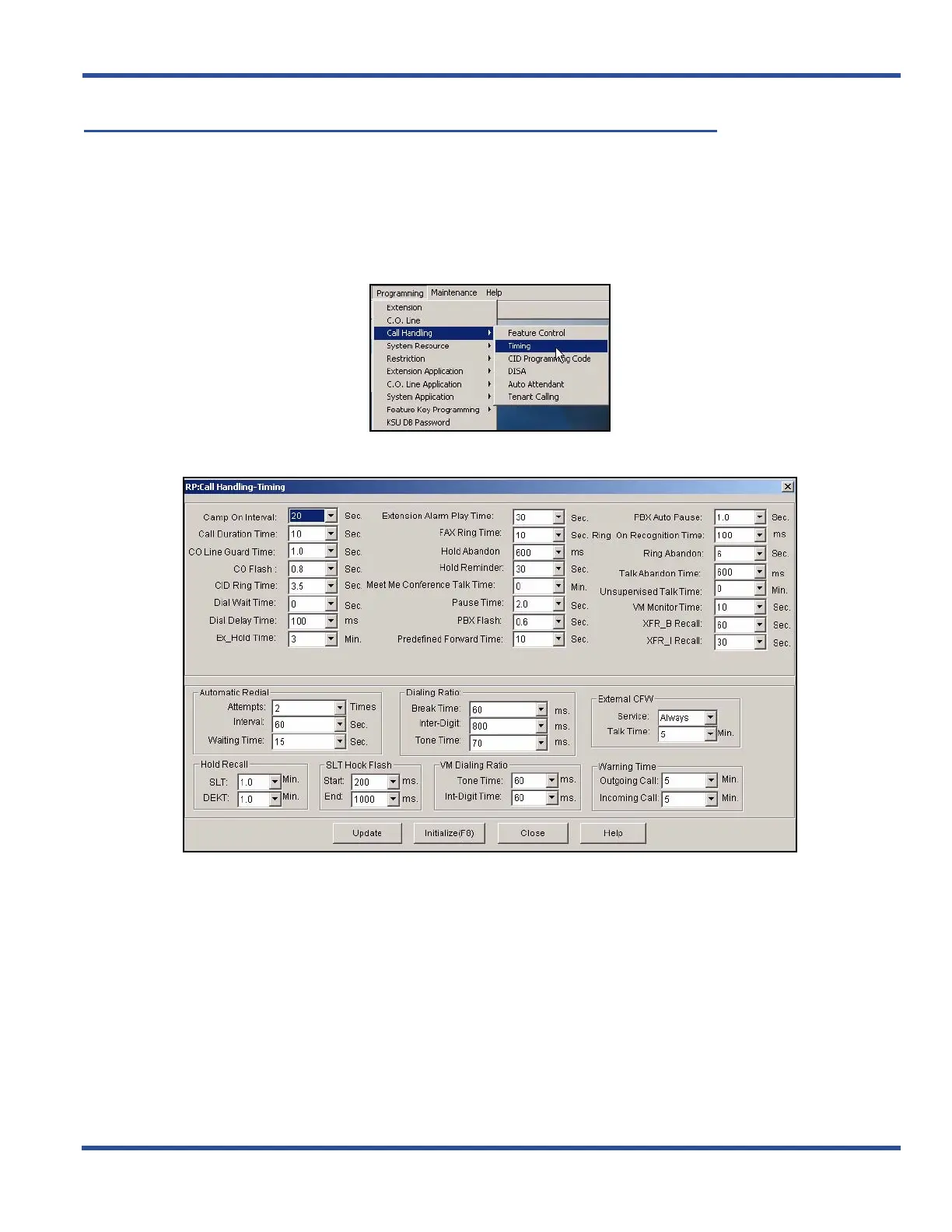
VM dialing ratio is the length of the DTMF (i.e., Tone Time), as well as the length of time between digits (i.e., Inter-
digits) being sent to the voice mail. This is because some voicemail systems may need longer tones to be able to
detect what digit is being sent or it may be that the voicemail may need more or less time between digits.
SET THE VOICE MAIL DIALING RATIO VIA PC-DBA
From the PC-DBA main screen:
1) Go to ProgrammingXCall HandlingXTiming to display the Call HandlingTiming screen.
Set the Voice Mail Dialing Ratio via PC-DBA (continued on next page)



 To Next Page