- 289 -
DX-120 Programming Manual BASIC CALL HANDLING PROGRAMMING TASKS
Setting Talk Abandon Time Interval
Talk abandon occurs when the system experiences a drop of loop current for longer than a specified length of time,
while the call is active (talk time).
If this time period expires, and the drop of CO loop current is still present, the system
abandons the call and drops the CO line.
The DX-120 allows you to control how long the system waits before
abandoning the call.
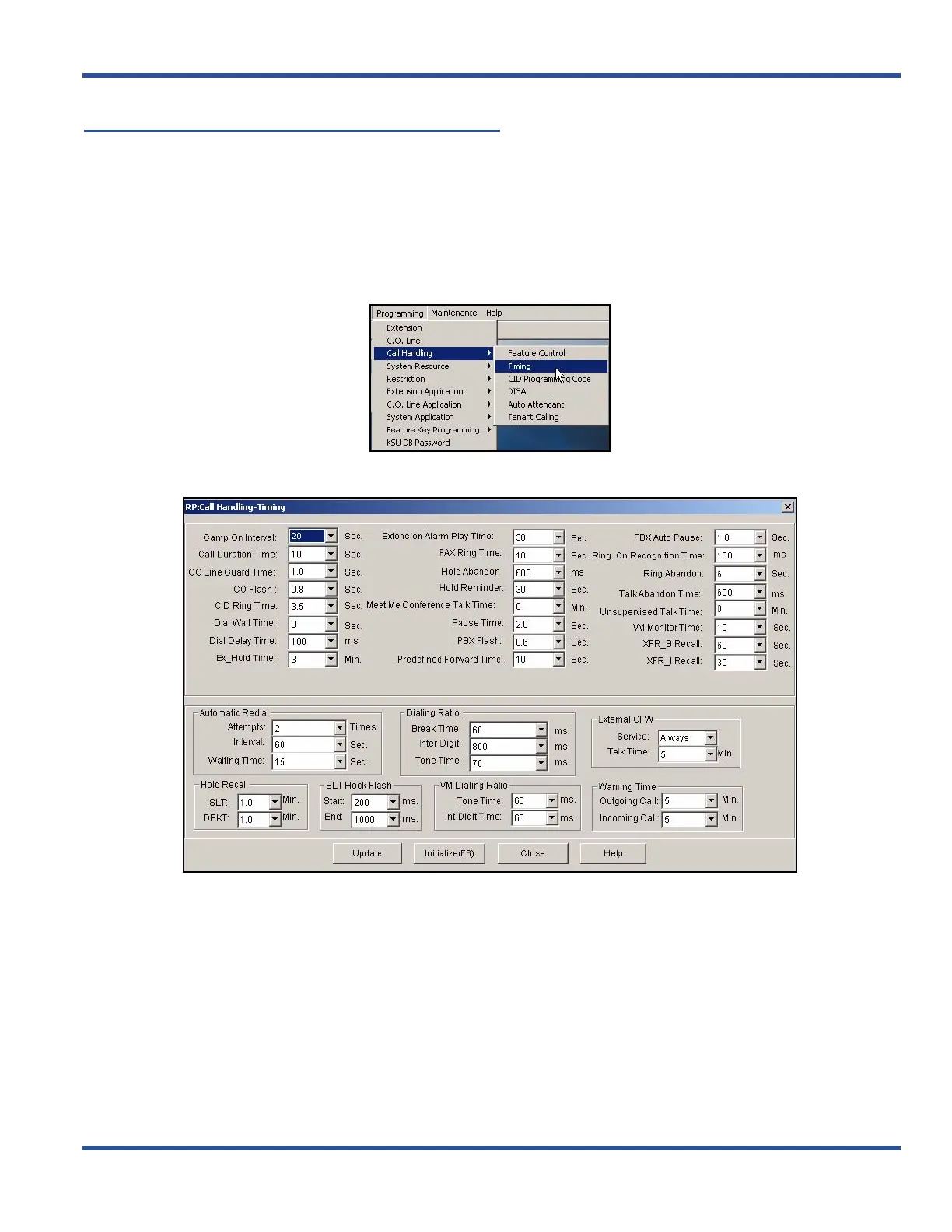
SETTING TALK ABANDON TIME INTERVAL VIA PC-DBA
From the PC-DBA main screen:
1) Go to ProgrammingXCall HandlingXTiming to display the Call Handling—Timing screen.
Setting Talk Abandon Time Interval via PC-DBA (continued on next page)
BASIC CALL HANDLING PROGRAMMING TASKS
DX-120 Programming Manual



 To Next Page