- 205 -
DX-120 Programming Manual BASIC CALL HANDLING PROGRAMMING TASKS
Setting Up Hold Remind
The system provides a programmable timer to remind you that a call has been left on system or exclusive hold. When
enabled, the system sounds one ring tone repeated each time the selected hold time expires.
The following conditions
apply:
• Hold Reminder applies to CO line calls that are on System Hold or Exclusive Hold
• Hold Reminder applies to both intercom and CO line calls
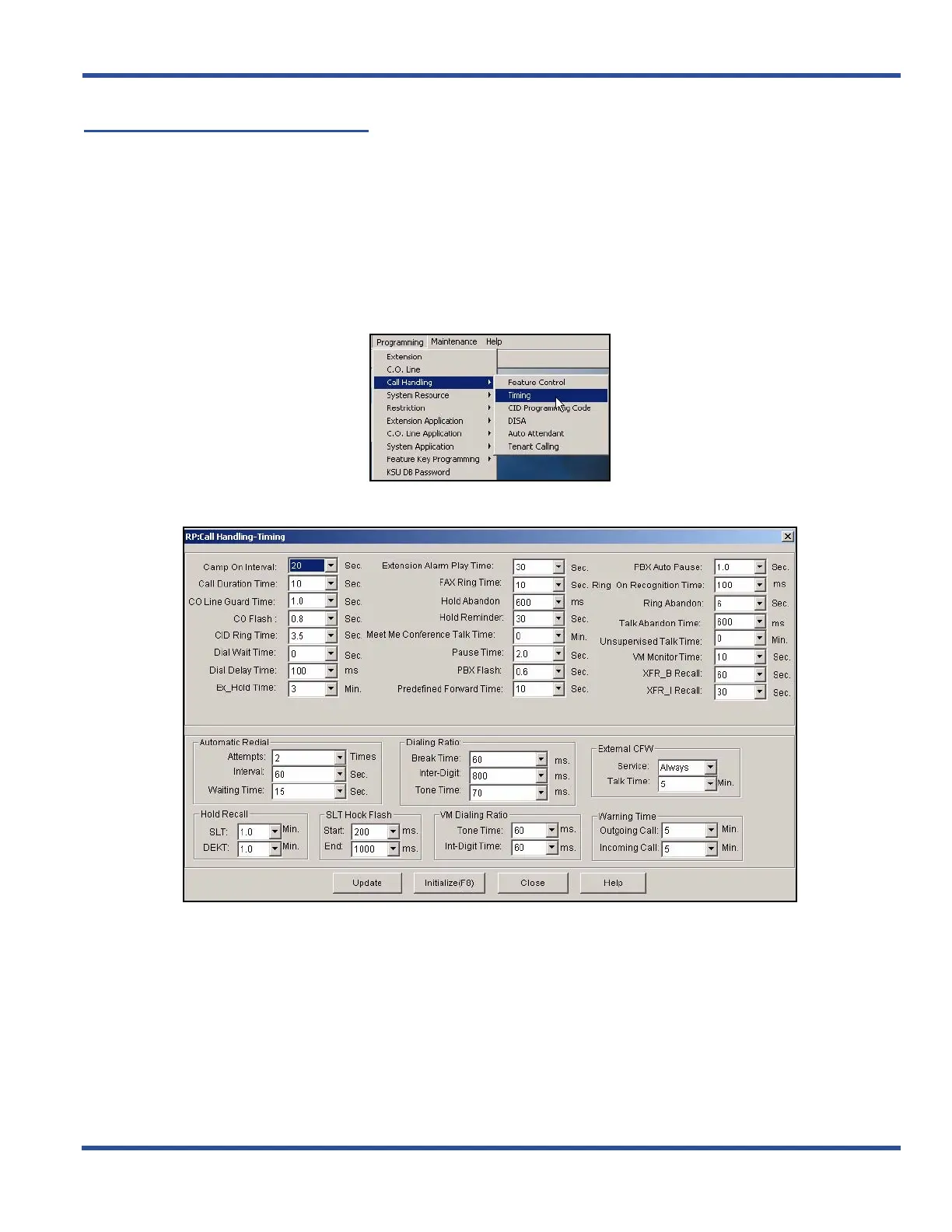
SETTING UP HOLD REMINDER VIA PC-DBA
From the PC-DBA main screen:
1) Go to ProgrammingXCall HandlingXTiming to display the Call Handling—Timing screen.
Setting Up Hold Reminder via PC-DBA (continued on next page)



 To Next Page