PROGRAMMING VIA PC-DATABASE ADMINISTRATION (PC-DBA) DX-120 Programming Manual
- 24 -
Getting Help (F1)
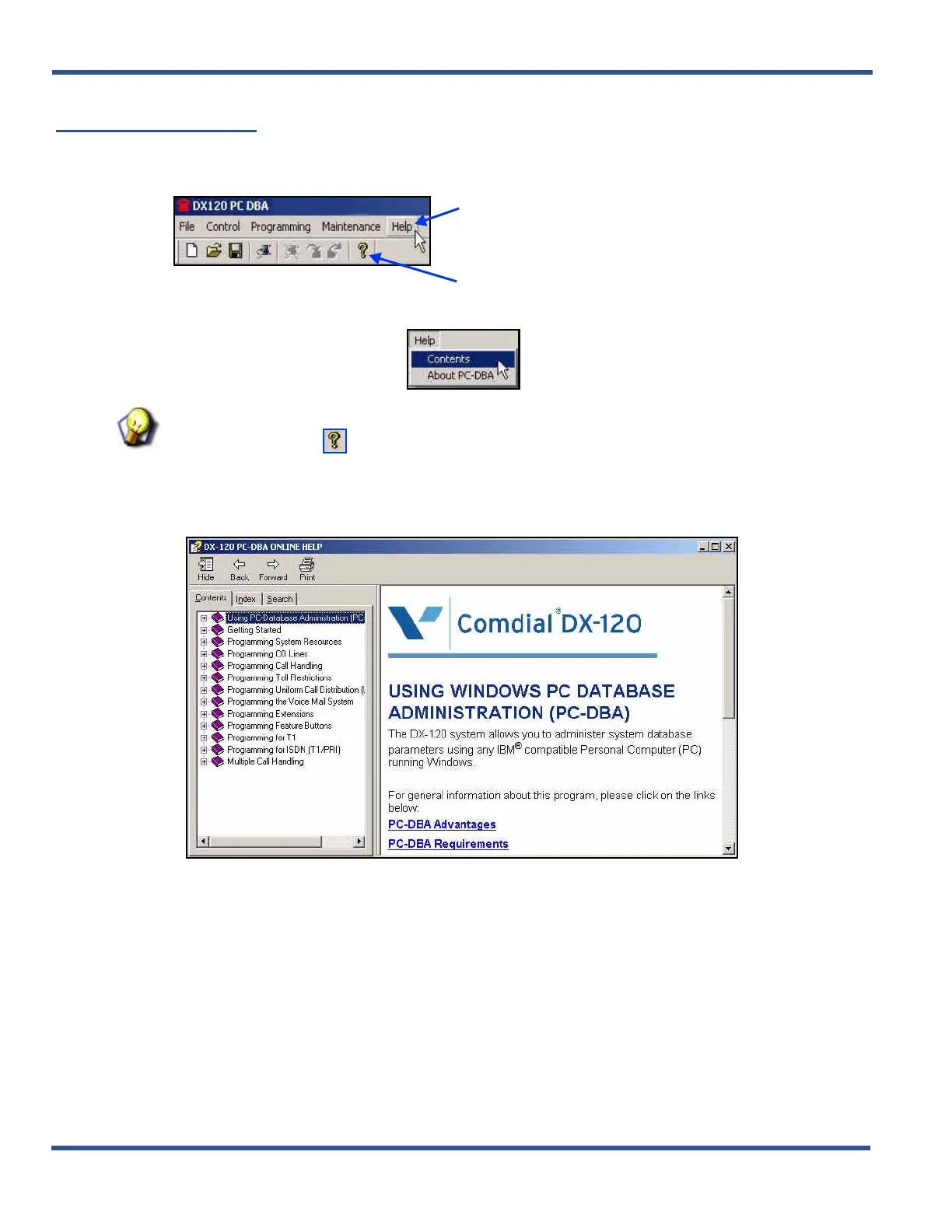
You can access Help via the main menu bar or from any screen within the program.
From the PC-DBA main screen:
1) Click on the Help option on the main menu bar.
HINT
You can also click on to display the first page of the online help (then, skip to step 3).
2) Selecting Contents to display the main Help screen.
• If you select About PC-DBA you will get information about the version of PC-DBA currently running on
your system.
3) Use the tabs (Contents, Search, Index) to find a specific topic for which you need help.
OR
Getting Help (continued on next page)
Click here to display a list of options.
OR
Click here to display the first page of the online help.



 To Next Page