SETTING UP UCD VOICE ANNOUNCE (VA) GROUPS DX-120 Programming Manual
- 358 -
SETTING UP UCD VOICE ANNOUNCE (VA) GROUPS
The DX-120 system provides UCD groups to allow you to handle high traffic using third-party ancillary RADs.
Whenever the overflow destinations of a UCD group require you to use more than one RAD to handle the volume of
call traffic, you can pool the RADs in a group (available UCD group) for access.
If you do this, any of the available
devices can handle waiting calls with the same announcement.
The following conditions apply.
• You must assign all voice announce UCD group members to port type V.A.
• You must record all ancillary RAD devices individually for the same announcement.
NOTE
These conditions do not apply when using the DX-120 voice mail system for UCD
Overflow announcements.
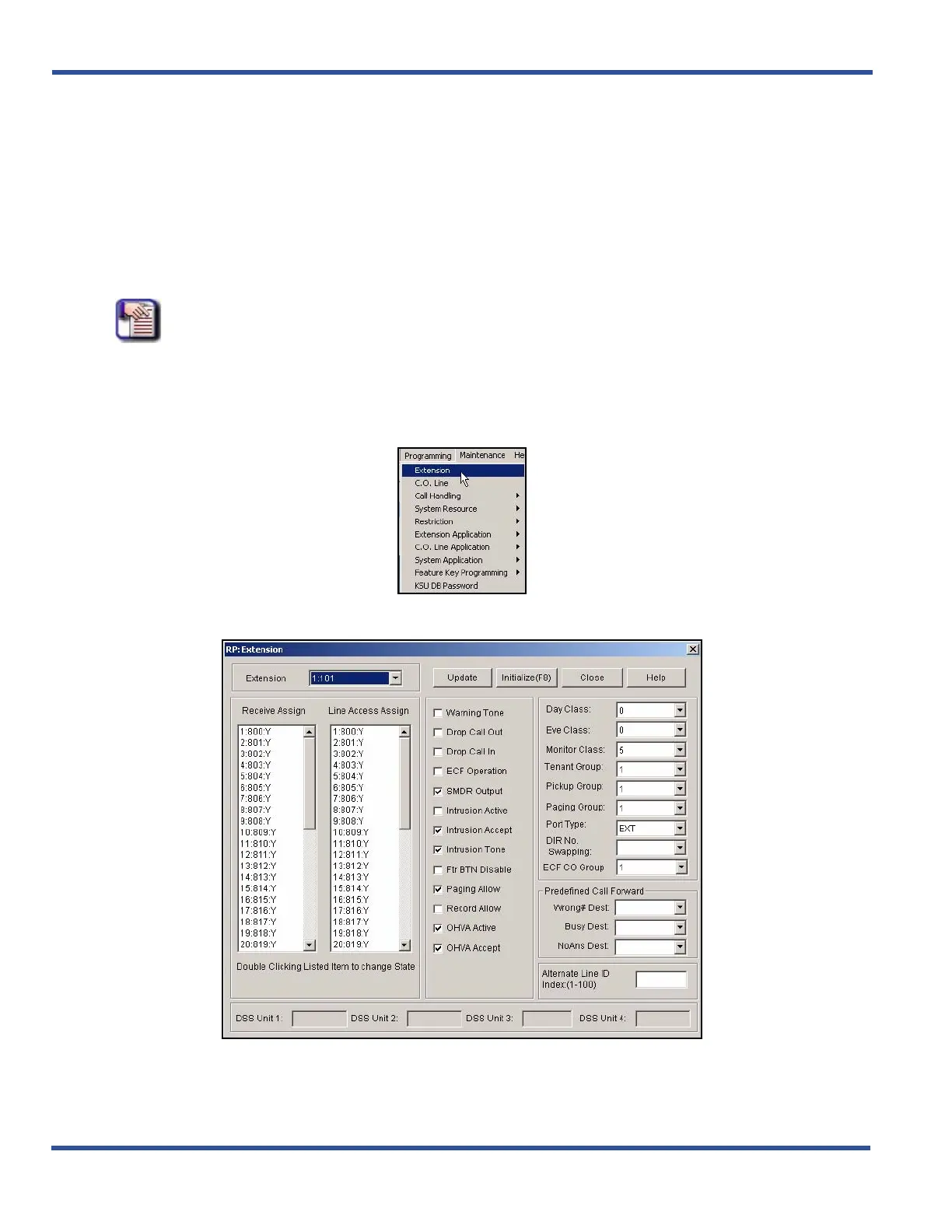
SETTING UP UCD VA GROUPS VIA PC-DBA
From the PC-DBA main screen:
1) Go to ProgrammingXExtension to display the Extension screen.
Setting Up UCD VA Groups via PC-DBA (continued on next page)



 To Next Page