BASIC CO LINE PROGRAMMING TASKS DX-120 Programming Manual
- 132 -
Setting Privacy and Privacy Release (continued)
ENABLING PRIVACY RELEASE VIA PC-DBA
From the PC-DBA main screen:
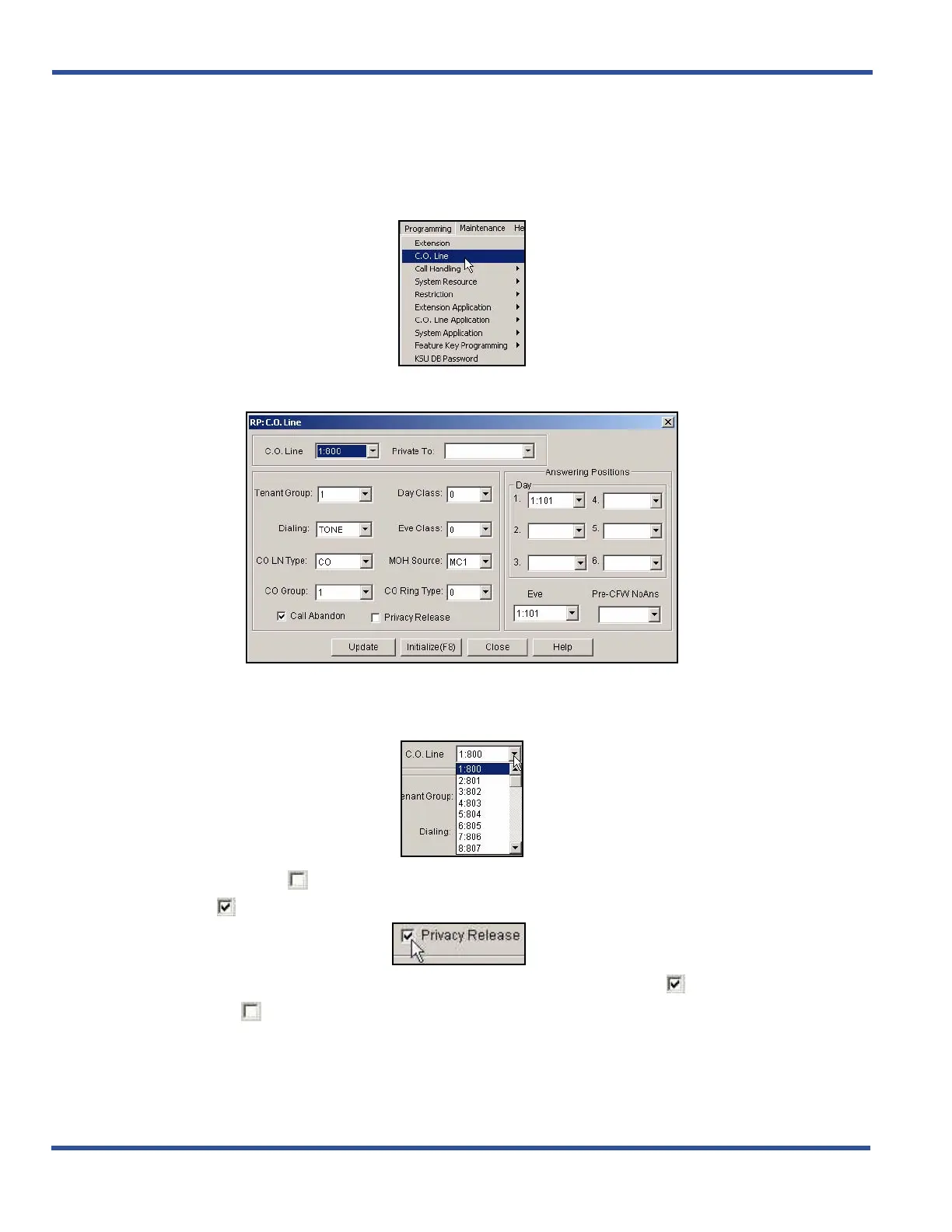
1) Go to ProgrammingXC. O. Line to display the C. O. Line screen.
2) Select the central office line you wish to assign.
• Available entries are 800 through 839.
• Entries 840 to 843 are for future use only.
3) Click the checkbox ( ) next to Privacy Release to place a check mark there to enable the Privacy
Release ( ).
• Clicking on this box toggles the setting between on/enable (a checkmark ) and off/disable (no
checkmark ).
• The default is off (no checkmark).
Enabling Privacy Release via PC-DBA (continued on next page)



 To Next Page