- 141 -
DX-120 Programming Manual BASIC CO LINE PROGRAMMING TASKS
Setting CO Line Time Switching (continued)
SETTING CO LINE TIME SWITCHING VIA PC-DBA
From the PC-DBA main screen:
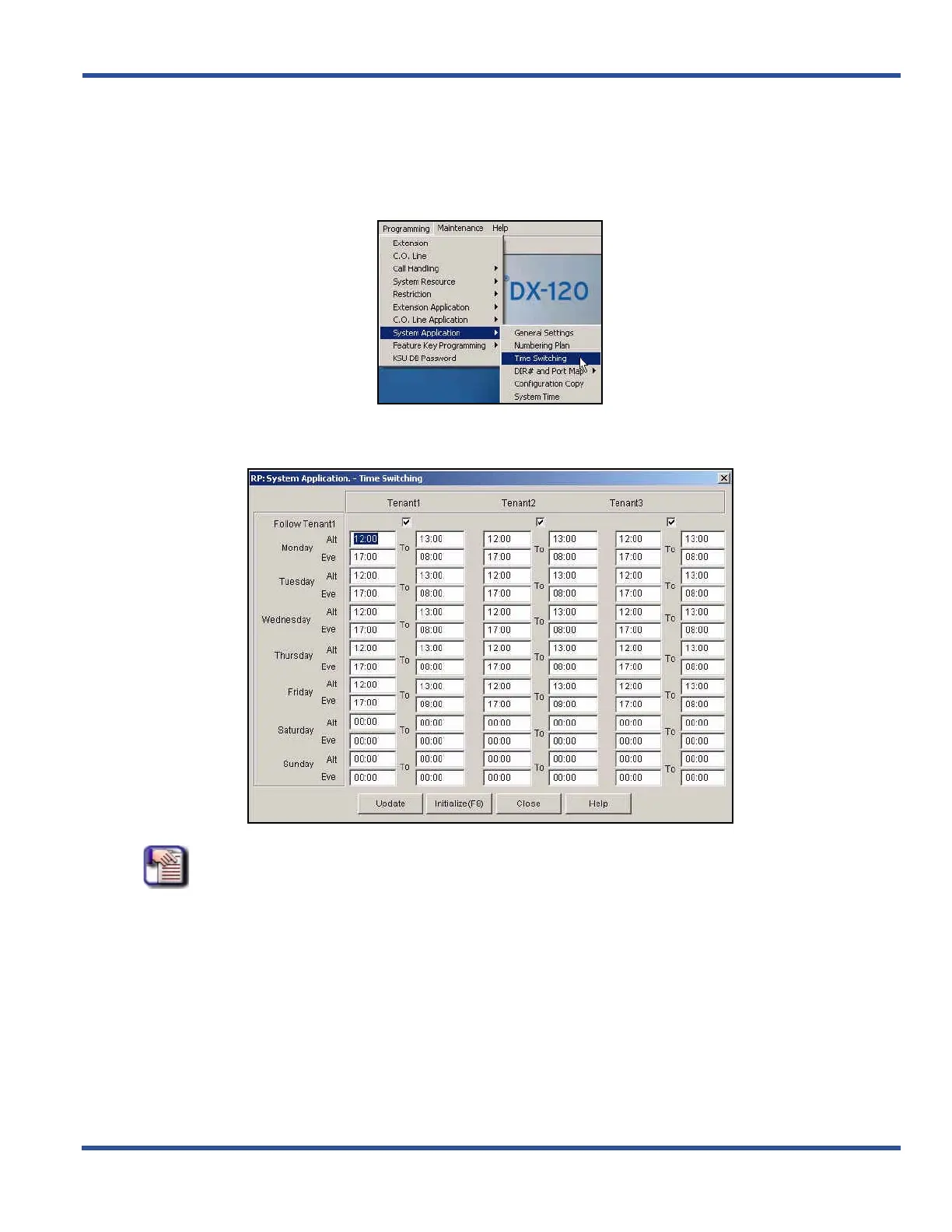
1) Go to ProgrammingXSystem ApplicationXTime Switching to display the Application—Time Switching
screen.
NOTE
• For each tenant group, this screen contains two columns of entry fields. The first is
the starting time (From) and the second is the ending time (To) for the day you are
setting up.
• Times entered here are in military format: 00:00 to 24:00 hours.
• You only have to enter four (4) digits to set the time. The colon (:) is automatically
added by the system.
Setting CO Line Time Switching via PC-DBA (continued on next page)



 To Next Page