BASIC CALL HANDLING PROGRAMMING TASKS DX-120 Programming Manual
- 214 -
Setting Up Transfer Recalls for Idle and Busy Extensions (continued)
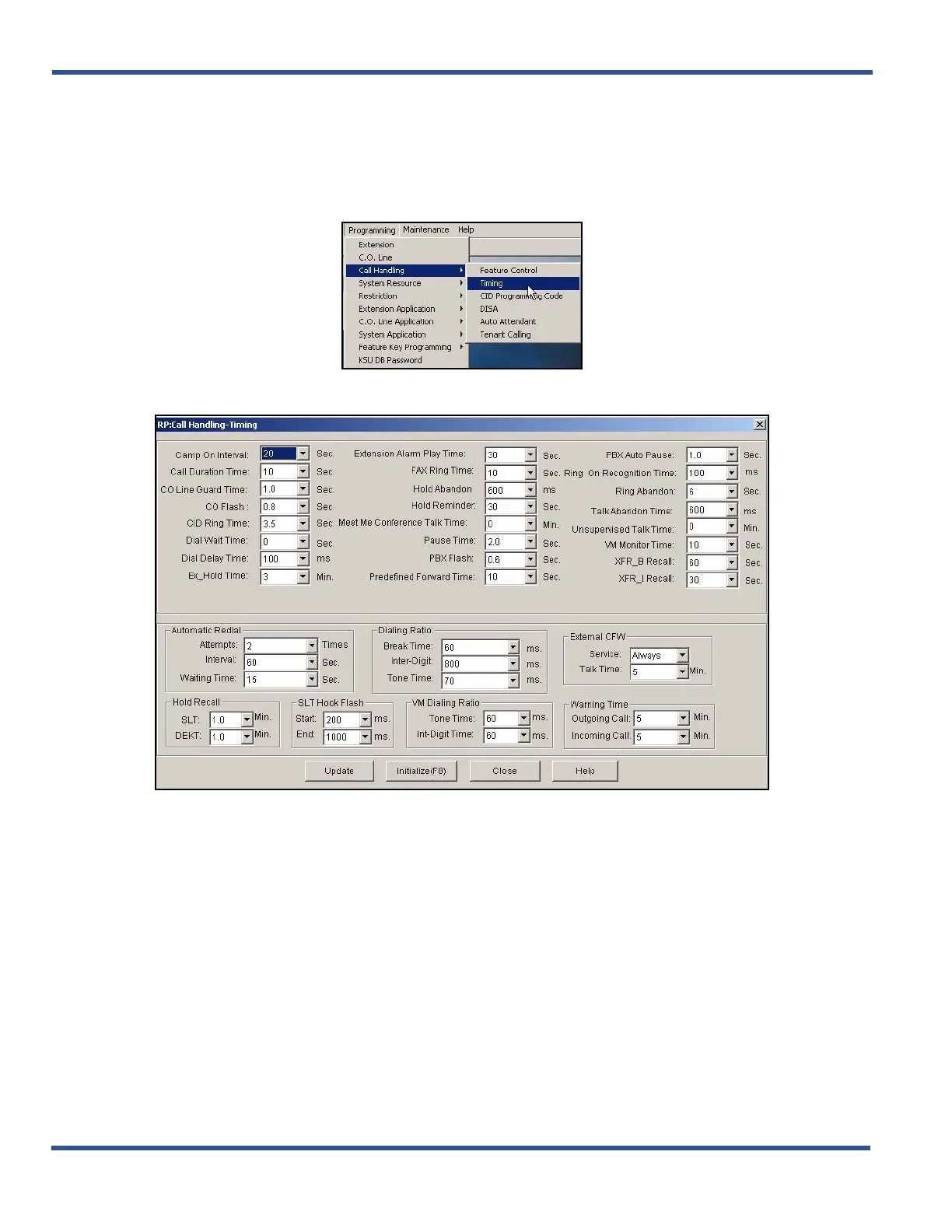
SETTING UP TRANSFER RECALLS FOR IDLE AND BUSY EXTENSIONS VIA PC-DBA
From the PC-DBA main screen:
1) Go to ProgrammingXCall HandlingXTiming to display the Call Handling—Timing screen.
Setting Up Transfer Recalls for Idle and Busy Extensions via PC-DBA (continued on next page)



 To Next Page