- 265 -
DX-120 Programming Manual BASIC CALL HANDLING PROGRAMMING TASKS
Programming Caller ID Codes and Local Calling Areas via PC-DBA (continued)
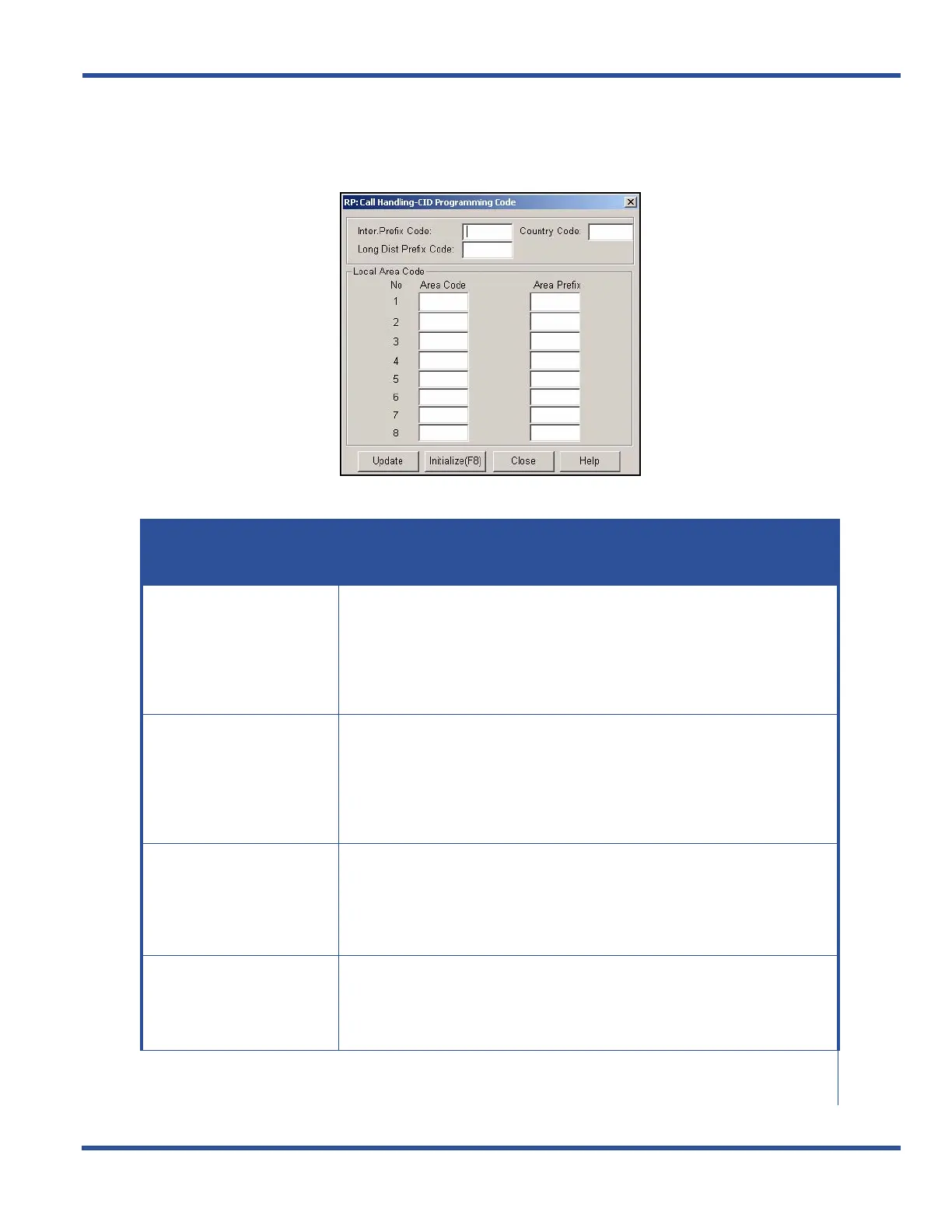
1) Go to ProgrammingXCall HandlingXCID Programming Code to display the Call Handling—CID
Programming Code screen.
2) Select the information for the fields as described below:
CALLER ID CODE FIELDS
For this field... ENTER...
Inter. Prefix Code
The (international) code you want the system to dial if/when dialing interna-
tional calls (e.g., if you dial the following international number: 44-1536-555-
1111, the "1536" portion of the numbers is the international prefix code - also
see Country Code below).
• The range is from 0 to 9999.
• The default is blank (none).
Country Code
The code you want the system to dial (in addition to the international prefix,
as appropriate) if/when dialing international calls (e.g., if you dial the following
international number: 44-1536-555-1111, the "44" portion is the country code
for the England - also see International Prefix Code above)).
• The range is from 0 to 9999.
• The default is blank (none).
Long Dist Prefix Code
The code you want the system to dial if/when dialing long distance calls. The
typical code is 1 (e.g., if you dial
1-805-555-9999, the "1" is the long distance prefix)
• The range is from 0 to 9999.
• The default is blank (none).
Area Code (1)
The first (i.e., most commonly used) local area code of the customer’s site
(e.g., 310 if the customer is located in Los Angeles).
• The range is from 0 to 999.
• The default is blank (none).
Call ID Code Fields (continued on next page)



 To Next Page