BASIC TOLL RESTRICTION PROGRAMMING TASKS DX-120 Programming Manual
- 330 -
Class of Service and Digit Intervals (continued)
• You can set a system speed dial to override toll restriction. For example, suppose your customer has a branch
office out of state where they want to allow the corporate extension users to call, while still prohibiting all other toll
calls. In this case, you can set up a system speed dial to allow calls to the branch office.
NOTE
It must be a system speed dial, as the system checks the toll restrictions for individual speed
dial numbers and abides by them. System speed dial numbers override toll restrictions as long
as you have System Speed Toll Check enabled.
HINT
See “Programming Speed Dial Numbers” on page 64.
CLASS OF SERVICE AND DIGIT INTERVALS VIA PC-DBA
From the PC-DBA main screen:
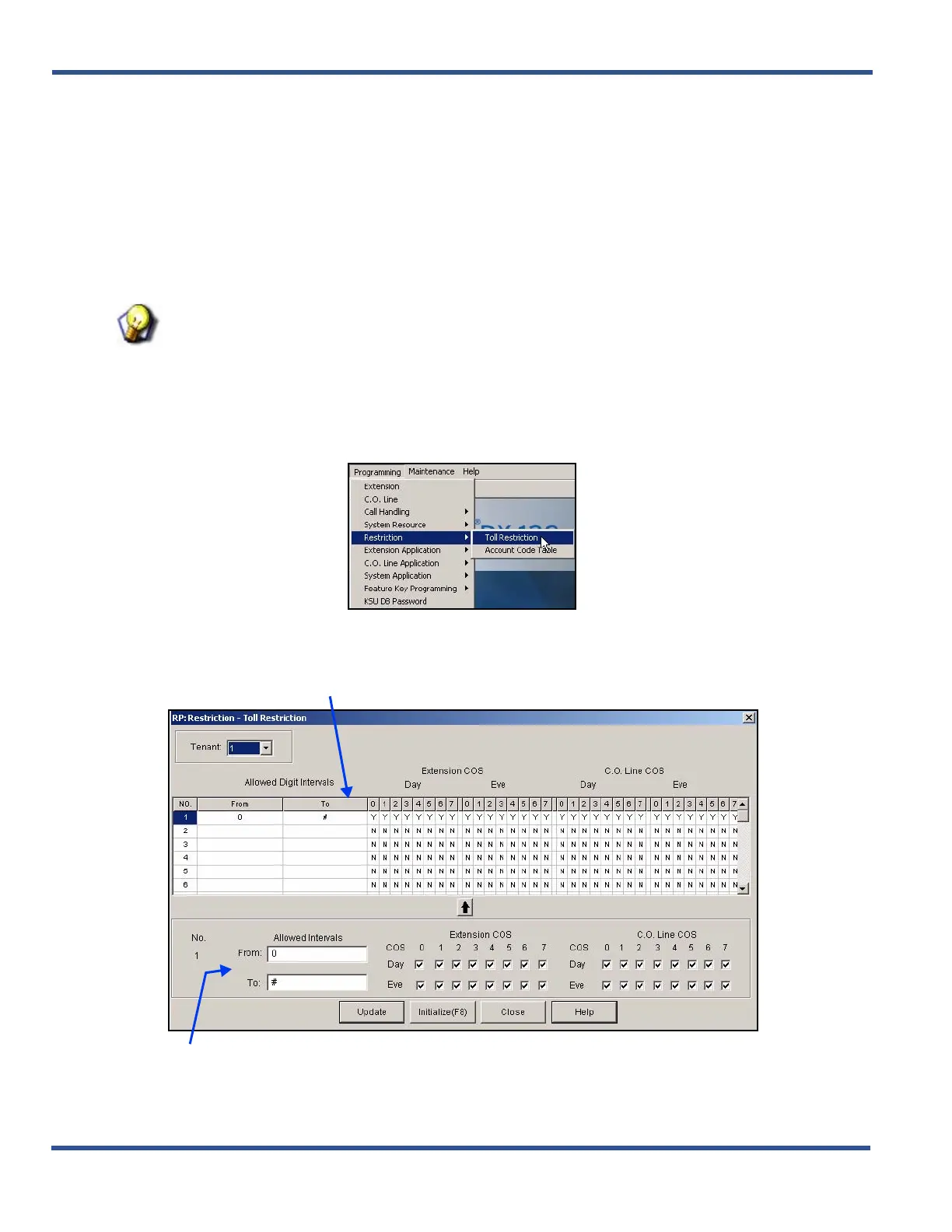
1) Go to ProgrammingXRestrictionXToll Restriction to display the Restriction—Toll Restriction screen.
Class of Service and Digit Intervals via PC-DBA (continued on next page)
a scrolling table of toll restriction settings for each extension in the current tenant group
b) an entry line you use to enter new information and settings for the selected extension.
THIS SCREEN IS COMPOSED OF TWO MAJOR PARTS:



 To Next Page