- 405 -
DX-120 Programming Manual BASIC EXTENSION PROGRAMMING TASKS
SETTING UP MONITORING PRIVILEGES VIA PC-DBA
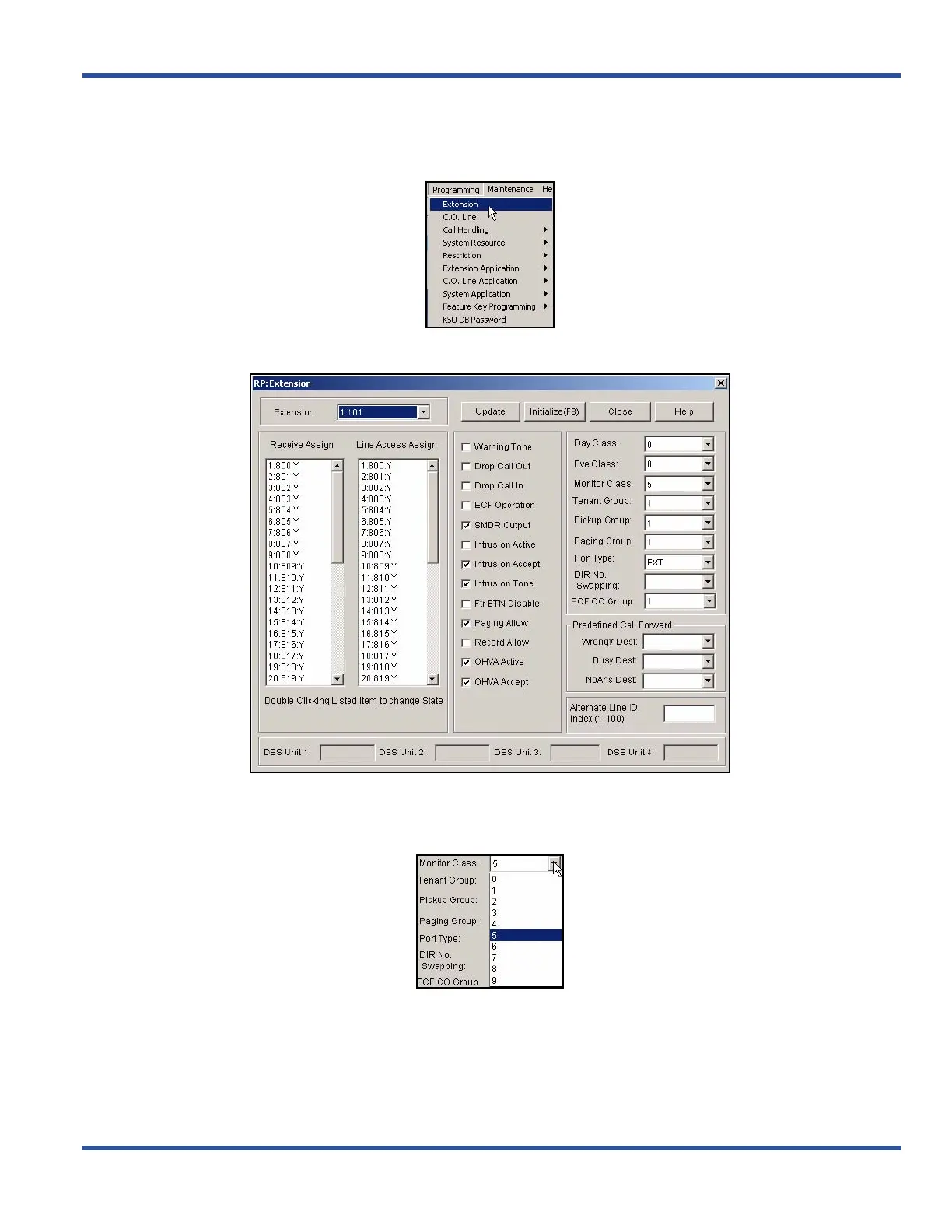
From the PC-DBA main screen:
1) Go to ProgrammingXExtension to display the Extensions screen.
2) Select the extension number you want to program.
In the Monitor Class field:
3) Select the monitor class of service you want to use for this extension.
• Valid choices are classes 0 through 9 (where 0 is the highest monitoring COS and 9 is the lowest).
• The default is 5.
Setting Up Monitoring Privileges via PC-DBA (continued on next page)



 To Next Page