BASIC EXTENSION PROGRAMMING TASKS DX-120 Programming Manual
- 412 -
Setting up Warning Tones, Incoming Call Drops, Outgoing Call Drops via PC-DBA (continued)
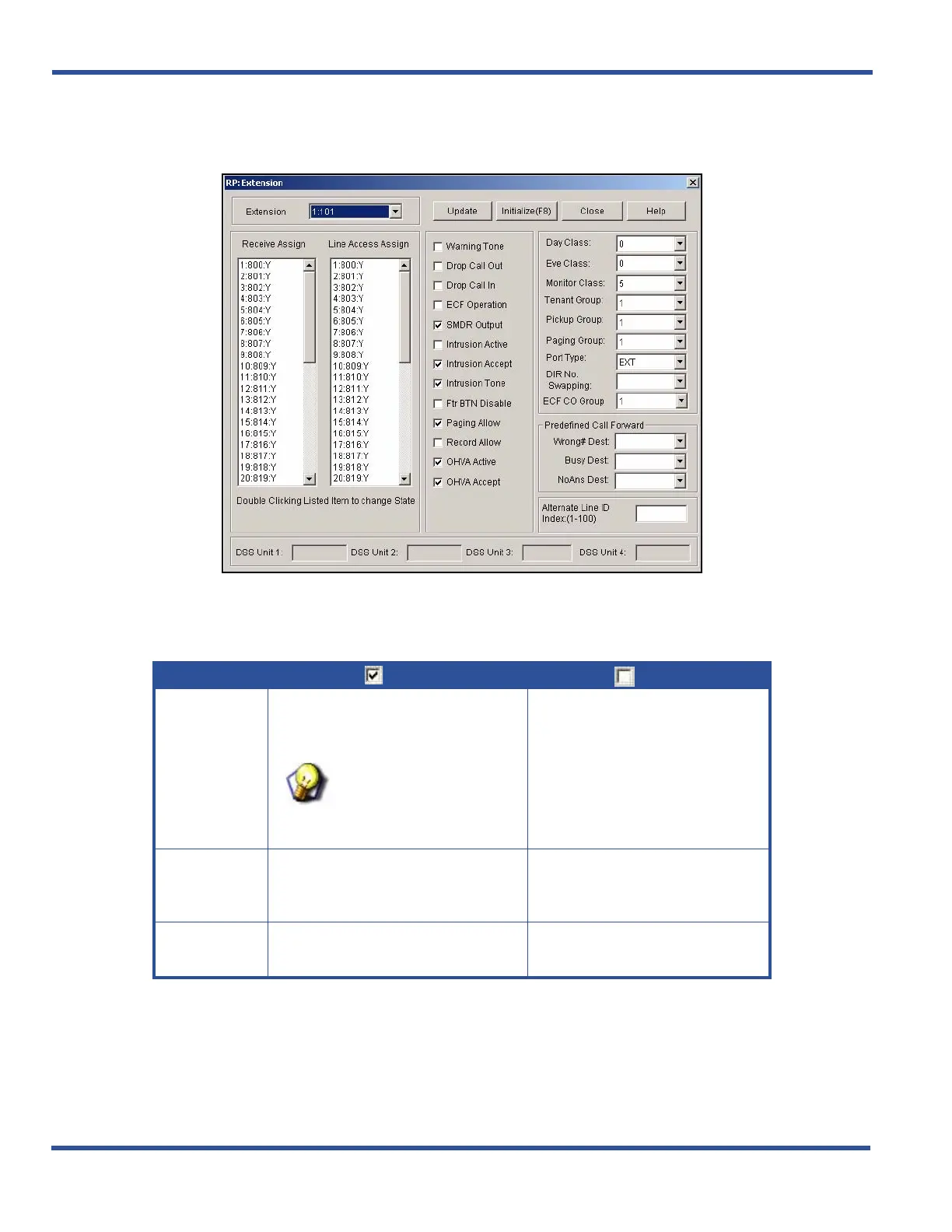
1) Go to ProgrammingXExtension to display the Extensions screen.
2) Select the extension number you want to program.
• Valid entries include any non-conflicting extension number.
3) Set options described below:
Setting up Warning Tones, Incoming Call Drops, Outgoing Call Drops via PC-DBA (continued on next page)
OPTION
MEANS
MEANS
Warning
Tone
The system plays warning tones on
this extension when the warning time
limit has expired.
HINT
For details on the warning
time limit, see “Establishing
Warning Time for Limited
Call Lengths” .
The tones will not be played.
• The default is no.
Drop Call Out
The system will drop out going calls
after the warning time has expired.
If you select no, the calls will not be
dropped.
• The default is no.
Drop Call In
The system will drop incoming calls
after the warning time has expired.
If you select no, it does not.
• The default is no.



 To Next Page