BASIC EXTENSION PROGRAMMING TASKS DX-120 Programming Manual
- 420 -
Setting Up Paging Privileges via PC-DBA (continued on next page)
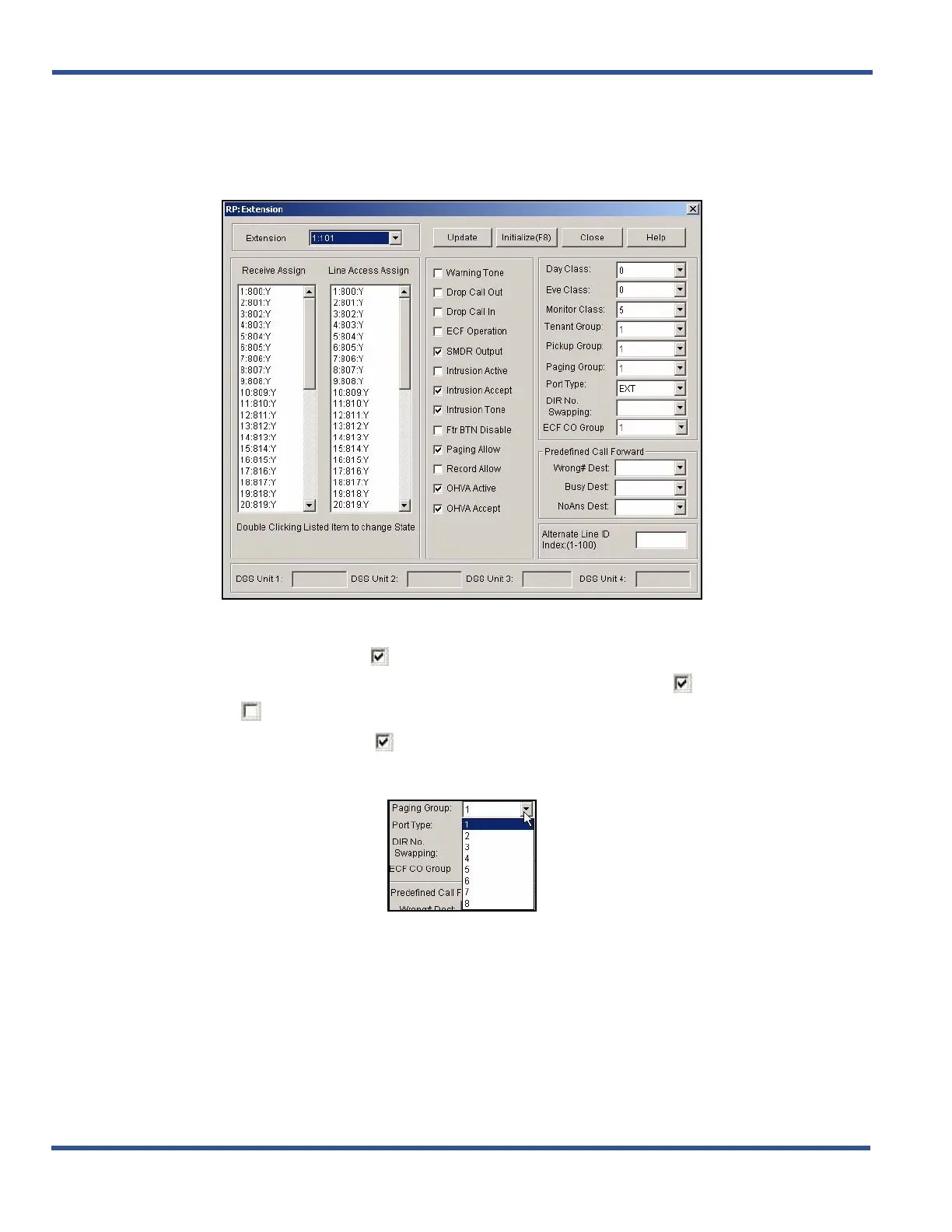
1) Go to ProgrammingXExtension to display the Extensions screen.
2) Select the extension number you want to program.
3) Make sure there is a checkbox ( ) next to Paging Allow to enable the Paging Allow option.
• Clicking on this box toggles the setting between yes/enable (a checkmark ) and no/disable (no
checkmark ).
• The default is yes (checkmark )
In the Paging Group field on the right side of the screen:
4) Select the paging group for this extension.
• Valid choices are paging groups 1 through 8.
• The default is 1.
Setting Up Paging Privileges via PC-DBA (continued on next page)



 To Next Page