BASIC EXTENSION PROGRAMMING TASKS DX-120 Programming Manual
- 424 -
Setting Up Call Forward – Extension Predefined via PC-DBA (continued)
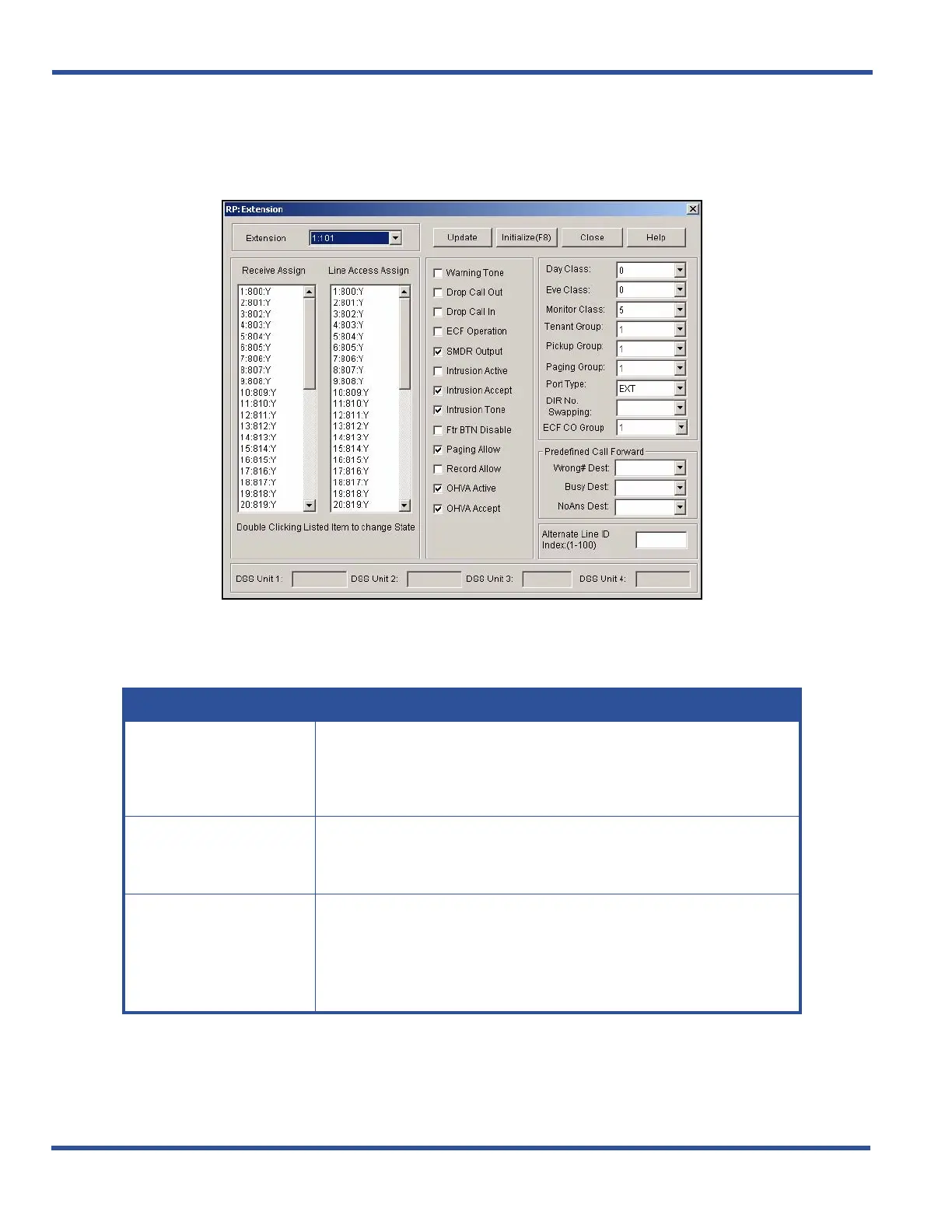
1) Go to ProgrammingXExtension to display the Extensions screen.
2) Select the extension number you want to program.
3) Set up information in the fields (in the "Predefined Call Forward" in lower right corner of the screen) as
shown below:
Setting Up Call Forward – Extension Predefined via PC-DBA (continued on next)
In this field... SELECT...
Wrong # Dest
The extension number to which you want "wrong number calls" forwarded.
• This can be an extension number or a UCD group number.
• The default is blank (none).
Busy Dest
The extension number to which you want "busy number calls" forwarded.
• This can be an extension number or a UCD group number.
• The default is blank (none).
NoAns Dest.
The extension number to which you want "unanswered calls" forwarded.
• The system considers a call unanswered when it rings for the amount of
time specified in
call handling.
• This can be an extension number or a UCD group number.
• The default is blank (none).



 To Next Page