BASIC EXTENSION PROGRAMMING TASKS DX-120 Programming Manual
- 440 -
Setting Up Directory/Extension Swapping via PC-DBA (continued)
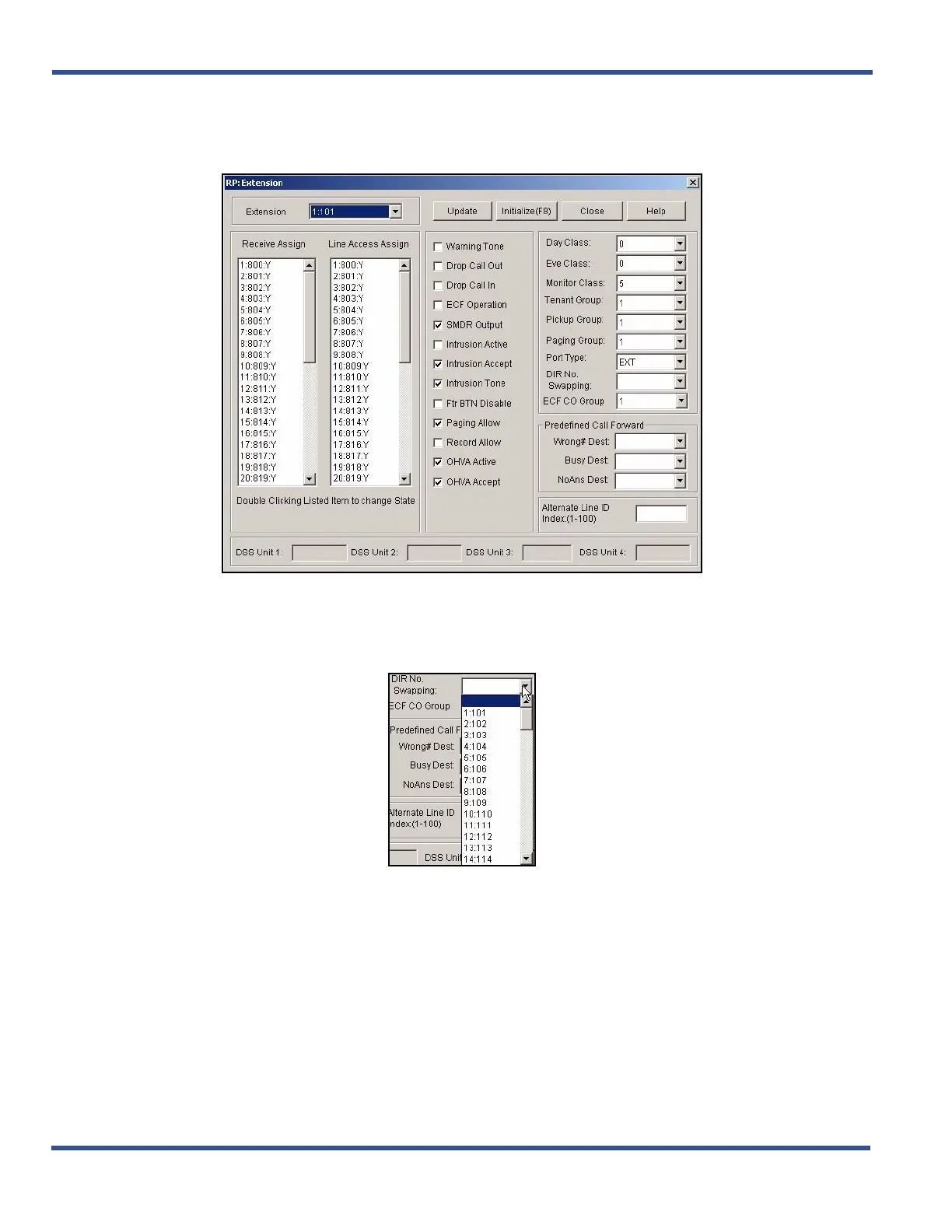
1) Go to ProgrammingXExtension to display the Extensions screen.
2) Select the extension number you want to swap with another extension on another port in the Extension
field.
In the DIR Number Swapping field on the middle right side of the screen.
3) Select the port number and directory number at which you want the original extension's calls to ring.
• The system swaps the previous directory number with the new directory number and reassigns the
directory number to the other port.
Setting Up Directory/Extension Swapping via PC-DBA (continued on next page)



 To Next Page