BASIC EXTENSION PROGRAMMING TASKS DX-120 Programming Manual
- 446 -
Assigning Feature Keys (continued)
PROGRAMMING DSS DET FEATURE KEYS VIA PC-DBA
From the PC-DBA main screen:
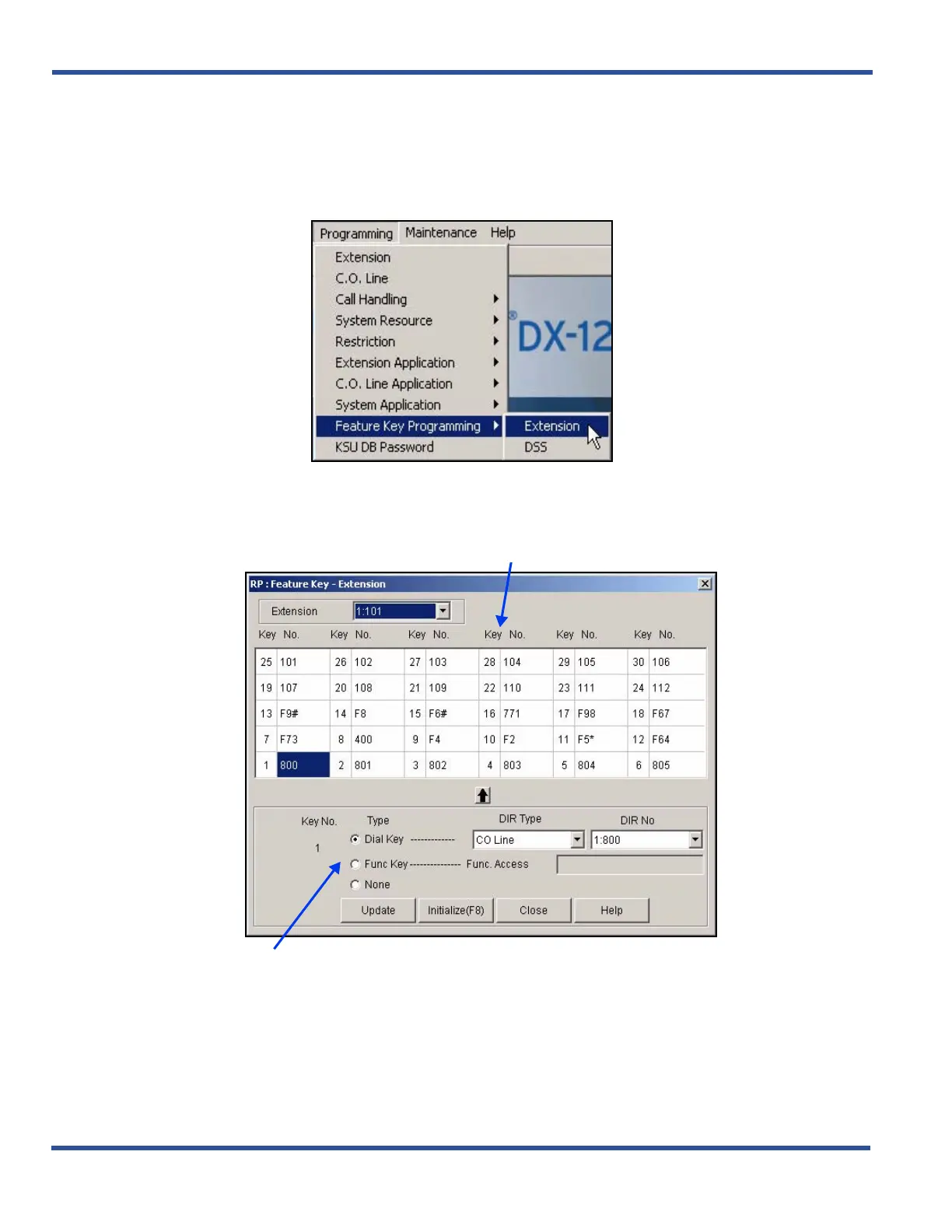
1) Go to ProgrammingXFeature Key ProgrammingXExtension to display the Feature Key Programming -
Extension screen.
2) Select the extension you want to program to display the corresponding feature key assignments.
Programming DSS DET Feature Keys via PC-DBA (continued on next page)
Entry lines you use to input new feature key assignments.
THIS SCREEN IS COMPOSED OF TWO MAJOR PARTS:
a scrolling table of shows the feature keys currently assigned



 To Next Page