BASIC SYSTEM PROGRAMMING TASKS DX-120 Programming Manual
- 46 -
Assigning System Resources (continued)
ASSIGNING SYSTEM REMINDERS VIA PC-DBA
From the PC-DBA main screen:
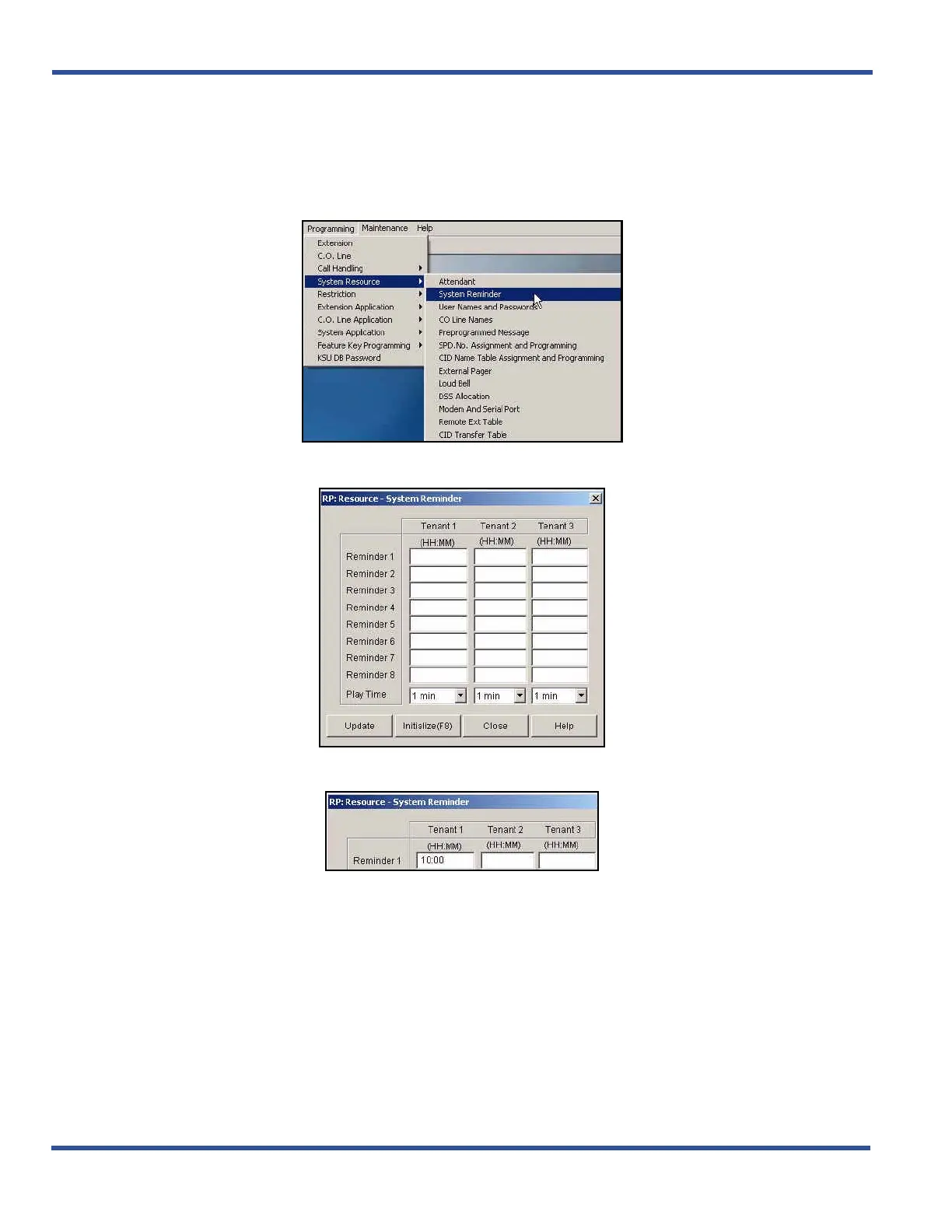
1) Go to ProgrammingXSystem ResourcesXSystem Reminders to display the System Reminder screen.
2) Enter the time at which you want the system to play into the Tenant 1 -Reminder 1 field.
• This must be entered, in 24 hour (military) format.
• Valid times are from 00:00 to 23:59.
• The default is blank (no reminder).
Assigning System Reminders via PC-DBA (continued on next page)



 To Next Page