BASIC SYSTEM PROGRAMMING TASKS DX-120 Programming Manual
- 56 -
Setting Up Ring Scheme (continued)
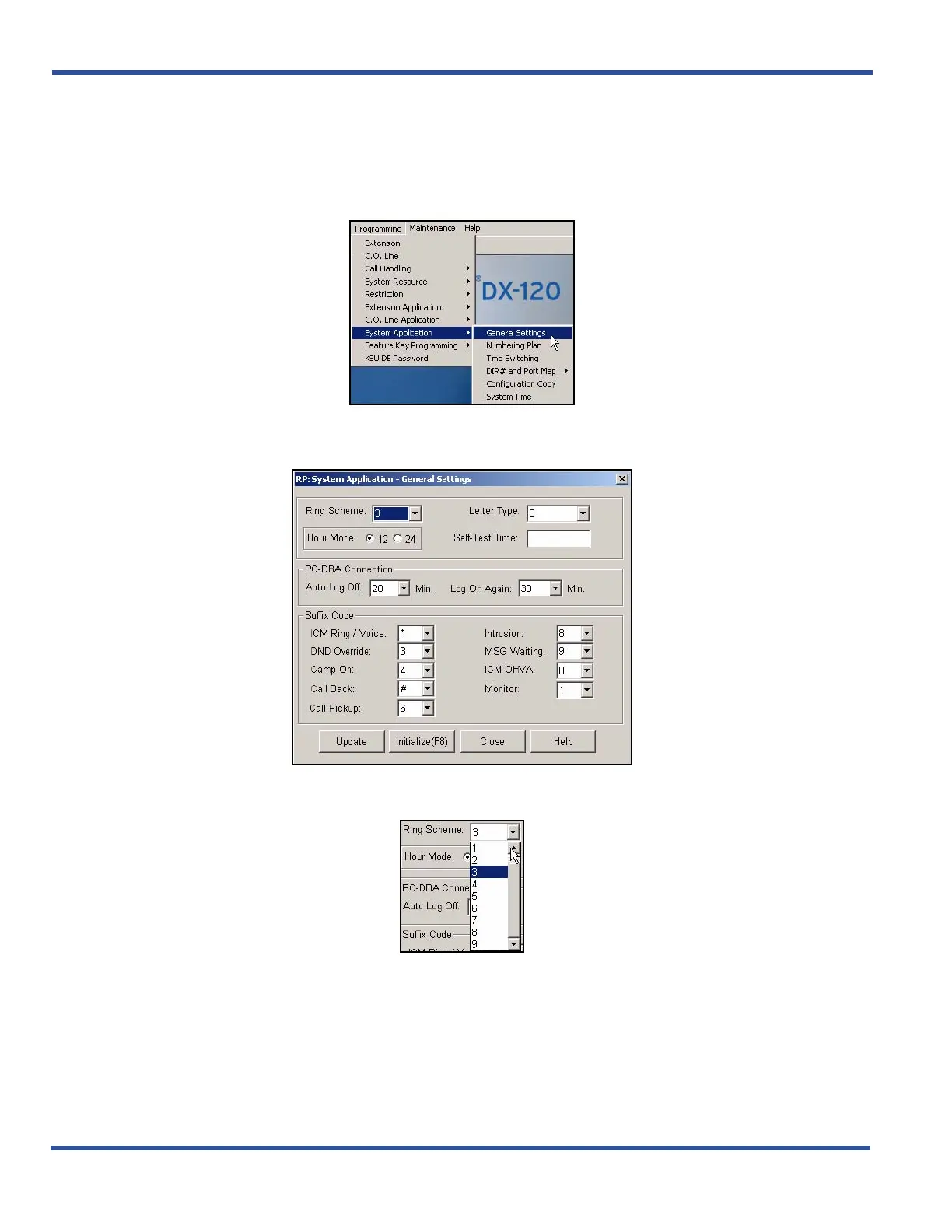
SETTING UP RING SCHEME VIA PC-DBA
From the PC-DBA main screen:
1) Go to ProgrammingXSystem ApplicationXGeneral Settings to display the Application—General Settings
screen.
In the Ring Scheme field:
2) Select the desired ring number that corresponds to the ring schemes you want to use.
• Valid entries are 0 through 9 (see table on page 54).
• The default is 3.
Setting Up Ring Scheme (continued on next page)



 To Next Page