BASIC SYSTEM PROGRAMMING TASKS DX-120 Programming Manual
- 90 -
Assigning the DSS Port/Owner via PC-DBA (continued)
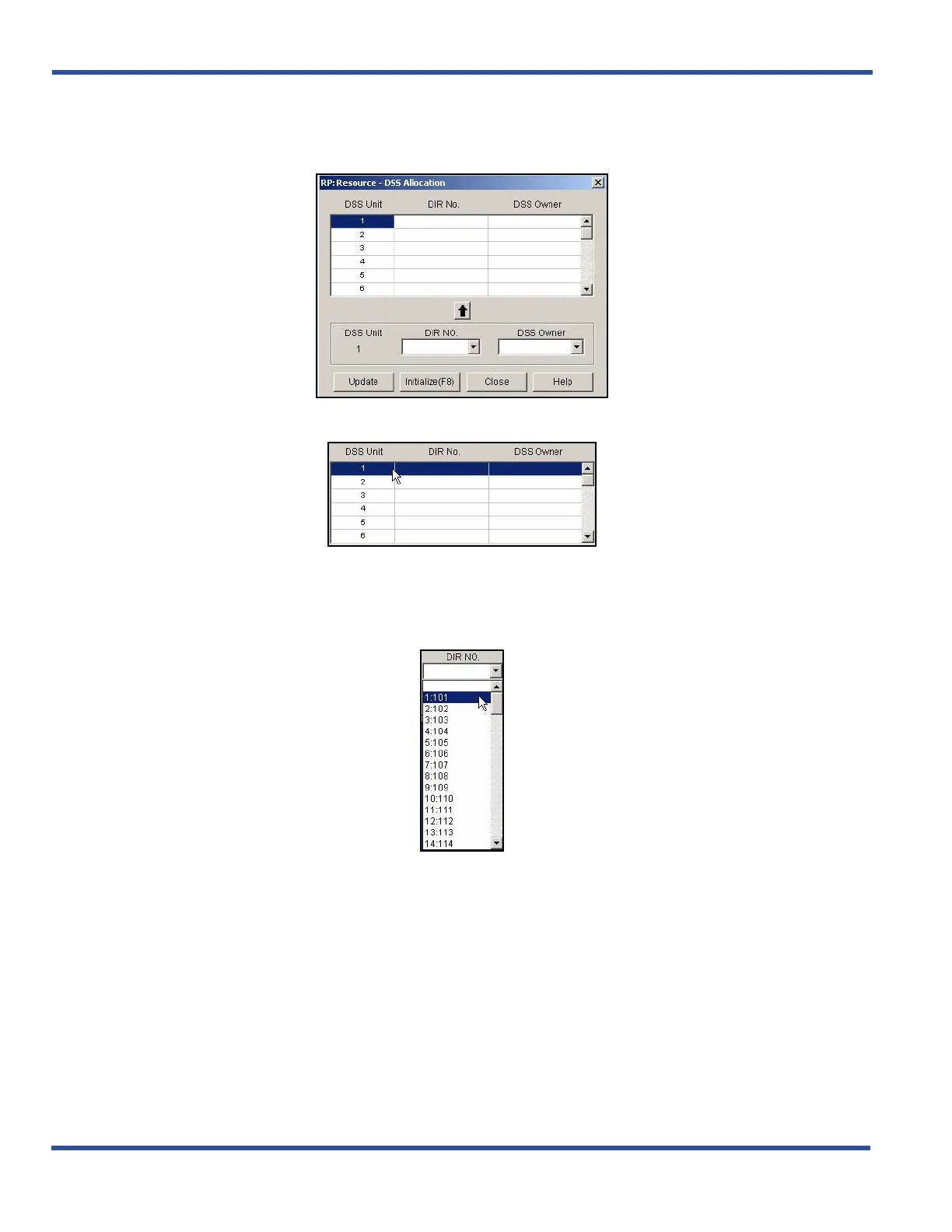
1) Go to ProgrammingXSystem ResourceXDSS Allocation display the DSS Allocation screen.
2) Select a line in the scroll list at the top of the screen.
3) Select the directory number of the digital port to which the DSS Console is connected from the DIR NO
field.
• Valid port directory numbers include any available, non-conflicting port directory number.
• The default is blank.
Assigning the DSS Port/Owner via PC-DBA (continued on next page)



 To Next Page