Vertiv™ NetSure™ Control Unit (NCU) User Manual
Procedure
1. To modify the shunt parameters, click on the “Modify/View” button for that shunt.
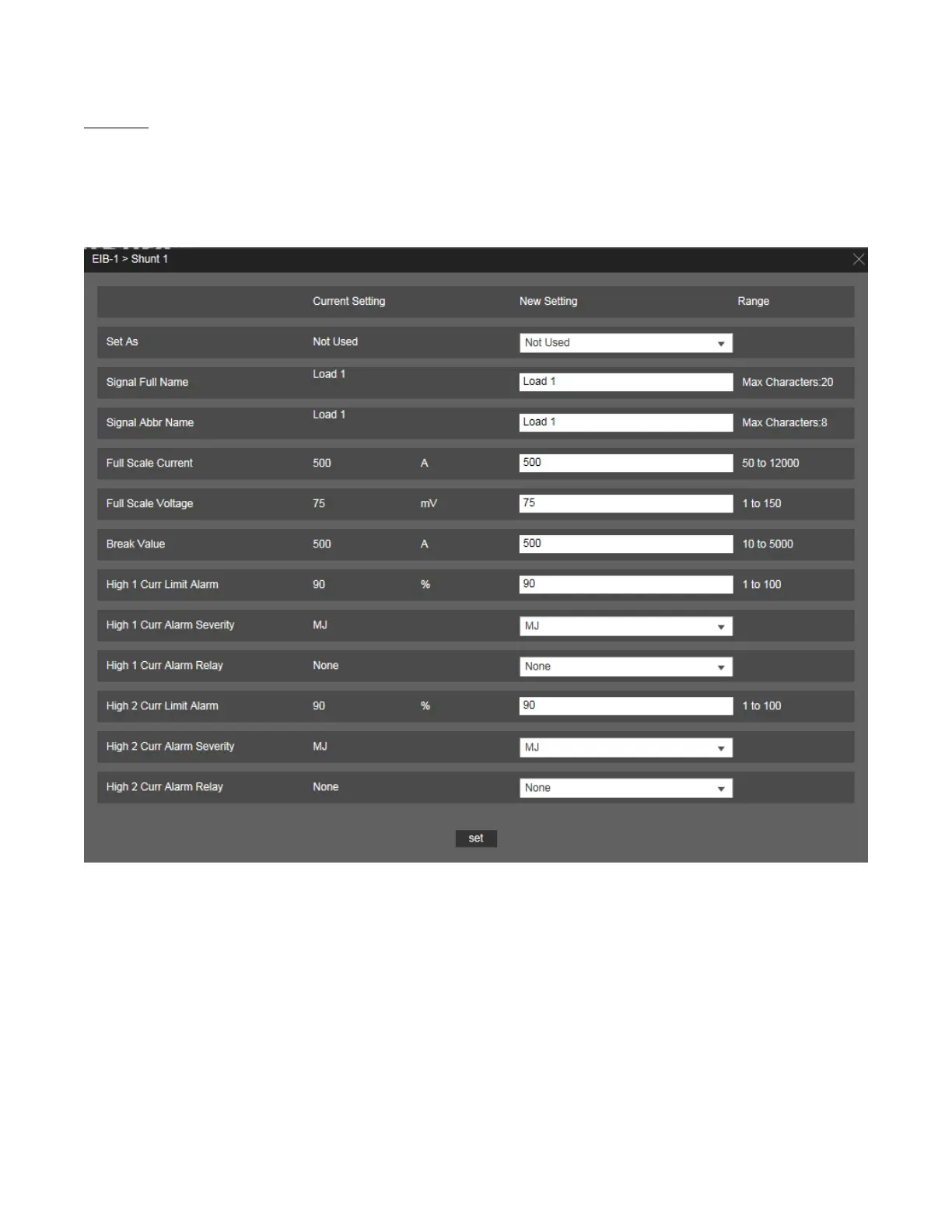
2. The following window opens.
Figure 5.76 Setting Shunt Parameters
3. Change the following parameters as desired and click on “Set”.
For Battery Shunts:
• Note that for battery shunts, the Set As option is not displayed.
For DC Shunts:
• Set As (Yes, No):
- Yes: Indicates this shunt input is used.
- No: Indicates this shunt input is not used.
For EIB and SMDU Shunts:



 To Next Page