5-14 Videojet DataFlex 6530 Operator Manual - Rev AA
CLARiTY Operating System
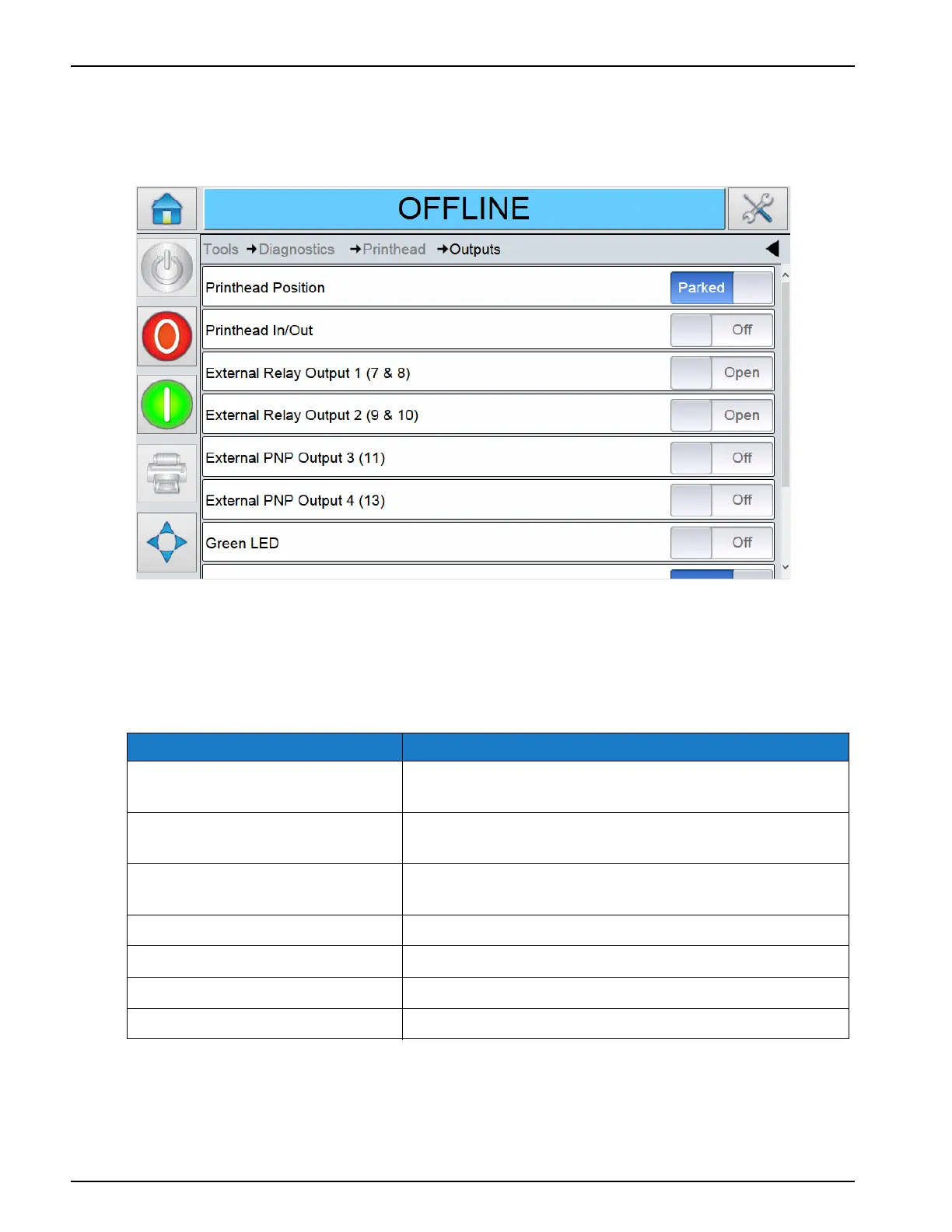
Using the Outputs Screen
Touch Outputs on the Printhead screen to access the output parameters (Figure 5-9).
The Outputs screen provides access to the following parameters:
Note: Touching the Toggle button allows the user to force the state of an output, Open/Closed or On/Off,
which can be useful for diagnostic purposes.
Option Description
Printhead Position Moves the printhead from its parked to its ready to print
position.
Printhead In/Out Moves the printhead from its ready to print to printing
position.
External Relay and PNP Outputs The status of the 2 configurable relay outputs and 2
configurable PNP 24V outputs.
Green LED Toggles the green LED at the front of the printer.
Red LED Toggles the red LED at the front of the printer.
Optical Calibration LEDs Displays the output of the iOptical Calibration LEDs.
iAssure LEDs Displays the output of the iAssure LEDs.
Table 5-10: Outputs Screen Description
Figure 5-9: Outputs Screen



 To Next Page