Videojet DataFlex 6530 Operator Manual - Rev AA 5-15
CLARiTY Operating System
Using the General Screen
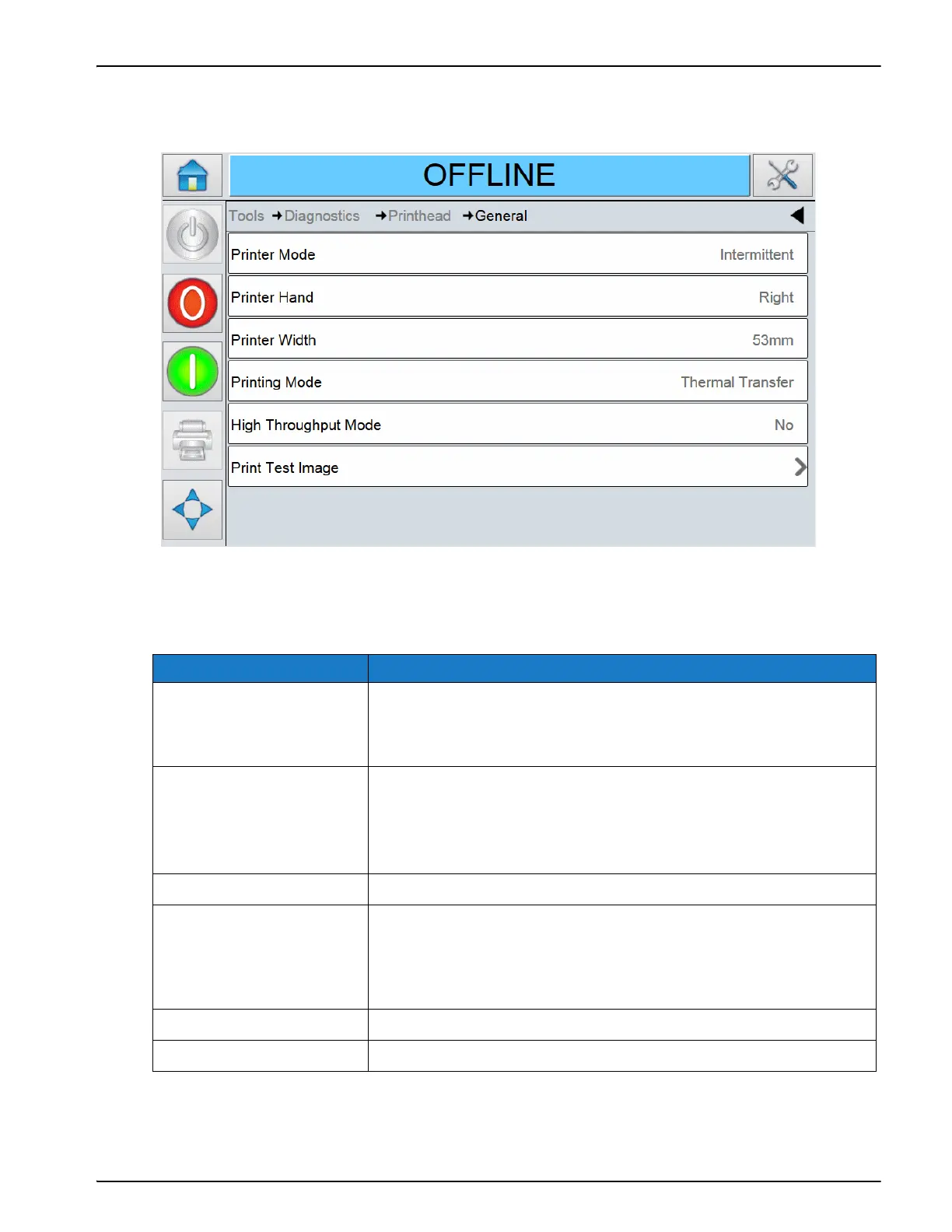
Touch General on the Printhead screen to access the parameters (Figure 5-10).
The General screen provides access to the following parameters:
Using the Printhead Health Screen
Option Description
Printer Mode The mode of the printer. The following options are available:
• Intermittent
• Continuous
Printer Hand The configuration of the printer. The following options are
available:
• Right Handed (RH)
• Left Handed (LH)
Printer Width The printhead width configured as 53 mm.
Printing Mode The printing mode. The following options are available:
• Thermal Transfer (that uses a ribbon)
• Direct (that uses the printer without a ribbon and printing
directly on to thermal sensitive labels).
High Throughput Mode High Throughput Mode is enabled or not.
Print Test Image Opens up a window to print a test image.
Table 5-11: General Screen Description
Figure 5-10: General Screen



 To Next Page