5-18 Videojet DataFlex 6530 Operator Manual - Rev AA
CLARiTY Operating System
Using the Event Log Screen
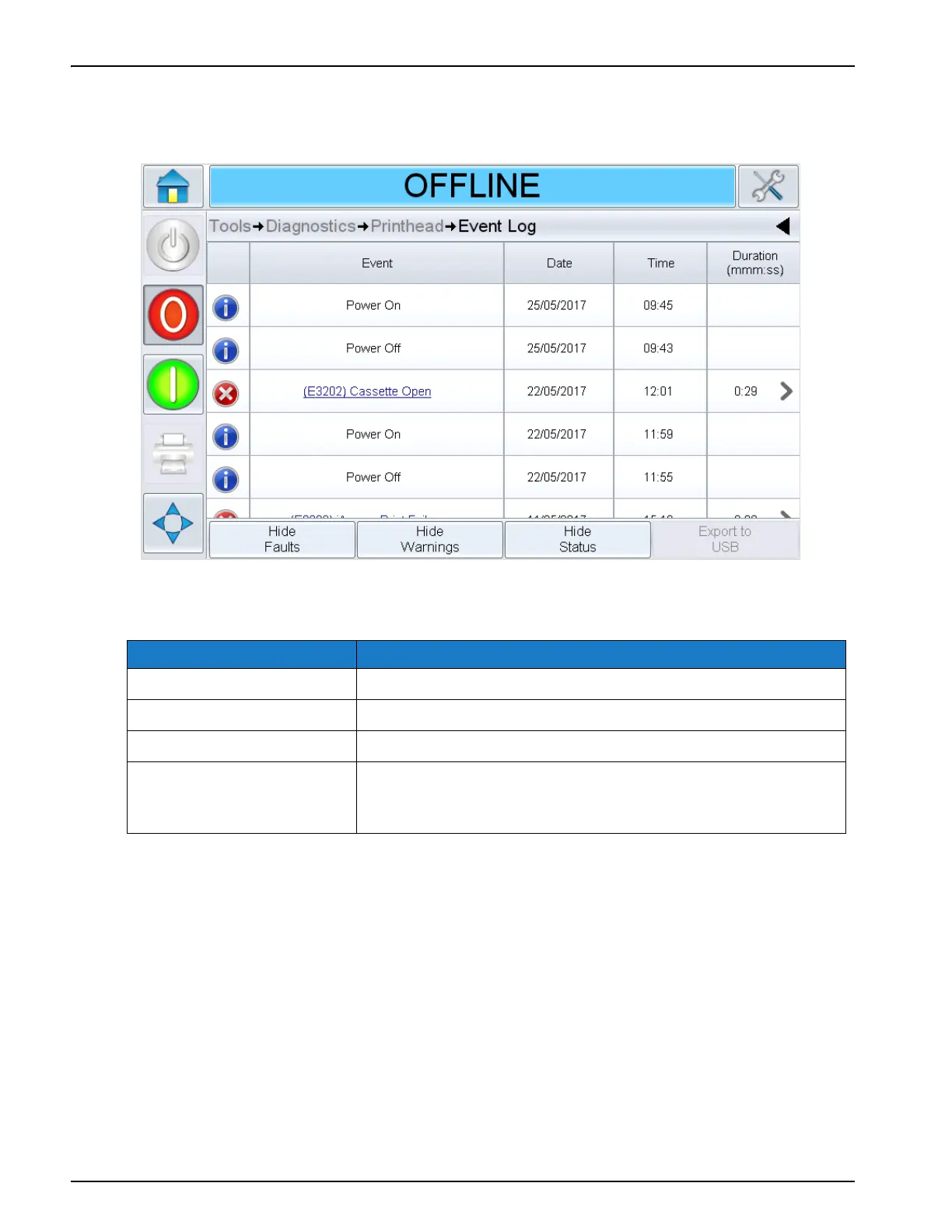
Touch Event Log on the Printhead screen to access the options (Figure 5-13).
The Event Log screen provides access to the following options:
Option Description
Hide Faults Shows/hides any fault events from the event log list.
Hide Warnings Shows/hides any warning events from the event log list.
Hide Status Shows/hides any status events from the event log list.
Export to USB Exports the event log and associated parameter snapshots to
USB stick. The UI will take the user through the steps required
to download to USB.
Table 5-14: iAssure Screen Description
Figure 5-13: Event Log Screen



 To Next Page