Videojet DataFlex 6530 Operator Manual - Rev AA 5-19
CLARiTY Operating System
Using the Timings Screen
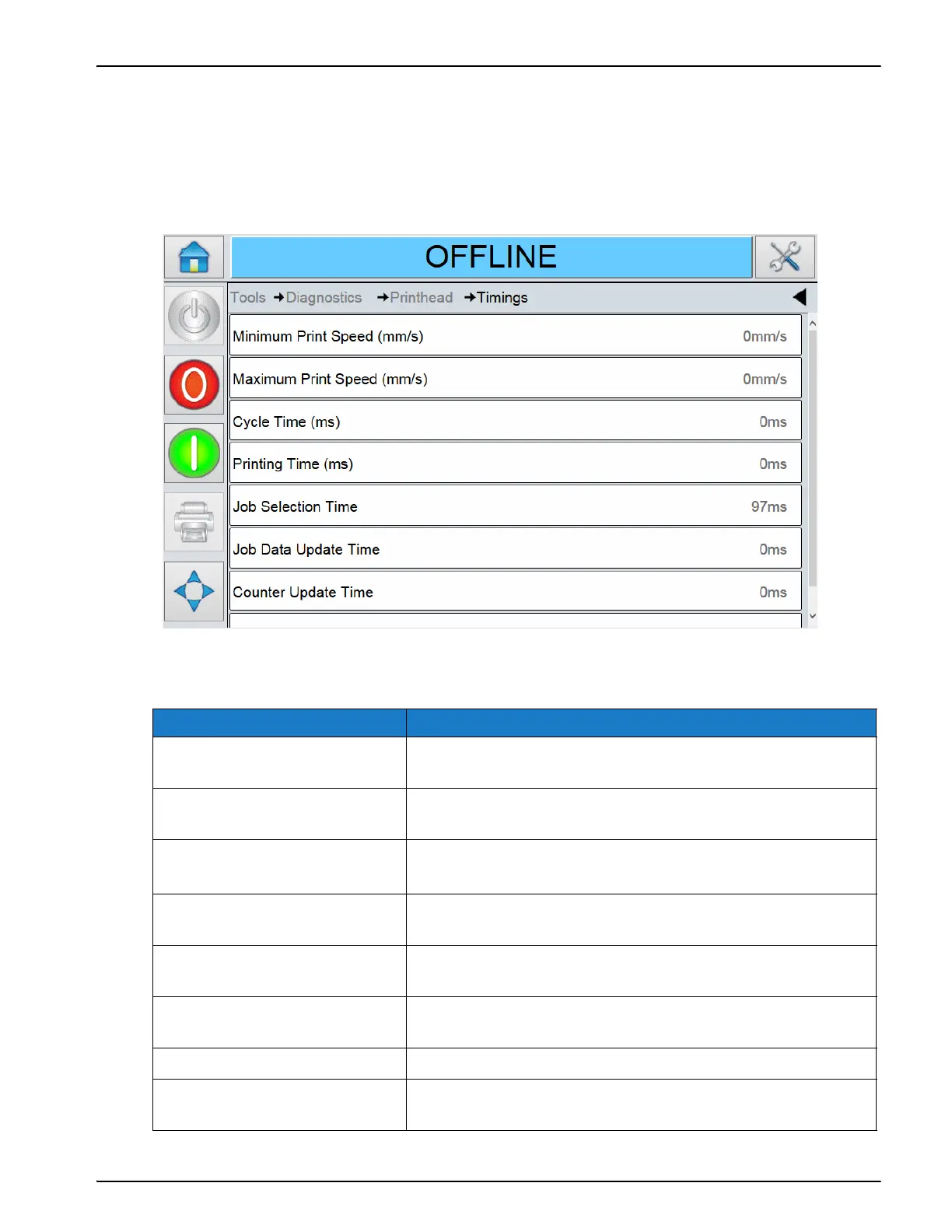
Touch Timings on the Printhead screen to access the parameters (Figure 5-14).
This diagnostic screen provides information about the last print or print job selection that was
made. It is useful in high throughput applications to understand what the printer is trying to
do, especially in continuous motion applications.
The Timings screen displays the following parameters:
Option Description
Minimum Print Speed (mm/s) The actual minimum printing speed achieved during the
previous printing cycle.
Maximum Print Speed (mm/s) The actual maximum printing speed achieved during the
last printing cycle.
Cycle Time (ms) The total time completed from the end of the print
registration delay to the end of the printing operation.
Printing Time (ms) The actual time taken to print the image in the previous
printing cycle.
Job Selection Time The time taken in selecting the last job from the moment the
image was confirmed, to being ready to print.
Job Data Update Time The total time taken to update all the dynamic variables in
the image (time, date, counters).
Counter Update Time The time taken to update all the counter fields in the image.
Time/Date Update Time The time taken to update all the time/date fields in the
image.
Table 5-15: Timings Screen Description
Figure 5-14: Timings Screen



 To Next Page