40
Audio
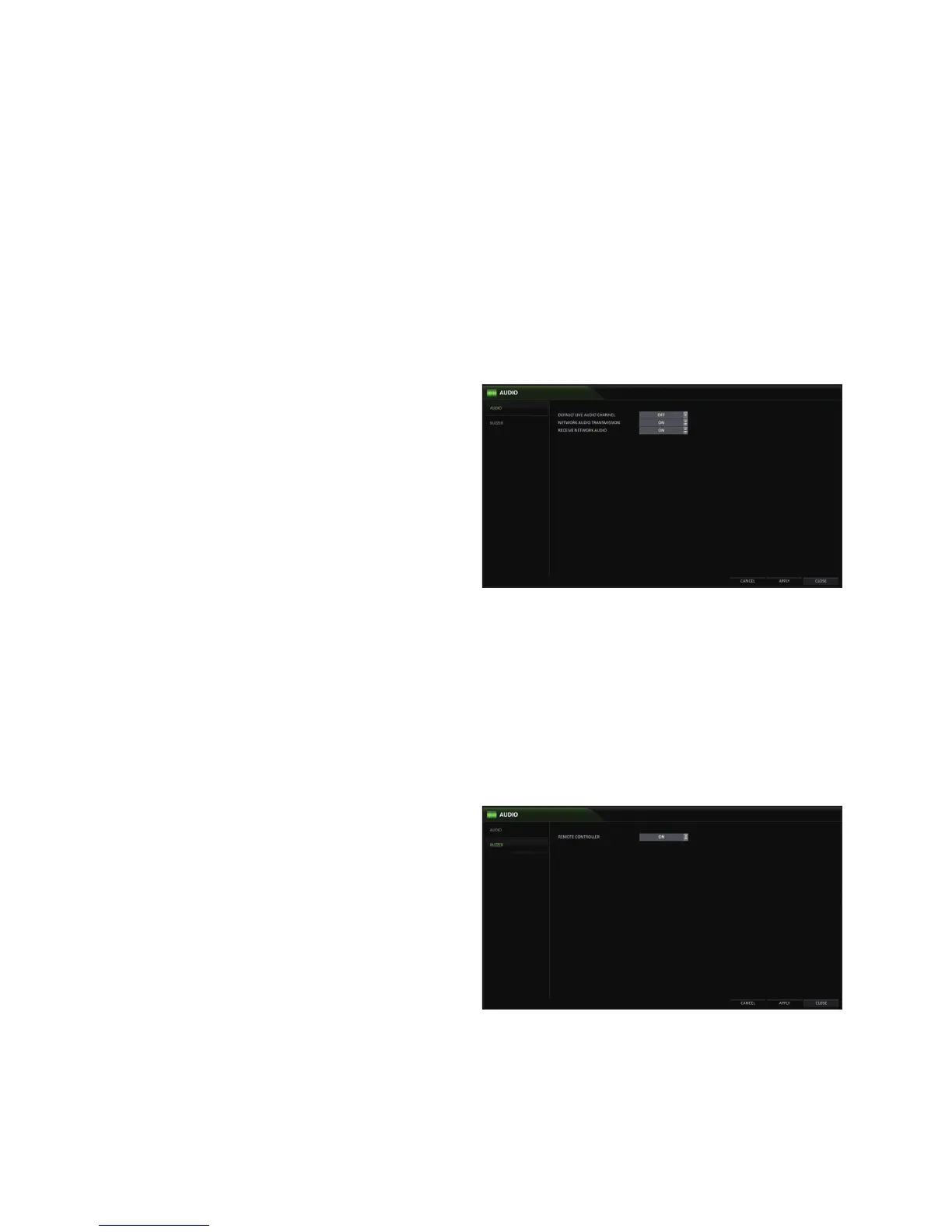
Choose whether to receive the live sound source and select an audio channel.
1.
From <SYSTEM SETUP> - <AUDIO>, select <AUDIO>.
2.
Use the [▲▼◀ ▶/ENTER] buttons on the remote control or use the mouse to select an item that you want to edit.
DEFAULT LIVE AUDIO CHANNEL : select an audio channel to monitor on the live screen.
NETWORK AUDIO TRANSMISSION : enables audio
transmission to a remote client (smart phone, PC,
etc)
RECEIVE NETWORK AUDIO : enables audio
reception from a remote client (PC).
3.
To apply the change, click <APPLY> in the bottom of
the screen.
4.
When done, press the [EXIT] button on the remote
control or click <CLOSE> in the lower screen. The
confirmation message appears and you will return to
the previous menu.
Buzzer
Enables/disables a beeping sound when you manipulate the remote control.
1.
From <SYSTEM SETUP> - <AUDIO>, select <BUZZER>.
2.
Use the [▲▼◀ ▶/ENTER] buttons on the remote control or use the mouse to select an item that you want to edit.
REMOTE CONTROLLER : enable/disable a beeping sound when you press a button on the remote control.
3.
To apply the change, click <APPLY> in the bottom of the screen.
4.
When done, press the [EXIT] button on the remote
control or click <CLOSE> in the lower screen. The
confirmation message appears and you will return to
the previous menu.



 To Next Page