Installation and Connection
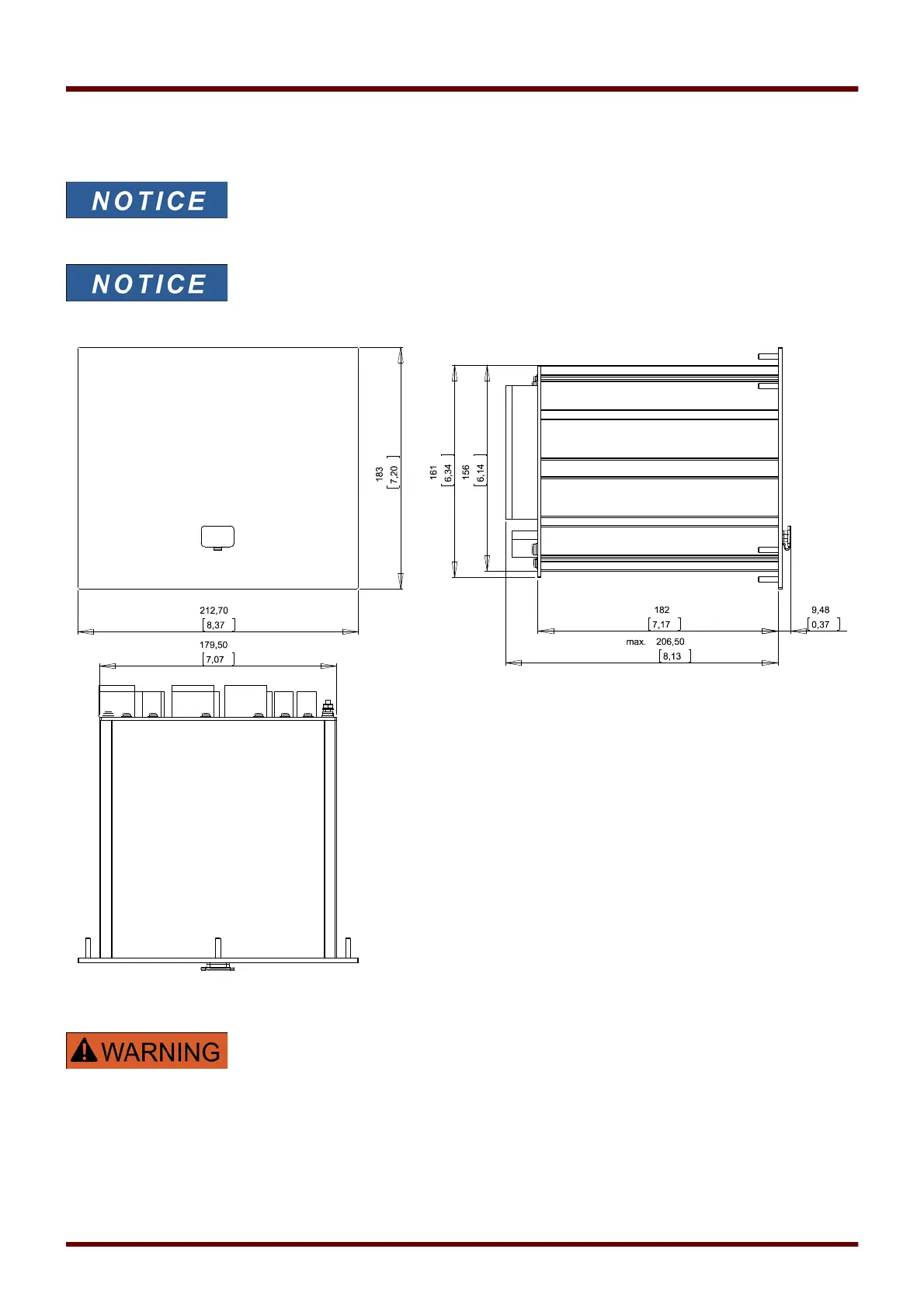
Three-Side-View - 8-Pushbutton Version
Dependent on the connection method of the SCADA system used the needed
space (depth) differs. If, for instance, a D-Sub-Plug is used, it has to be added
to the depth dimension.
The installation diagram shown in this section is exclusively valid for devices
with 8 pushbuttons at the front side of the HMI.
(INFO-, C-, OK-, CTRL-Pushbutton and 4 Softkeys (Pushbuttons)).
3-Side-View B2 Housing (Devices with 8 Softkeys). (All dimensions in mm, except dimensions in brackets [inch].)
The housing must be carefully grounded. Connect a ground cable (protective earth,
4 to 6 mm
2
[AWG 11‒9], tightening torque 1.7 Nm [15 lb⋅in]) to the housing, using the
screw that is marked with the ground symbol (at the rear side of the device). Moreover,
the power supply card needs a separate ground connection (functional earth,
min. 2.5 mm
2
[≤ AWG 13], tightening torque 0,56 ‒ 0,79 Nm [5‒7 lb⋅in]). See the
“Terminal Marking” diagram in Section “DI-4 X” to check for the correct terminal.
All grounding connections (i. e. protective and functional earth) must be low-inductance,
i. e. as short as possible, and national standards – if applicable – must be followed.
31 MCDGV4 DOK-HB-MCDGV4-2E



 To Next Page