Switchgear/Breaker – Manager
Control - Example: Switching of a Circuit Breaker
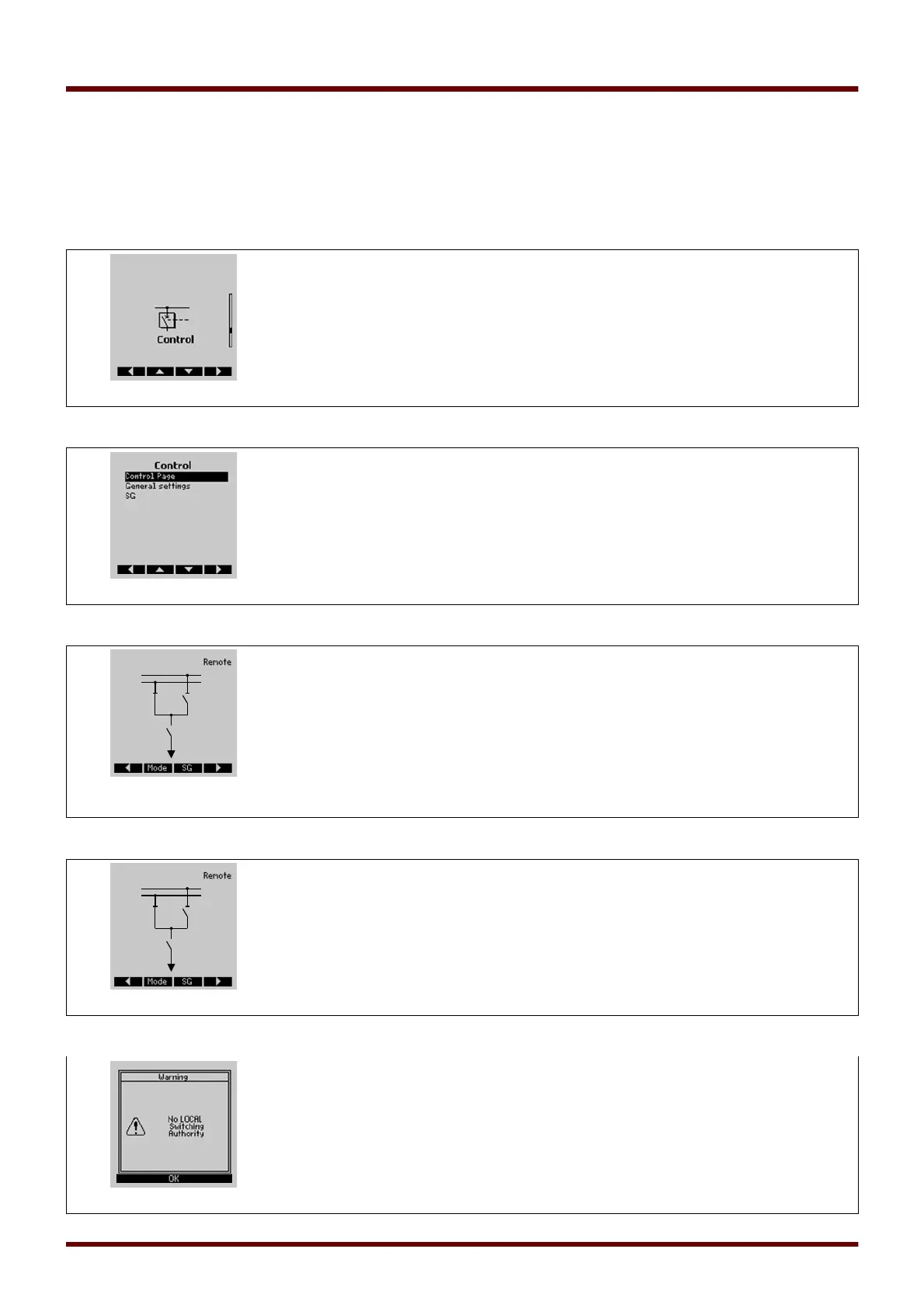
The following example shows how to switch a circuit breaker via the HMI at the device.
Change into the menu »Control« or alternatively push the »CTRL« button at the
device front.
Change to the control page by pushing the »right arrow« softkey.
Information only: On the control page a single line diagram with the current
switchgear positions is displayed. By means of the softkey »Mode« it can be
switched to the menu »General Settings«. In this menu switching authority and
interlockings can be set.
By means of the softkey »SG« it can be switched to the menu »SG«. In this menu
specific settings for the switch gear can be done.
To execute a switching operation, change into the switching menu by pushing the
right arrow softkey button.
Executing a switching command via the devices HMI is only possible when the
switching authority is set to »Local«. If no switching authority is given, this has to be
set first to »Local« or »Local and Remote«.
With the softkey »OK« it can be switched back to the single line diagram page.
549 MCDGV4 DOK-HB-MCDGV4-2E



 To Next Page