8 Faxing
8-28 Xerox Phaser 3200MFP
Sending a fax from a PC
You can send a fax from your PC without going to the multi-function printer.
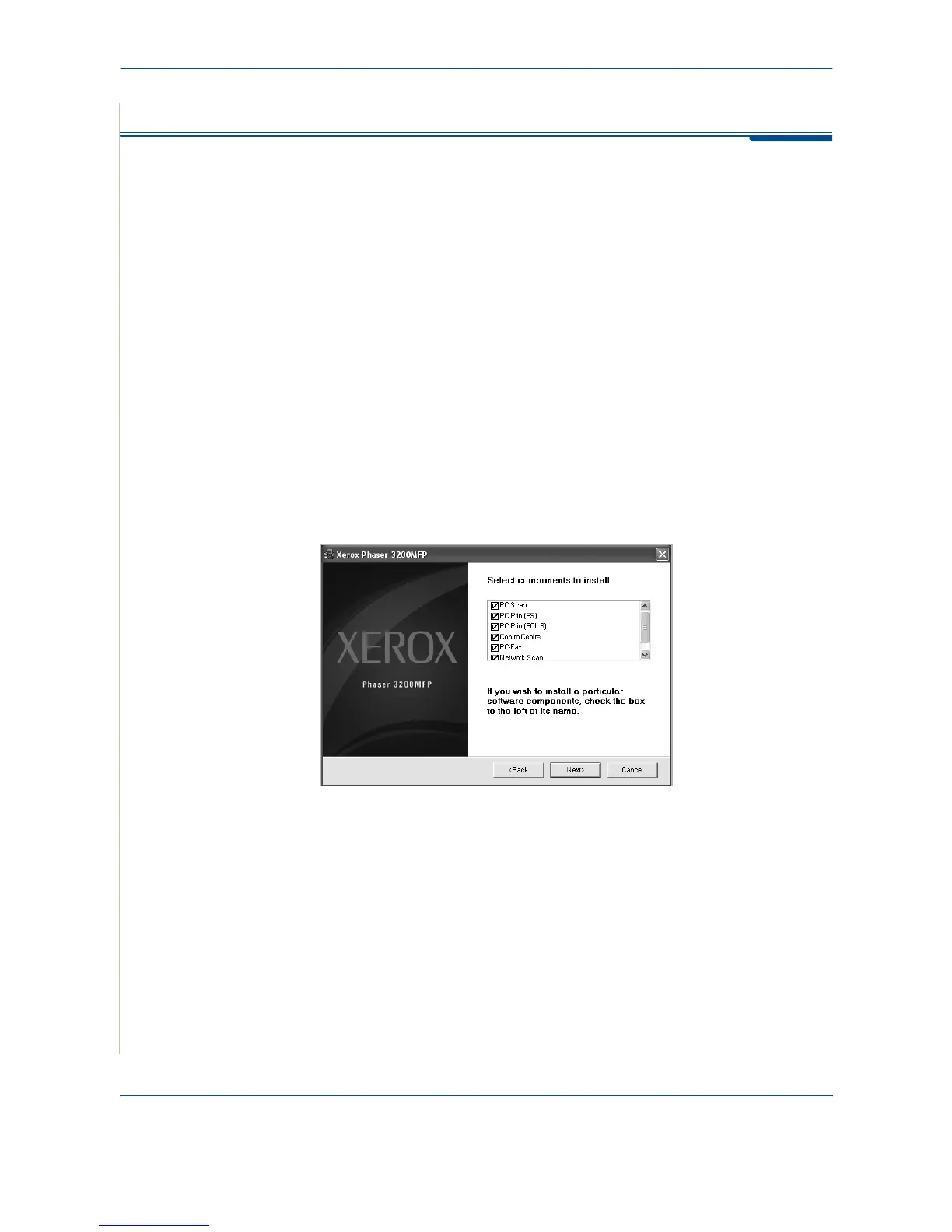
To send a fax from your PC, you need to install the PC-Fax software and
customize the software’s settings.
Installing PC-Fax Software
1. To install the PC-Fax, insert the supplied Xerox Drivers CD.
2. The CD-ROM should automatically run, and an installation window
appears.
If the installation window does not appear, click Start and then Run. Type
X:\Setup.exe, replacing "X" with the letter of your CD-ROM drive and
click OK.
3. When the language selection window appears, select the appropriate
language and then click Continue.
4. Choose PC-Fax (if not already selected) and then click Continue.
At the next screen accept your choice by clicking Continue and then click
Finish
.
PC-Fax
is now installed.










 To Next Page