Yamatake Corporation Appendix
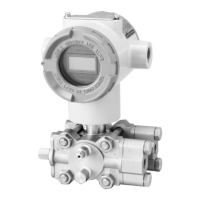
ST3000 Smart Transmitter Series 900 Electronic Differential Pressure/Pressure Transmitter A-17
Section 5 : Service Setup Menu
Service Setup menu includes;
• DE Mode
•B/O Direction
• Reset Change Flag
To enter Service Setup menu, password number is required.
5-1: Entering Service Setup Menu
(Device setup) - (Detailed Setup) - (Output Condition) - (Service Setup)
When the prompt notifies you that password number is required, press OK.
Key in “3000” as the password number.
The following display will appear.
5-2: DE Mode
The model ST3000 S900 with HART® communication option has capability to com-
municate with both HART® Communicator and SFC (Smart Field Communicator).
The function to communicate with SFC is disabled when the transmitter is shipped.
WARNING
Hooking up HART® Communicator with enabling the DE mode might cause output
fluctuation.
Do not hook up the HART® Communicator “On Line” when the DE mode is enabled.
To enable the function, follow the procedure.
ST3000: TAG001
Service Setup
1 DE Mode DISABLE
2 B/O Direction None
3 Reset Change Flag
HELP
SEND HOME EXIT



 To Next Page