Table of Contents
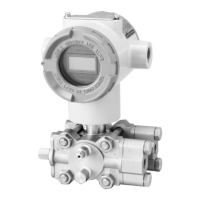
ST3000 Smart Transmitter Series 900 Electronic Differential Pressure/Pressure Transmitter
Appendix - Supplement Manual for HART® Communication Op-
tion
Section 1 : Starting Communications ...................................................................... A-1
1-1: Connecting Communicator .................................................................... A-1
1-2: HART® Communicator Keyboard.......................................................... A-2
1-3: Symbols on Communicator Screen ...................................................... A-3
1-4: Keying in Alphanumeric Characters ...................................................... A-3
1-5: Establishing Communications................................................................ A-4
1-6: Checking Basic Data ............................................................................. A-5
Section 2 : Configuration......................................................................................... A-6
2-1: HART® Communicator Menu Summary................................................ A-7
2-2: Changing Tag No................................................................................... A-8
2-3: Changing Output Format ....................................................................... A-8
2-4: Indicator Display Format........................................................................ A-9
2-4-1: Display Type .............................................................................. A-9
2-4-2: EULO / EUHI.............................................................................. A-9
2-5: Low Flow Cutoff Value / Dropout Point.................................................. A-10
2-6: Selecting unit of Measurement .............................................................. A-11
2-7: Setting Range Values ............................................................................ A-11
2-8: Fill Fluid Temperature Compensation.................................................... A-12
2-9: Adjusting Damping Time........................................................................ A-12
Section 3 : Start-up and Operation.......................................................................... A-13
3-1: Running Analog Output Check .............................................................. A-13
3-2: Configuring Ranges with Applying Pressure ......................................... A-14
Section 4 : Calibration ............................................................................................ A-15
4-1: Calibrating Analog Output Signal.......................................................... A-15
4-2: Calibrating Range .................................................................................. A-16
4-3: Resetting Calibration ............................................................................. A-16
Section 5 : Service Setup Menu.............................................................................. A-17
5-1: Entering Service Setup Menu ................................................................ A-17
5-2: DE Mode................................................................................................ A-17
5-3: Failsafe Direction ................................................................................... A-18



 To Next Page