196 Operating instruction SCK Gas Sampling System OI/SCK-EN Rev. E
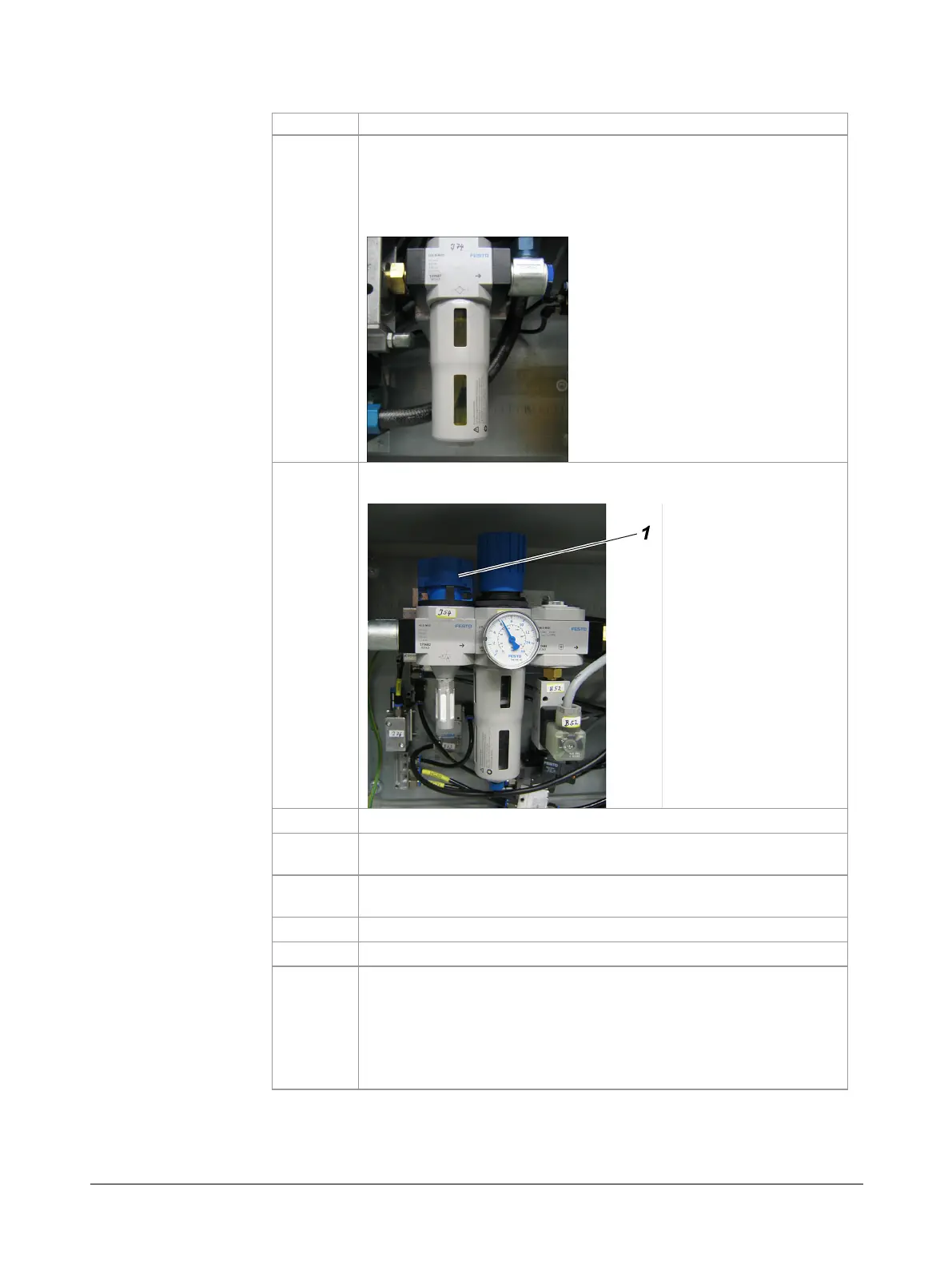
How to check oil level on the compressed-air oiler
-J74
:
Check oil level in the tank inspection windows on the com-
pressed-air oiler
-J74
.
Guidelines:
Minimum: Bottom edge of the bottom inspection window
Maximum: Top quarter in the top inspection window
Shut off the compressed-air using the gate valve
-J54
(1)
in the
pneumatic box of the probe retractor.
Completely drain the compressed-air tank (if present).
Unscrew the tank on the compressed-air oiler
-J74
by turning it
counter-clockwise.
Fill oil up to the top quarter of the top inspection window and
Remove any oil residue with a cloth.
Open the compressed-air gate valve
-J54
(1)
again.
Turn service switch back to
OFF
position and insert probe
again using the controller.
WARNING! Probe moves into the kiln. Do not stand in the area
of travel of the probe or probe carriage until the probe is
completely inserted into the kiln and the warning lamps go
out.
checking oil level



 To Next Page