7713395 R2 67
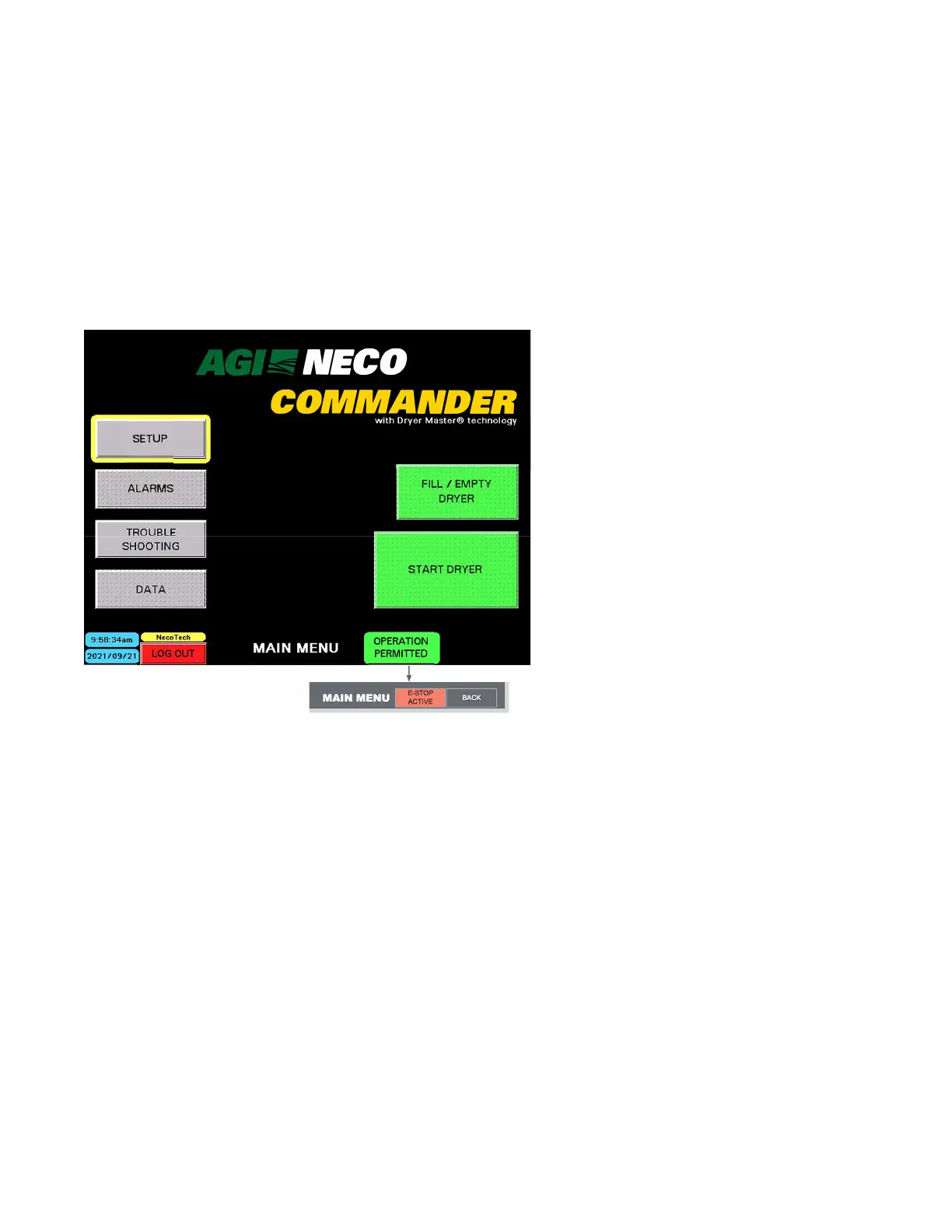
MAIN MENU — After LOG IN
Note
A flashing SETUP button indicates the system configuration data must be restored. This could occur
after installing new software, or replacing the PLC battery.
Depending on which screen is currently active, buttons and indicators may appear, or change status:
• The OPERATION PERMITTED indicator may change to a flashing E-STOP ACTIVE indicator.
• Tapping the MAIN MENU button displays the MAIN MENU screen. Touching the BACK button displays the
previous screen.
Figure 82. MAIN MENU displaying E-STOP ACTIVE
2021/09/21
NECO
C
MMAIN MENUAIN MENU
E-E-SSTTOOPP
ACACTIVETIVE
BABACKCK
After LOG IN, the following buttons are available, and the following screens are accessible:
• SETUP — Verify or enter various setup parameters related to the dryer and auxiliary equipment.
• ALARMS — View any current ALARM status
• TROUBLESHOOTING — Contact information for NECO or the local dealer is available for viewing.
• GRAPHS — Graphs can be charted for grain moisture, grain temperature, or grain discharge rate. Data
values such as volume throughput are shown.
• FILL/EMPTY DRYER — Used for production filling or emptying of the dryer.
• GO TO START DRYER SCREEN — Used for setting up START DRYER parameters such as which blowers and
burners are enabled, etc.
Prior to startup or operation, all SETUP information must either be verified or entered.
• Some information has been input at the NECO factory in order to do system testing prior to shipment of the
equipment. Additional information, such as auxiliary equipment, can only be entered after all equipment has
been installed.
• Logged in as Owner, go to SETUP and complete the FILL & EMPTY SETUP and TIMERS SETUP requirements.
CONTINUOUS MIXED-FLOW GRAIN DRYER WITH COMMANDER CONTROL SYSTEM 4. OPERATION



 To Next Page