66 7713395 R2
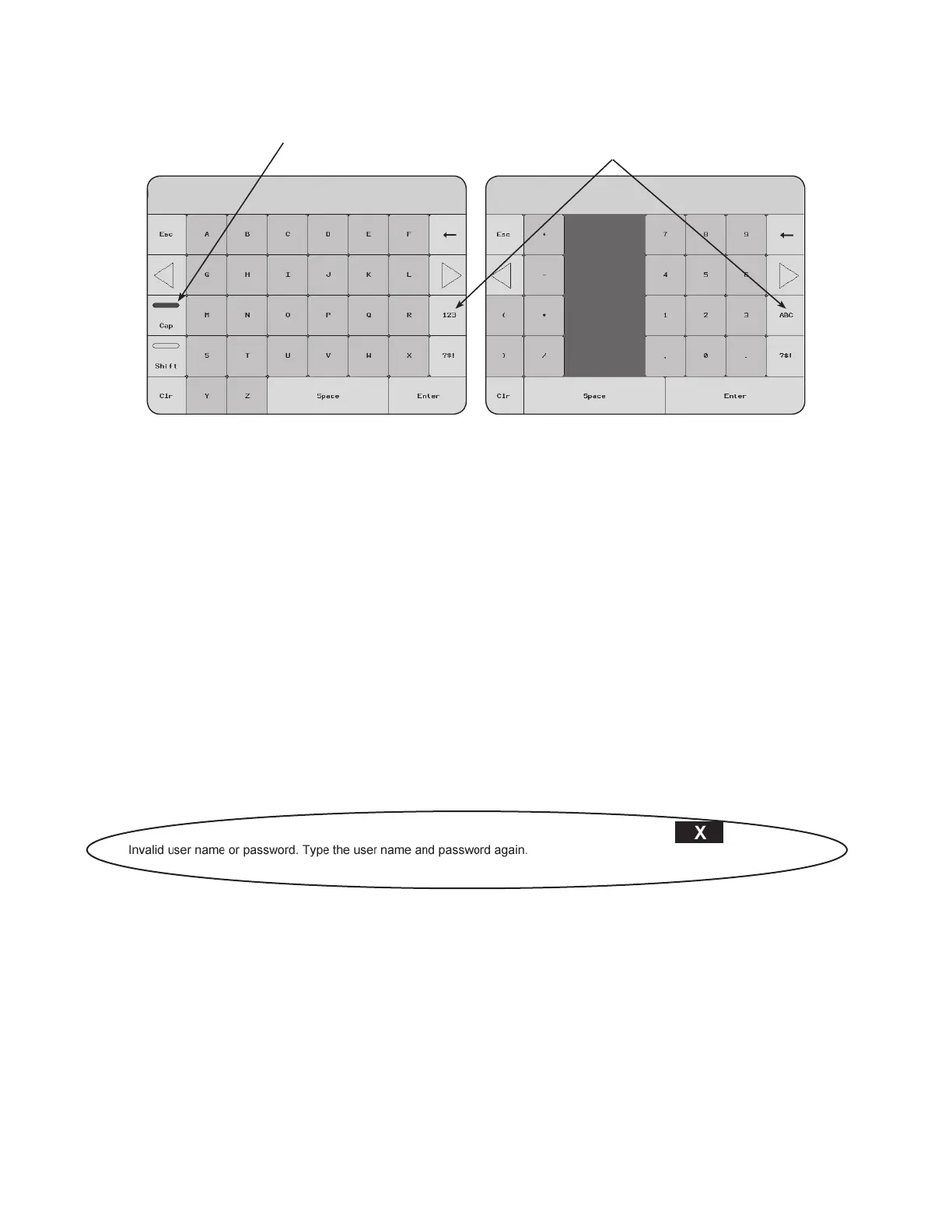
Figure 80. The alpha-numeric keypad
TAP HERE TO TOGGLE FROM
LETTERS TO NUMBERS
KEEPS ALL CAPS
2. Type one of the following into the NAME field:
• For basic operation, enter: USER (case-sensitive)
• To access SETUP configuration, enter: Owner (case-sensitive)
3. Tap ENTER.
Enter PASSWORD
1. Tap the PASSWORD field box. The alpha-numeric keypad appears.
2. Type one of the following into the PASSWORD field:
• For USER (basic operation), enter: 123 (case-sensitive)
• For Owner (setup), enter: MyDryer (case-sensitive)
3. Tap ENTER.
If an incorrect NAME or PASSWORD was entered (including if the incorrect case was used), the following
message is displayed:
Figure 81.
• Tap X to acknowledge/dismiss the message and re-start the LOG IN process.
Complete the LOG in Procedure
1. Tap UNLOCK. The Current User field displays the NAME of the logged in user.
2. Tap HOME. The MAIN MENU screen appears with the following changes:
• The LOG OUT button is available in the lower-left corner of the screen.
• The user NAME appears directly above the LOG OUT button.
• Depending on the login security level, additional buttons are now available (button is solid rather than
hatched pattern), including the OPERATION PERMITTED indicator.
4. OPERATION CONTINUOUS MIXED-FLOW GRAIN DRYER WITH COMMANDER CONTROL SYSTEM



 To Next Page