7713395 R2 65
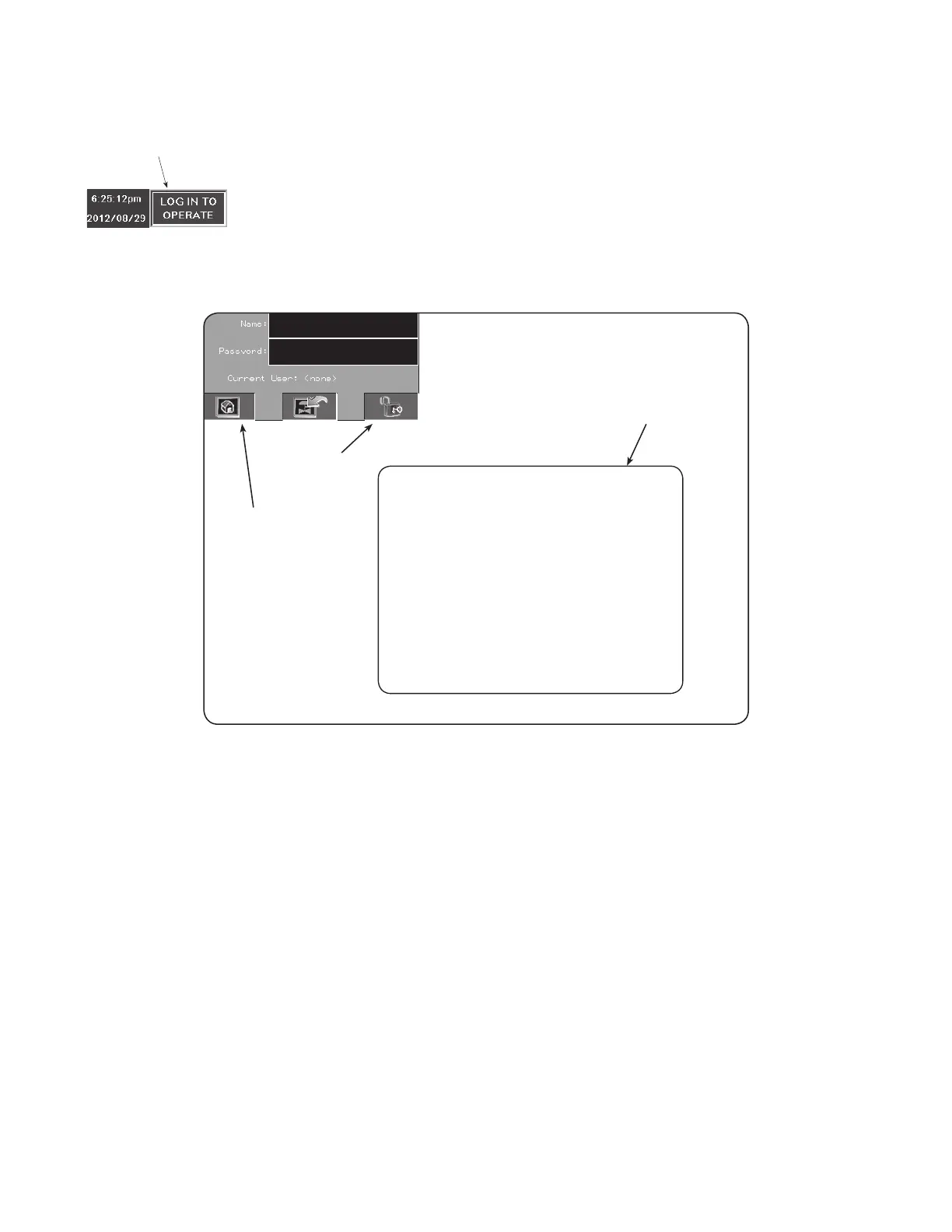
Figure 78. LOG IN TO OPERATE
TAP
THIS ICON TO
BEGIN THE LOG IN
PROCEDURE
The LOG IN screen appears with the NAME and PASSWORD fields in the upper-left corner.
Figure 79. LOG IN screen
Temporary keypad touchscreen
will appear here in order to enter
NAME and PASSWORD.
** Note that both entries require
case sensitive input.
UNLOCK
“HOME” ICON
SEE TOUCHSCREEN KEYPAD
EXAMPLES BELOW
Note
All entries for both the NAME and PASSWORD are case-sensitive.
Enter NAME
1. Tap the NAME field box. The alpha-numeric keypad appears.
CONTINUOUS MIXED-FLOW GRAIN DRYER WITH COMMANDER CONTROL SYSTEM 4. OPERATION



 To Next Page