7713395 R2 71
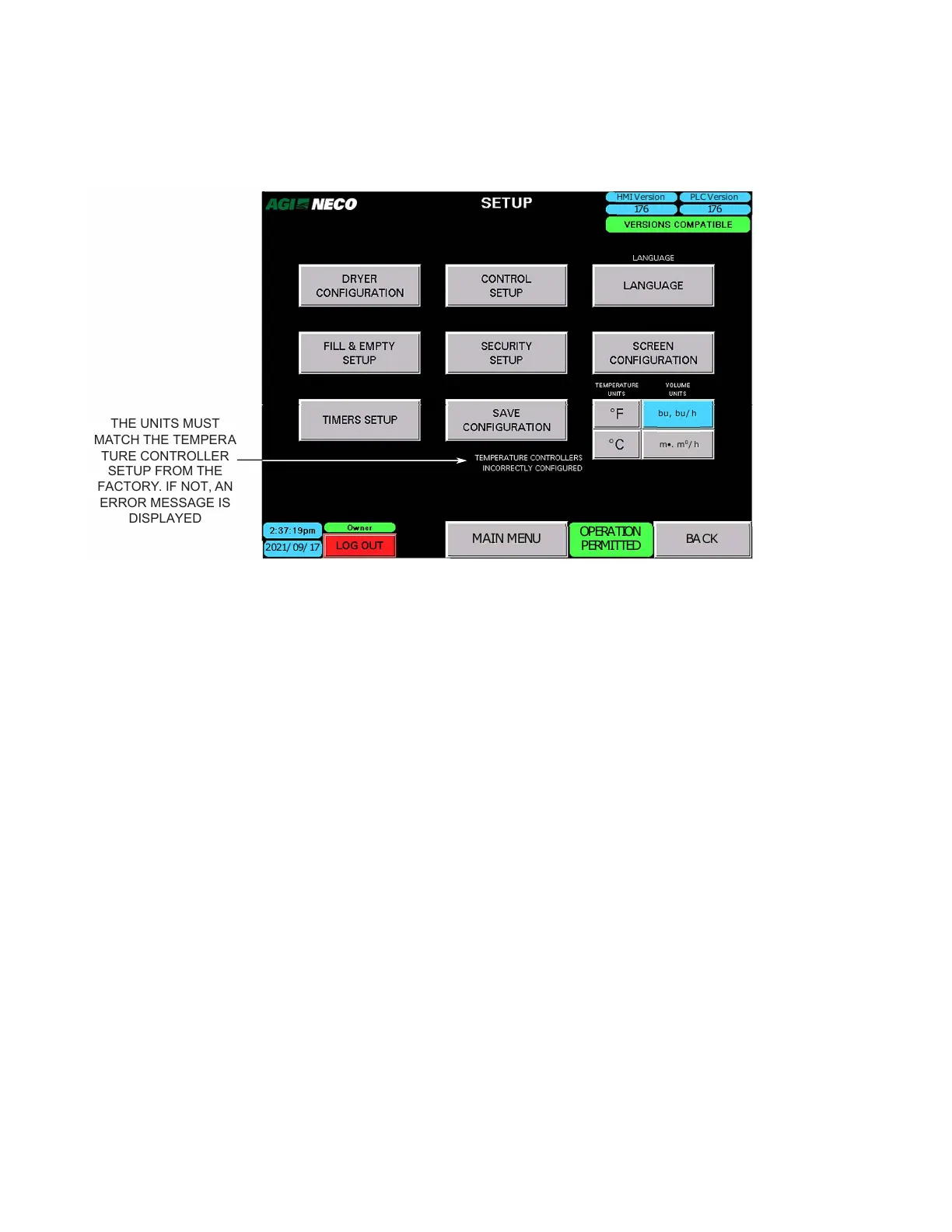
• If, during initialization or setup, the units designation does not match the temperature controller
configuration, a warning message appears, and the correct units must be chosen. It may be necessary to
change temperature units to C then back to F to clear this message.
Figure 88. Units of measurement
MAIN MENU
2021/ 09/ 17
HMI Version PLC Version
176
OPERATION
PERMITTED
176
bu, bu/ h
m•. m
0
/ h
BACK
THE UNITS MUST
MATCH THE TEMPER
A
TURE CONTROLLER
SETUP FROM THE
FACTORY. IF NOT, AN
ERROR MESSAGE IS
DISPLAYED
Note
The system can switch between unit modes. Tap the desired mode button. It will take approximately 45
seconds for the control to change over.
B. Dryer Configuration
• Dryer configuration information is entered at the NECO factory and provides the software with the “as-
built” dryer configuration.
• The screen can be viewed by any login status, but only NecoTech login status can make changes. For
example, if the configuration needs to change due to dryer upgrade, etc.
Note
The example screen shown below is a “mock” 24–ft dryer that has three blowers and burners, with each
pair feeding four tiers. Units = Imperial (F); fuel system is liquid propane (LP). Since the example is a
three blower system, and the dryer has no #4 blower present, the remaining buttons for line #4, as well
as #5 and #6 are row inputs, are not visible.
CONTINUOUS MIXED-FLOW GRAIN DRYER WITH COMMANDER CONTROL SYSTEM 4. OPERATION



 To Next Page