72 7713395 R2
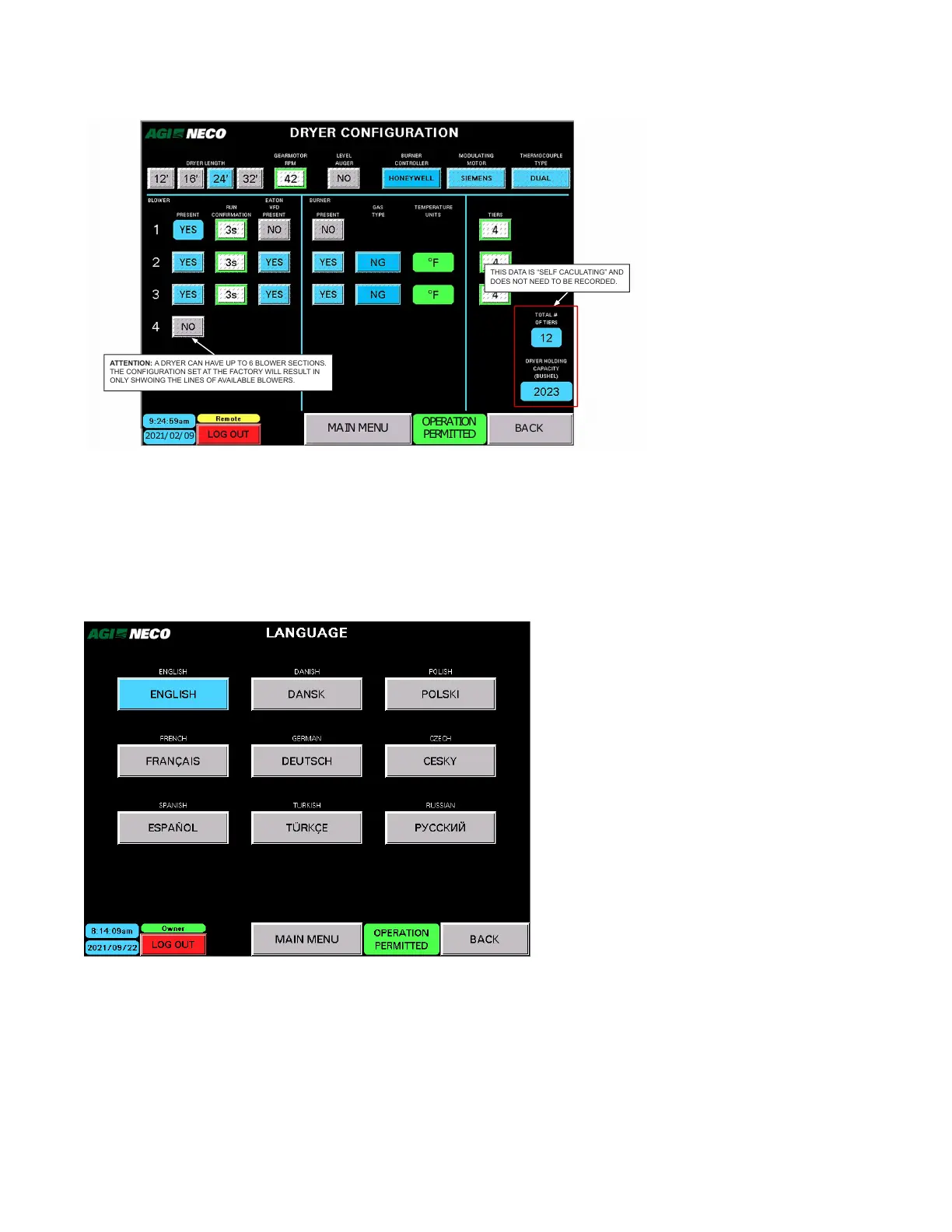
Figure 89. Dryer Configuration screen
MAIN MENU
2021/ 02/09
OPERATION
PERMITTED
BACK
THIS DATA IS “SELF CACULATING” AND
DOES NOT NEED TO BE RECORDED.
ATTENTION: A DRYER CAN HAVE UP TO 6 BLOWER SECTIONS.
THE CONFIGURATION SET AT THE FACTORY WILL RESULT IN
ONLY SHWOING THE LINES OF AVAILABLE BLOWERS.
C. User Language
• User language information is entered at the NECO factory.
• The screen can be viewed by any login status, but only Owner login status can make changes.
• User language choices reflect NECO written programming screens only.
Figure 90. User Language screen
D. Screen Configuration
• User language information is entered at the NECO factory.
• The following items can be changed with Owner login status:
– Brightness
– Date/Time
4. OPERATION CONTINUOUS MIXED-FLOW GRAIN DRYER WITH COMMANDER CONTROL SYSTEM



 To Next Page