74 7713395 R2
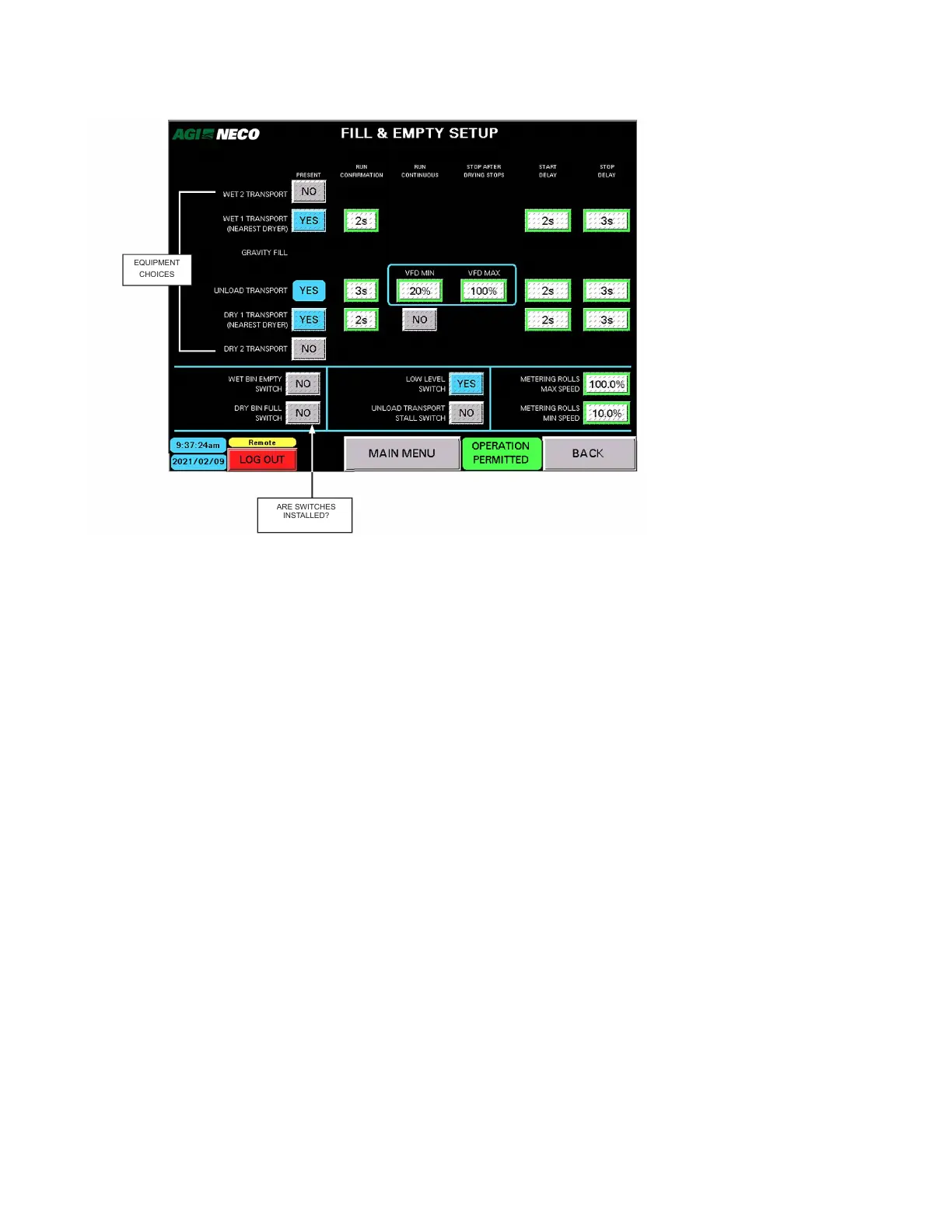
Figure 92. Fill/Empty setup screen
2021/02/09
BACK
EQUIPMENT
CHOICES
ARE SWITCHES
INSTALLED?
The following criteria are possible options available for the equipment choices.
Note
If "Motor Present" is set to "No," no further options are displayed for that piece of equipment.
Based on the data entered, further options for that piece of equipment are available:
• For each piece of equipment, is a “MOTOR PRESENT”? YES or NO
• If a motor is present, does it “RUN CONTINUOUS” ? YES or NO
• If the motor runs continuous, should it stop after drying stops ? YES or NO
• START or STOP DELAY values can be entered as required. (See Section 8.2 – Optional External Transport
Configurations on page 128 for details.)
Equipment To Be Controlled
• WET 2 TRANSPORT (farthest from dryer)
• WET 1 TRANSPORT (closest to dryer)
• LEVEL AUGER (optional part of dryer)
• UNLOAD TRANSPORT (part of the dryer)
• DRY 1 TRANSPORT (closest to dryer)
• DRY 2 TRANSPORT (farthest from dryer)
Switches To Be Monitored
• WET BIN EMPTY SWITCH INSTALLED? Yes or No
• DRY BIN FULL SWITCH INSTALLED? Yes or No
• LOW LEVEL SWITCH INSTALLED? Yes or No
4. OPERATION CONTINUOUS MIXED-FLOW GRAIN DRYER WITH COMMANDER CONTROL SYSTEM



 To Next Page